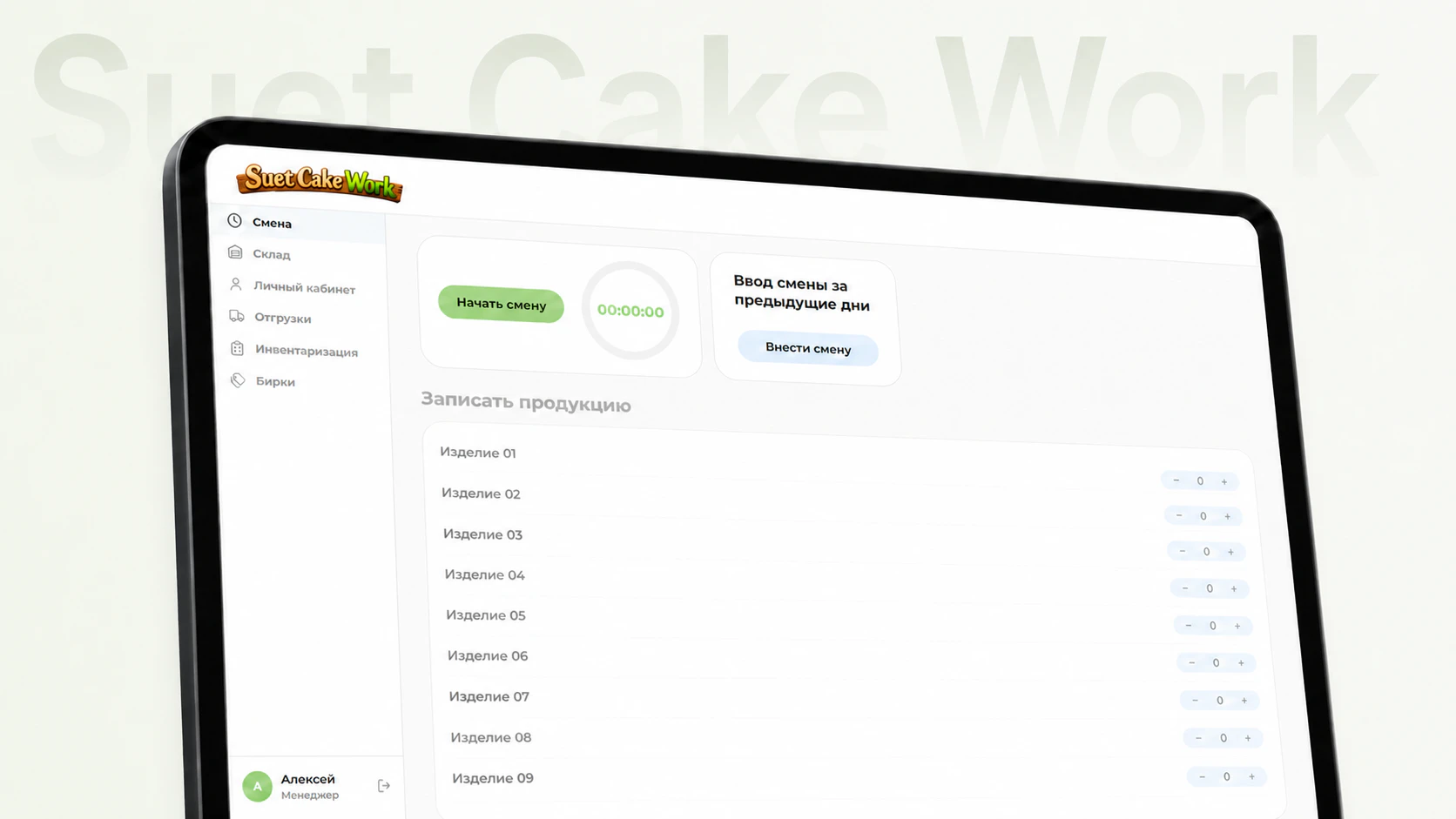
Internal ERP system
SUET CAKE WORK
Project details
An internal ERP system for managing feed production, shifts, output, inventory, procurement, shipments, payroll and analytics.
Client
- Animal feed manufacturer
- 2026
Services
- UX/UI design
- Frontend development
- Backend development
- Integrations
- Server infrastructure
Product overview
The internal production system brings employees, shifts, output, inventory, purchasing, plans, payroll and management analytics into one interface.
Production without duplicate data entry
The system connects the workshop’s daily work into one process. Every operation uses shared data, while shifts, output, material consumption, inventory, plans and payroll are no longer tracked separately.
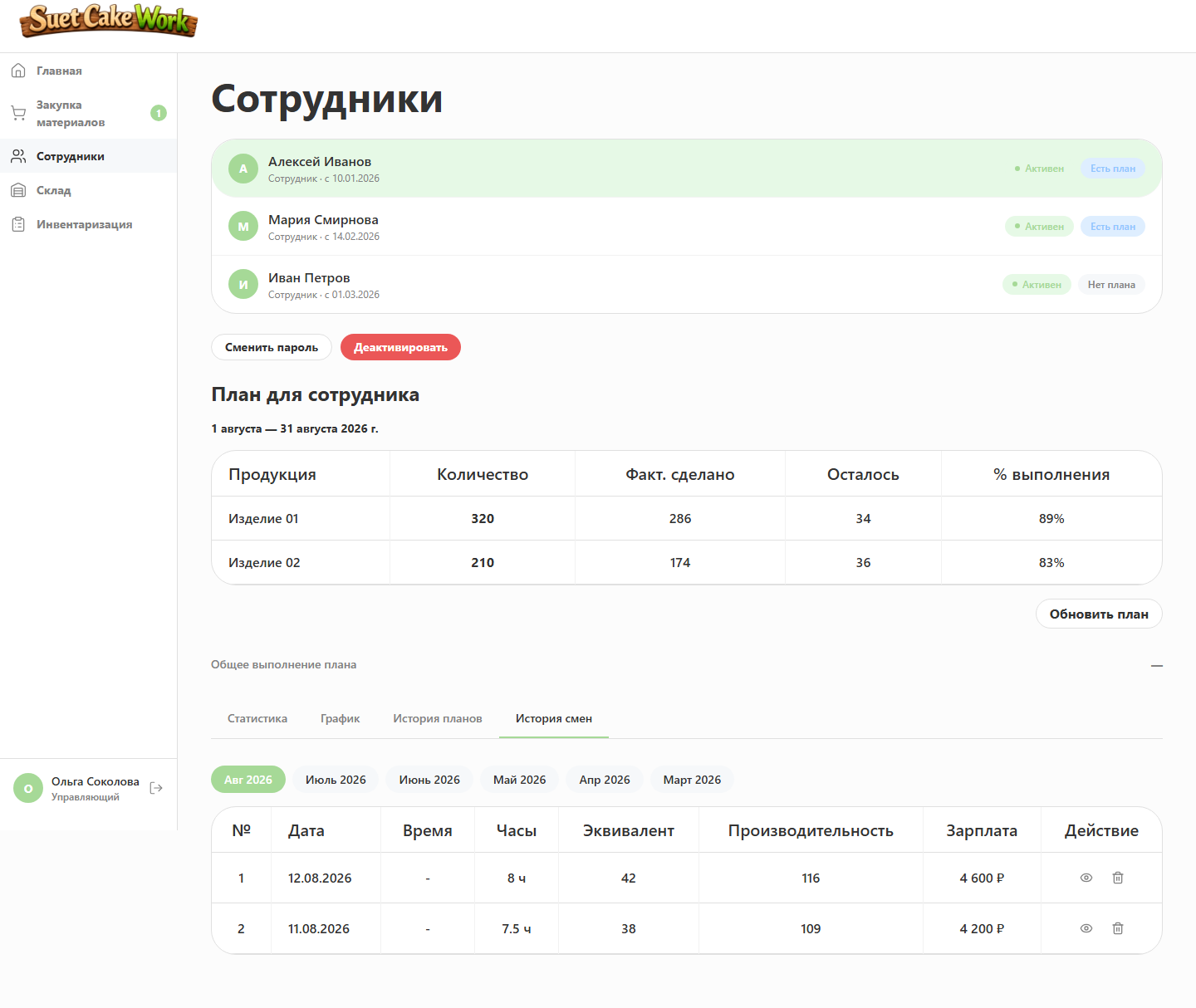
When an employee closes a shift, the system automatically calculates working time, productivity and earnings. Different products are converted into comparable equivalents.
Actual output consumes raw materials, replenishes finished-goods inventory and updates management indicators.
Convenient for employees
The interface follows concrete actions during the working day: start a shift, record produced quantities and confirm the result.
Before saving, an employee sees working hours, output, productivity, salary and bonus. The system performs the calculations, so nothing needs to be calculated or copied manually.
Their account contains the production plan, shift history, monthly results, earnings forecast and upcoming payments. The same workspace supports accepting materials, shipping products, running an inventory count and generating a product label.
Clear for managers
Managers get a complete view of production in one interface: employee output, plan progress, raw-material and finished-goods inventory, purchasing, shipments, expenses and payroll.
The system calculates unit costs, profit and margin, helps plan future material demand and highlights items that are close to running out.
Incorrect shifts and shipments can be reversed while restoring all related balances, plans and indicators.
The same figures for the whole team
Employees and managers work with the same current values. Pay, stock and production figures no longer need to be recalculated or reconciled across separate spreadsheets.
When data changes, open screens update automatically without a manual refresh.
The system covers the entire production cycle
Instead of disconnected spreadsheets and manual reconciliation, every core process works with shared data:
- Employee shifts and output tracking
- Personal analytics and payouts
- Warehouse accounting for materials and finished goods
- Procurement requests
- Shipping
- Inventory checks
- Admin analytics and staff management
01. Working shift
Employees record output while the system handles the calculations
The working day follows a short sequence: start a shift, enter produced quantities, review the preliminary result and confirm it.
Key figures
- 13 — product types available in output counters
- 8 h — a shared basis for comparing shifts of different lengths
- 1 — employee action starts all connected accounting operations
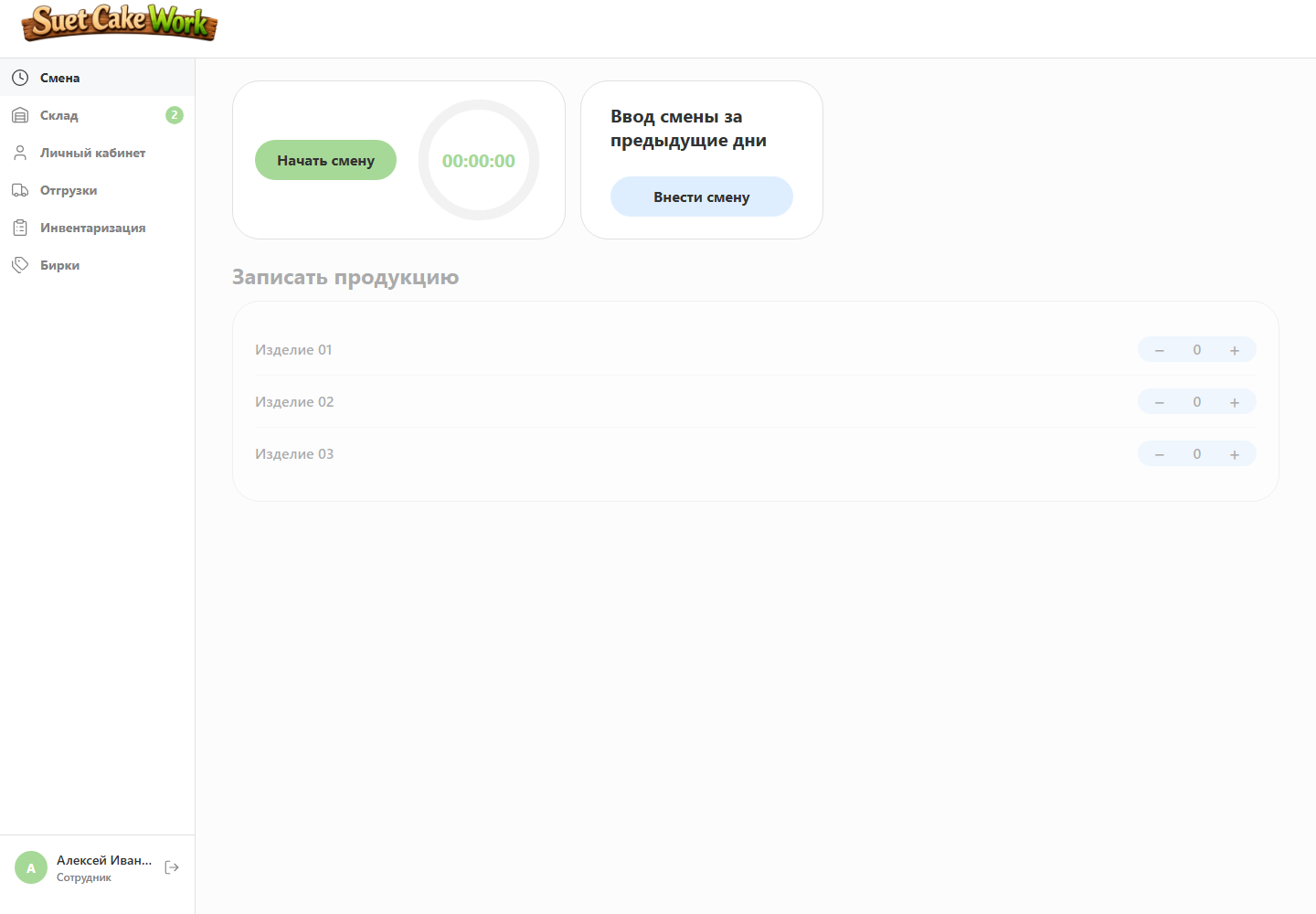
Shift time is tracked automatically
Employees do not need to watch a timer or record when work began. They can close the page, return later or refresh it — worked time is preserved and continues to run.
Preview before saving
Before closing, employees see hours, output, equivalent volume, productivity, target percentage, base salary, bonus and total earnings.
Handling non-standard situations
A past shift can be entered manually with its date and time. Duplicate checks and the same accounting rules still apply.
Labels for finished products
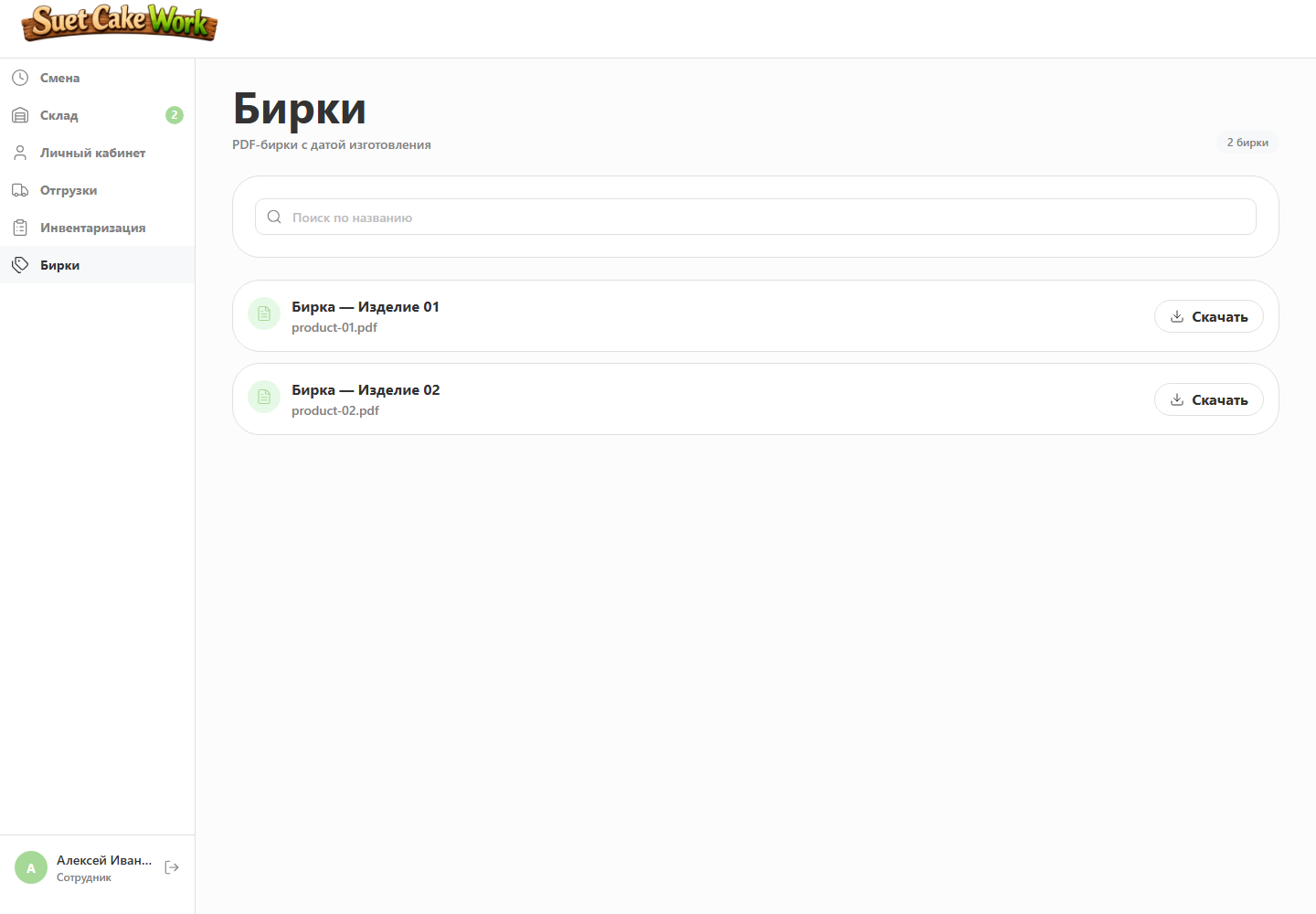
After production, employees generate print-ready PDF labels with the current production date, ingredients, weight and storage conditions.
02. Automation
Closing a shift updates the entire production record
Employees only confirm actual output. One operation then updates production, inventory, financial and management data in sequence.
How the process works
- Working time and actual output are saved
- Equivalent output, productivity and earnings are calculated
- Ingredients and cord are consumed by recipe
- Finished goods are added to inventory
- Production plan progress is updated
- Statistics and management indicators are recalculated
03. Personal account
Employees understand the result and see the next step
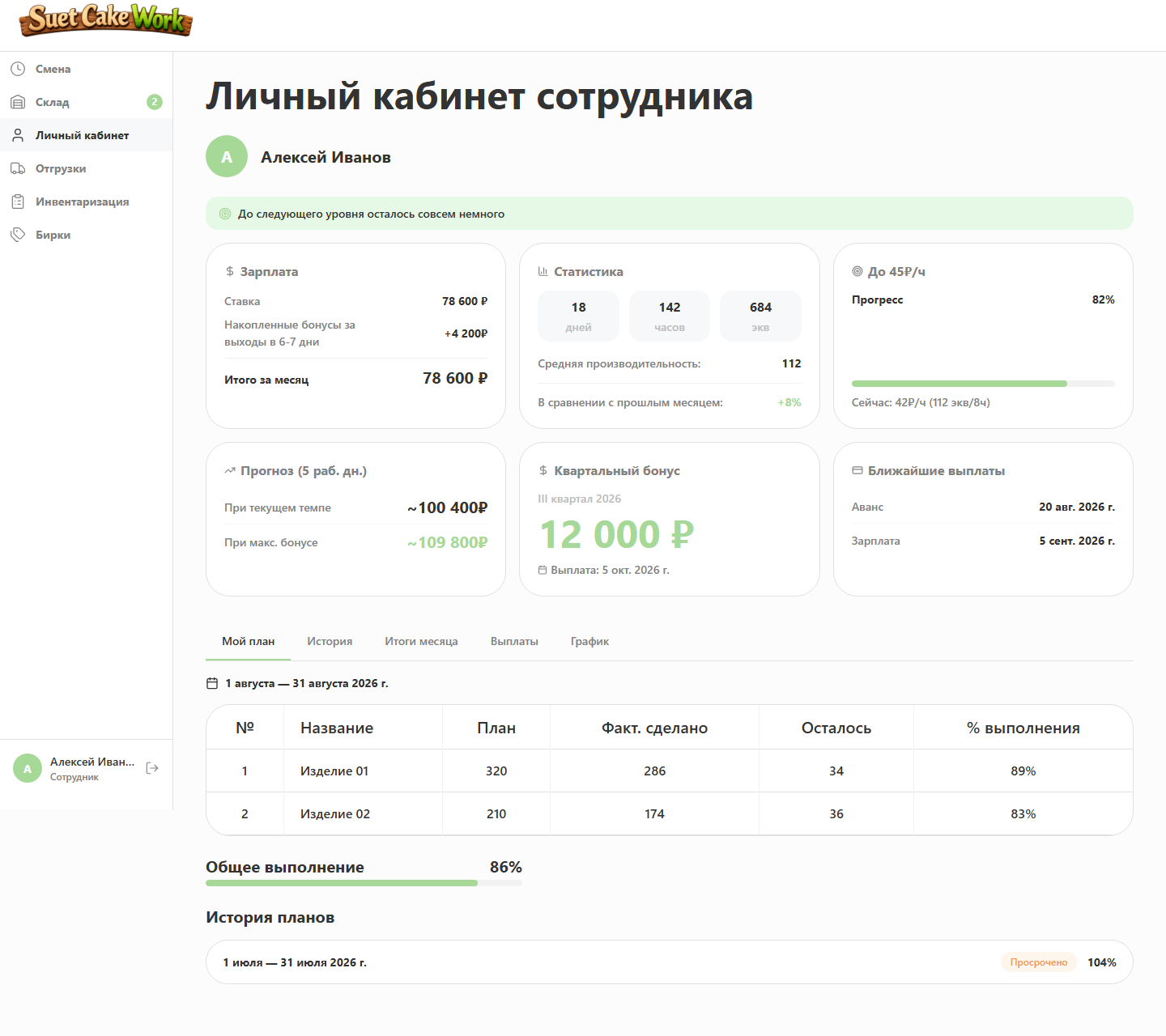
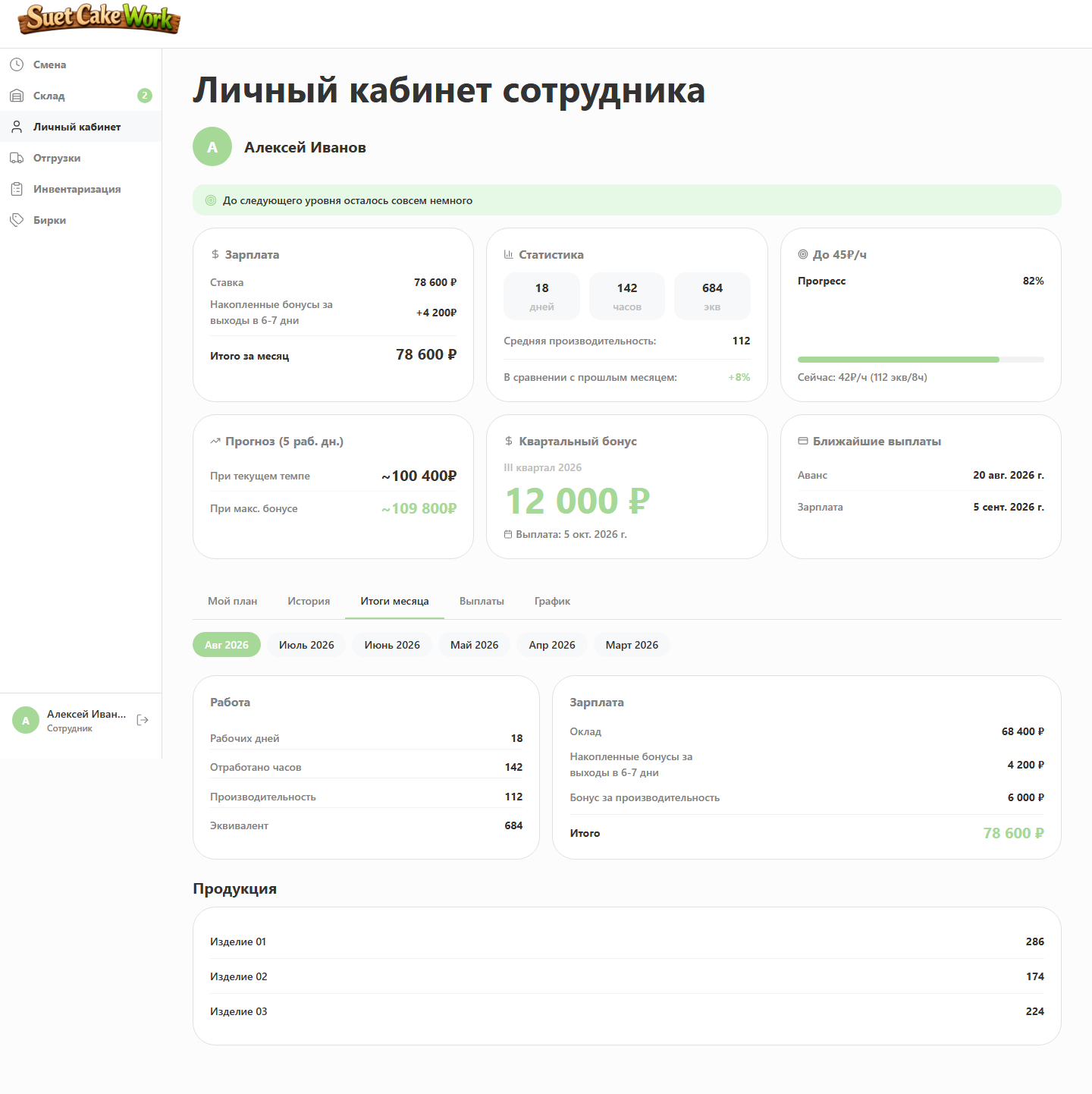
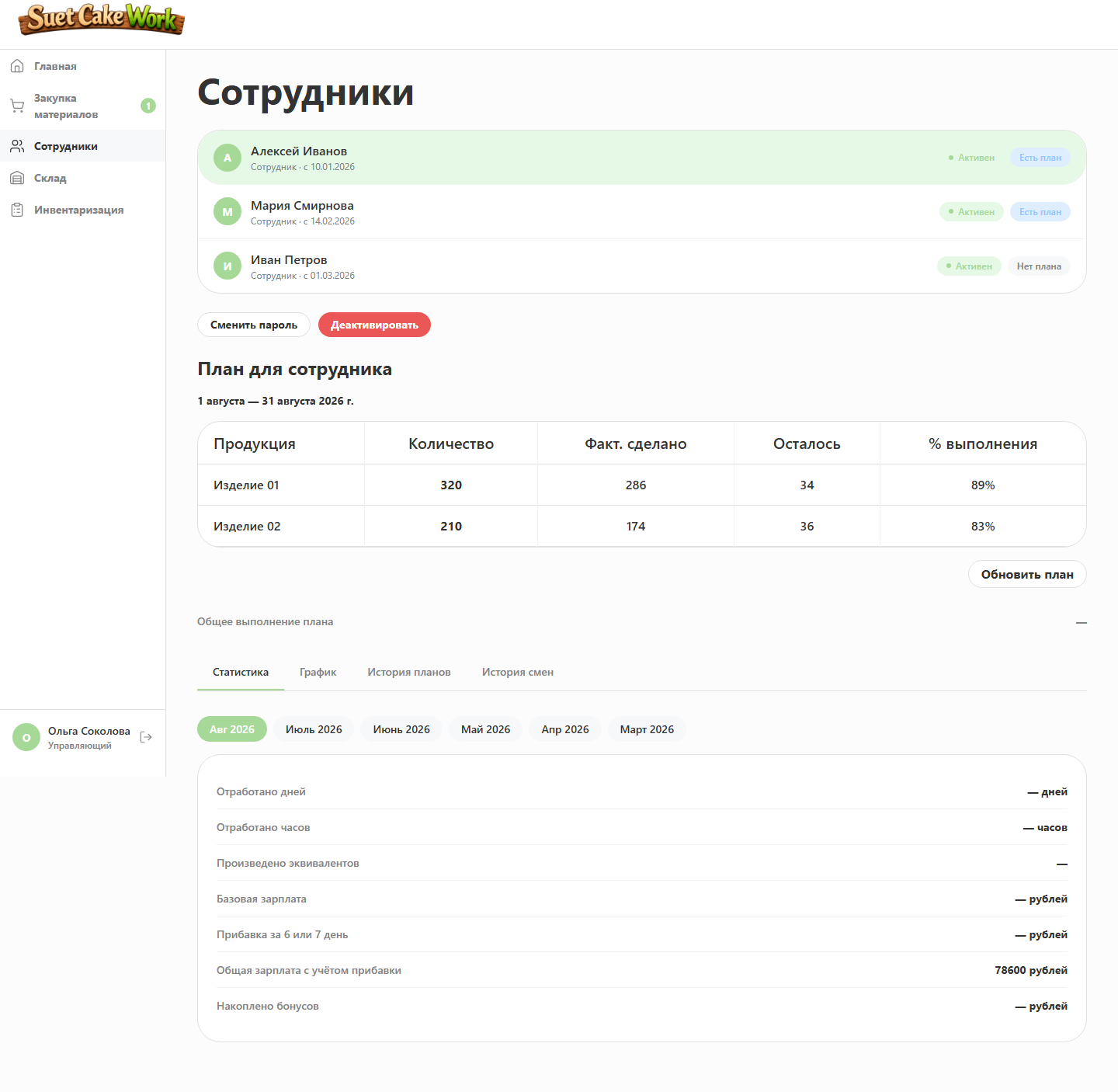
The personal account turns production indicators into clear feedback: what has been produced, what has been earned and what pace is needed by month end.
Plan and history
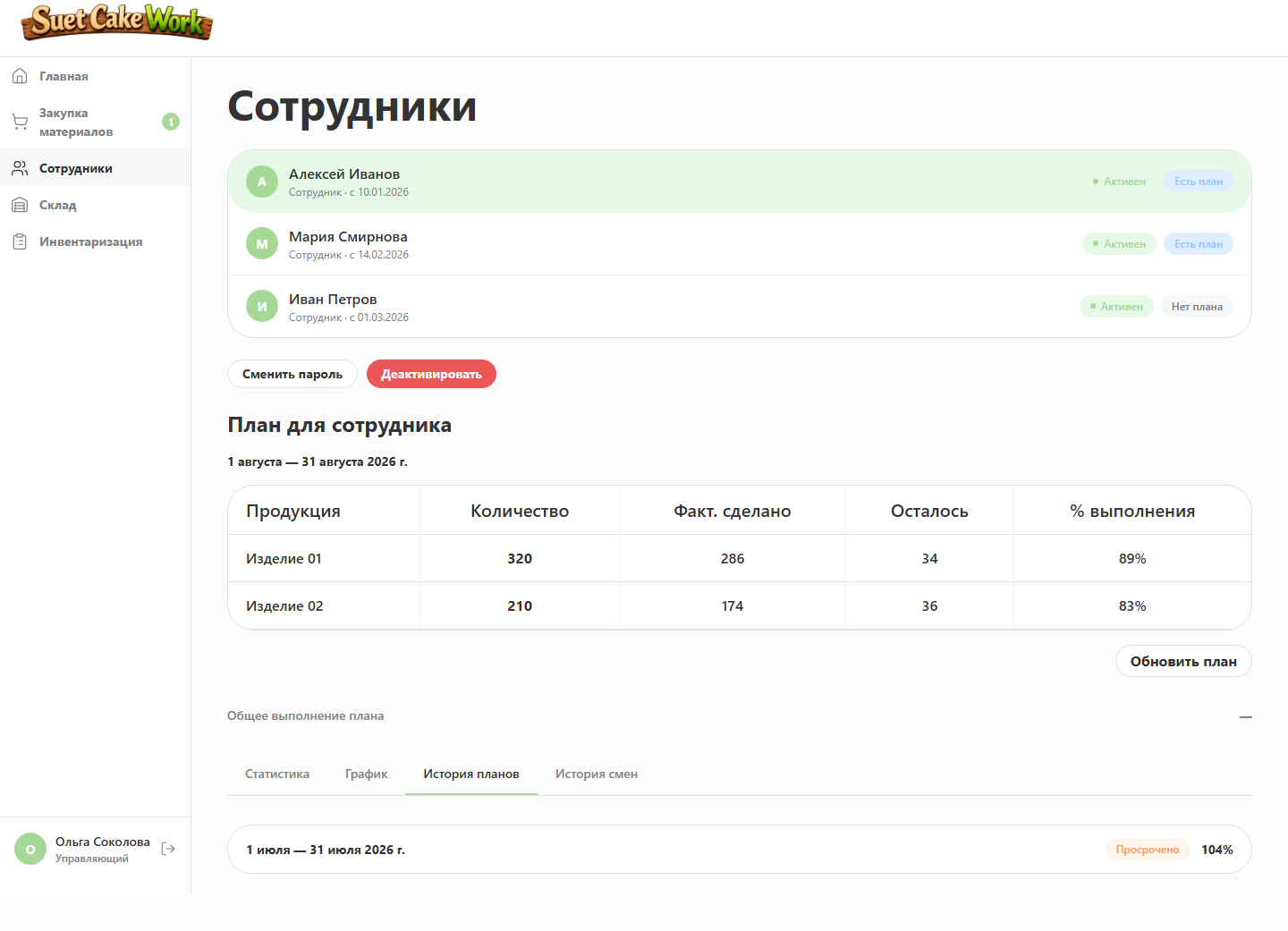
Targets by product, actual output, overall progress, off-plan items and completed shift history are available together.
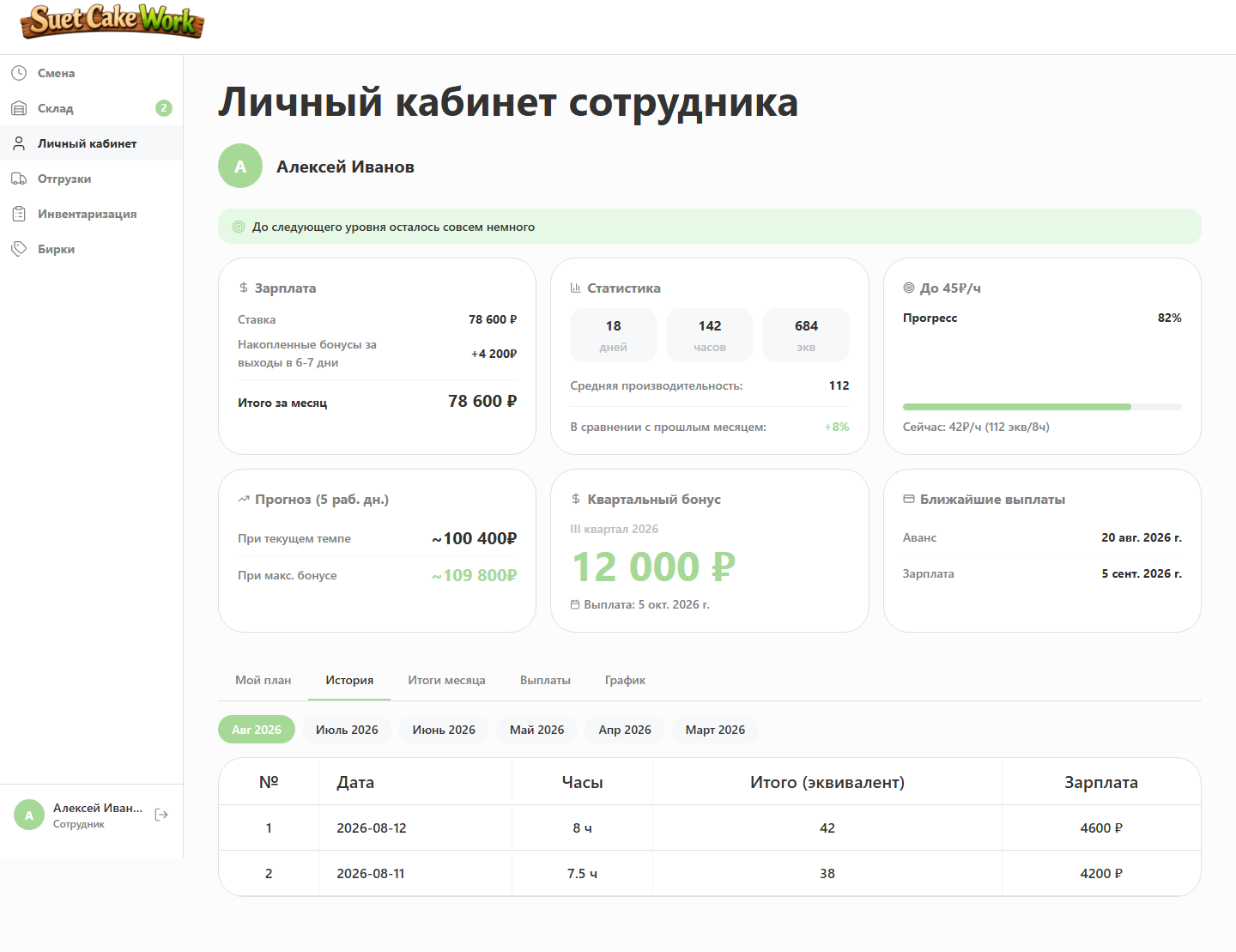
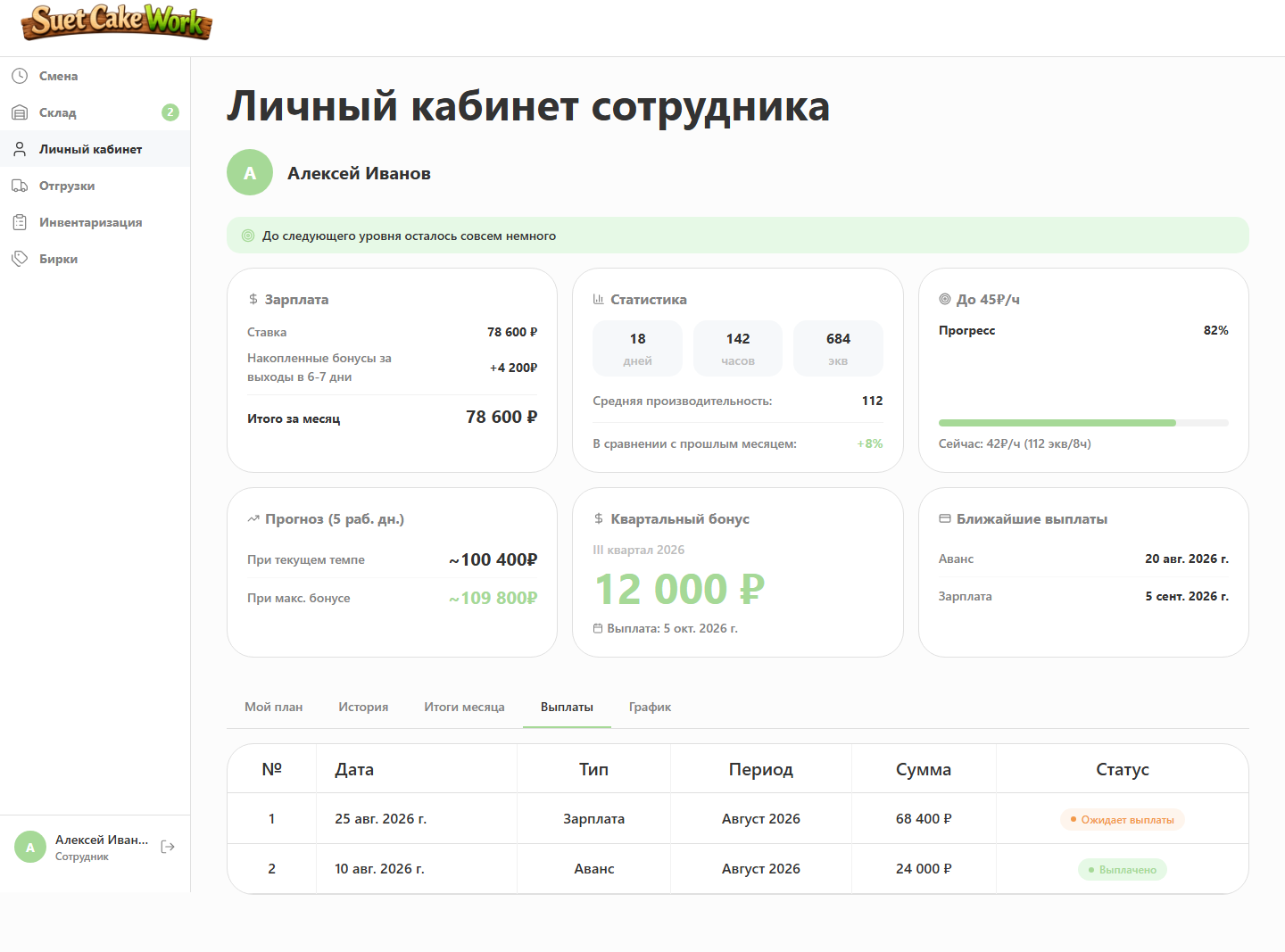
Income and forecast
Working days, hours, average productivity, current salary, quarterly bonus and upcoming payouts share one screen. The personal account also shows bonus levels, a month-end forecast and progress toward the next level.
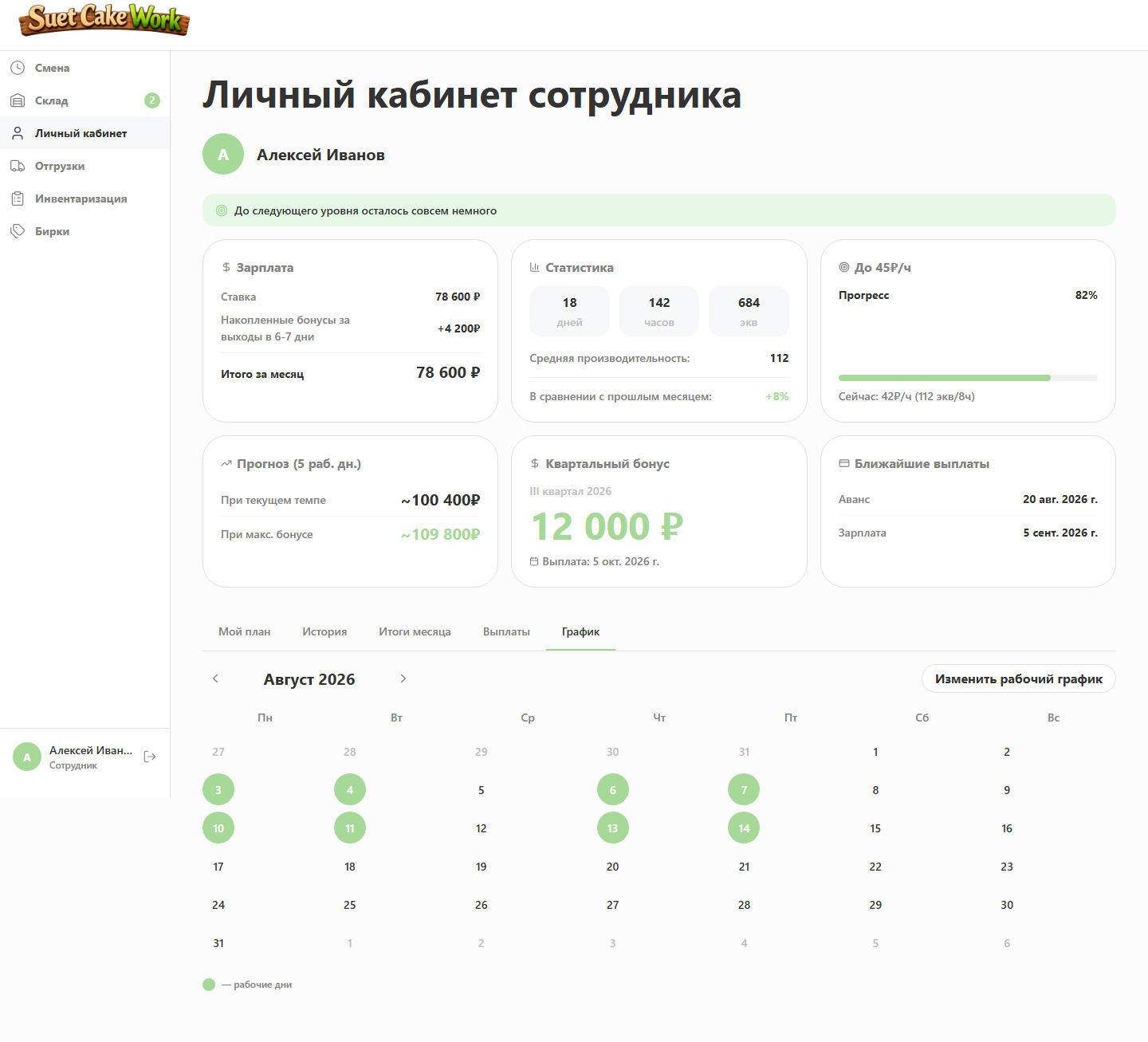
Work schedule
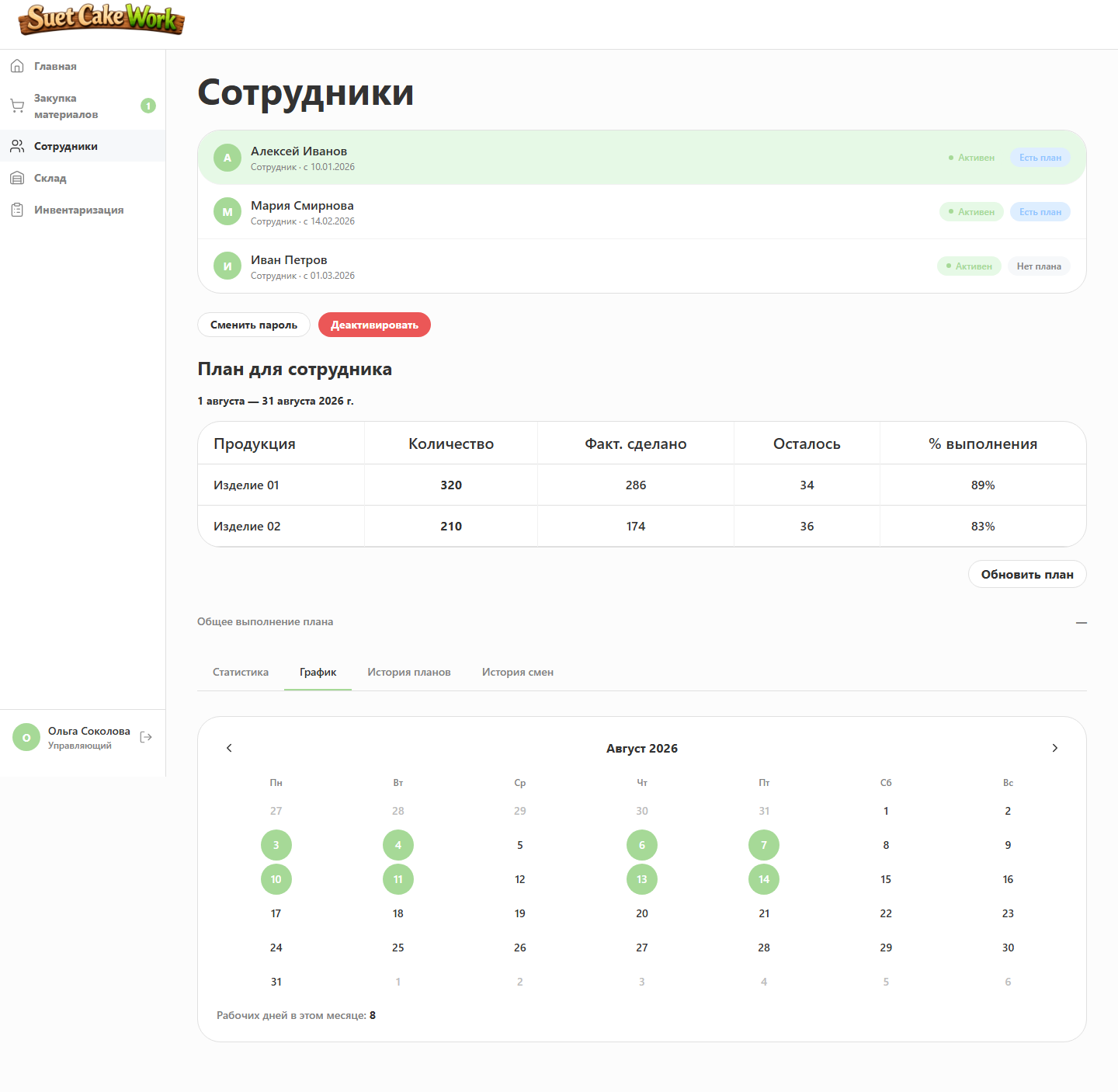
Employees fill in their schedule and see assigned working days in the personal account.
04. Plans and equivalents
Different products are compared by workload, not item count
Different products require different amounts of time and effort. Output is therefore converted into equivalents used for plans, productivity and motivation.
Key figures
- 0.7–6 — range of product workload coefficients
- 500 / 650 / 800 — bonus productivity levels for eight hours
- >100 — performance can exceed the standard pace
Actuals come from real shifts
Every item shows target, output, remaining amount and completion. Changing the period recalculates actual results.
Off-plan output remains visible
Additional production is retained in statistics but cannot inflate the assigned plan completion percentage.
Plans do not conflict
The system prevents two plans from being assigned to the same employee for the same period, so targets and completion rates always belong to the correct month.
05. Inventory and recipes
Inventory became a continuation of actual production
Every product has a recipe. Closing a shift automatically consumes materials according to product size, batch share and cord usage.
Kilograms, metres and pieces without manual conversion
Every material is shown in familiar units. Cord can be converted into reels immediately, so employees do not have to calculate it themselves.
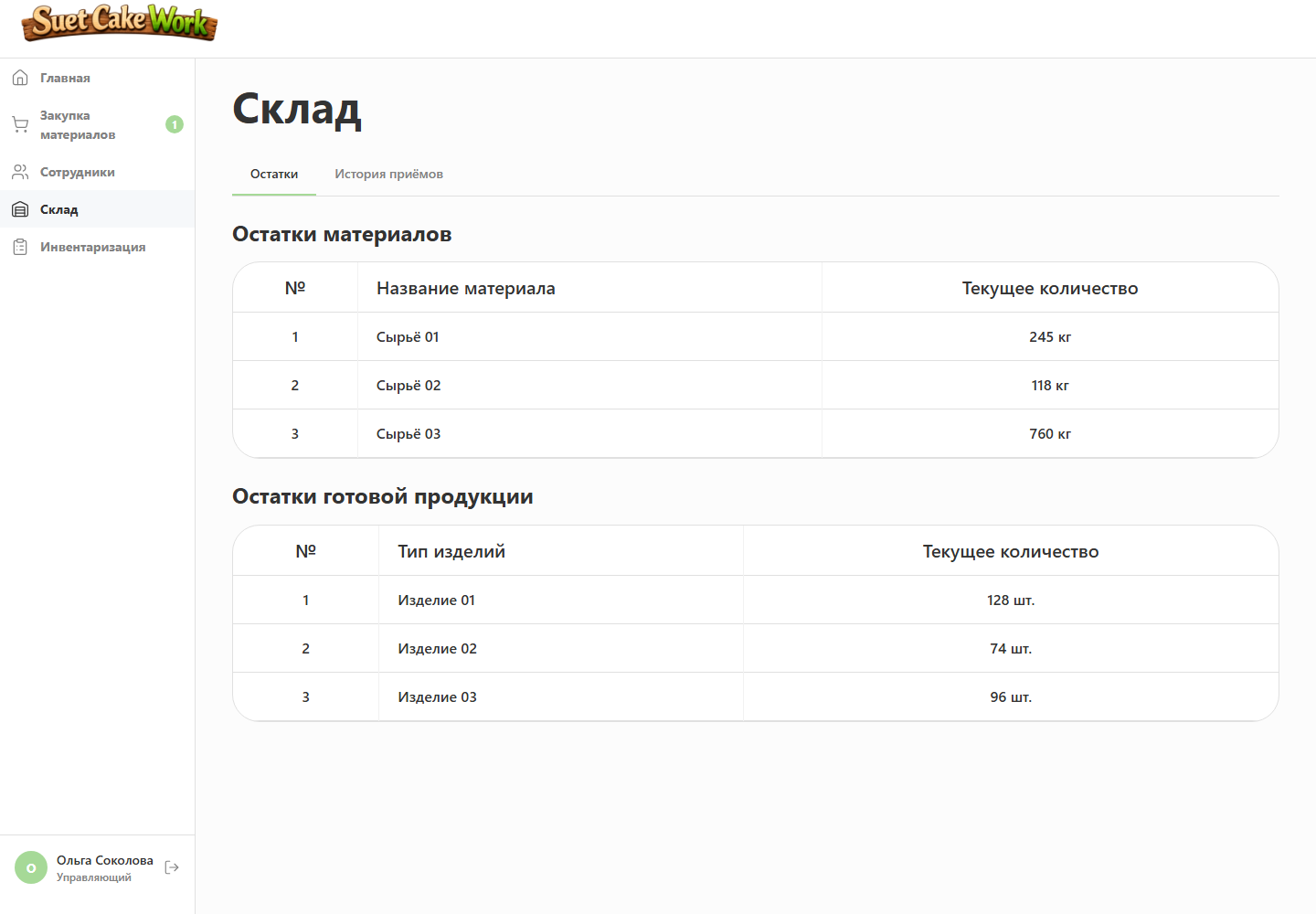
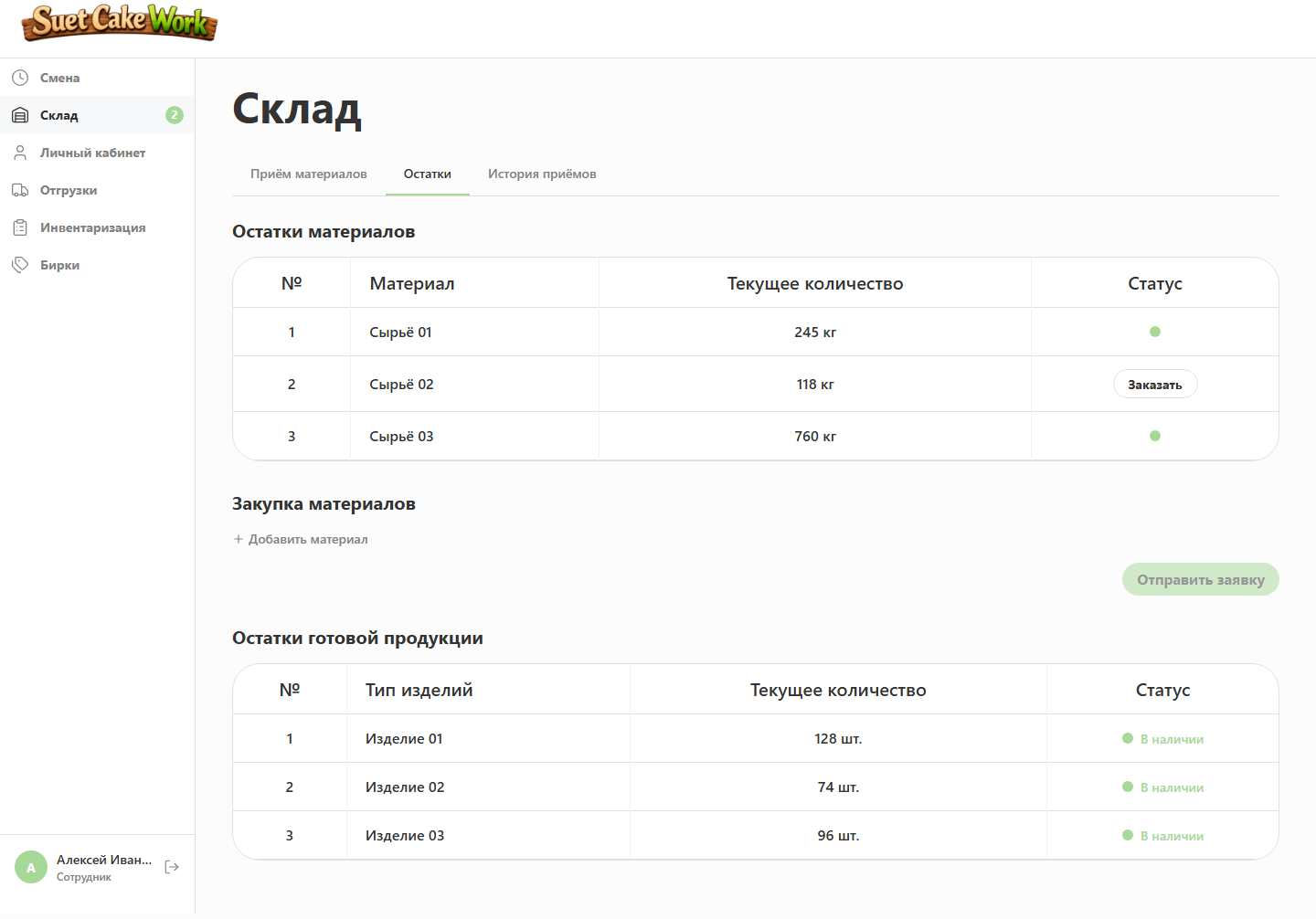
Remaining coverage is visible
Materials are sorted by urgency and consumption forecasts show remaining working shifts and replenishment needs.
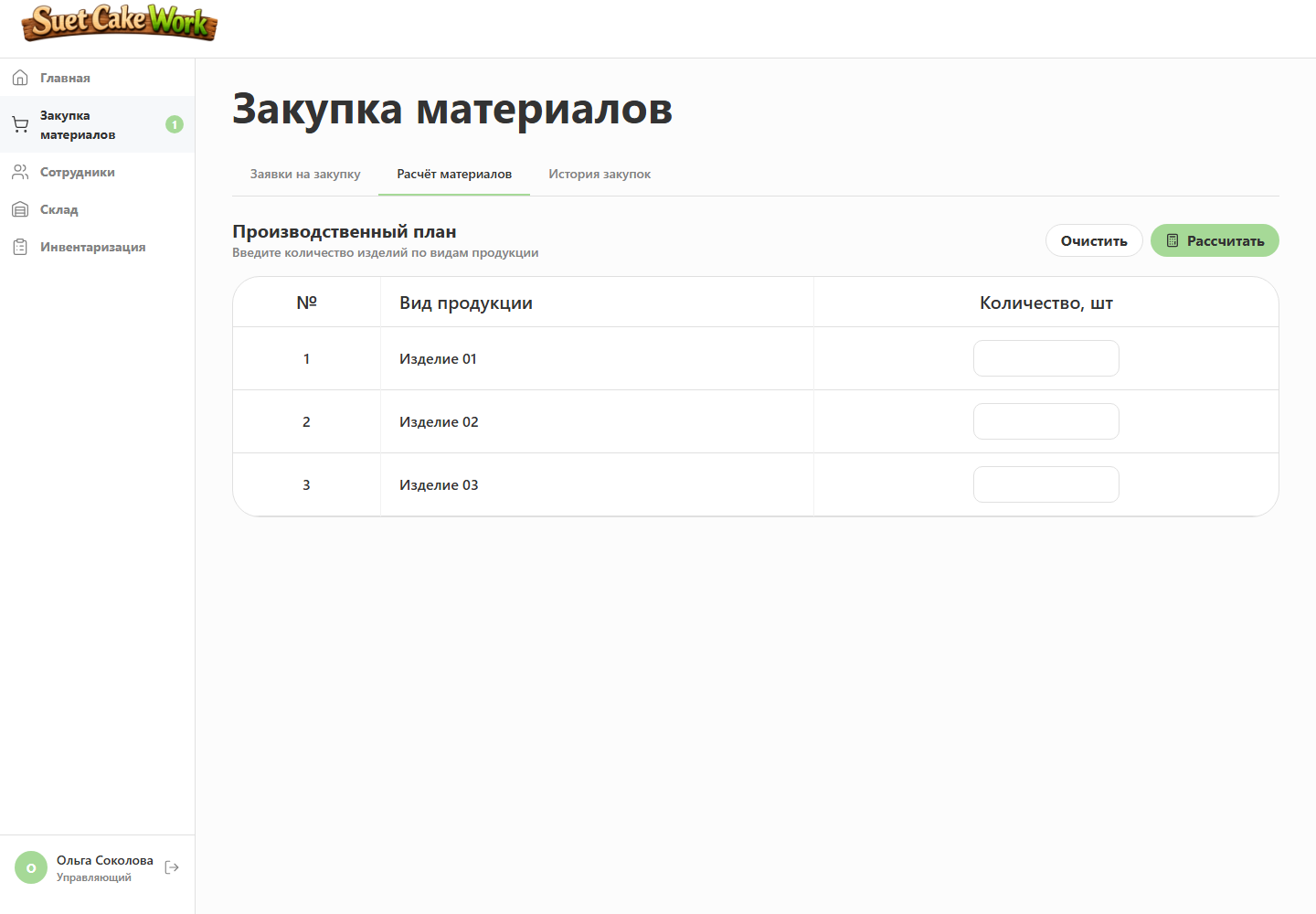
A plan becomes material demand
Future output is translated into total consumption, current stock, shortages and a ready purchase list.
06. Procurement and receiving
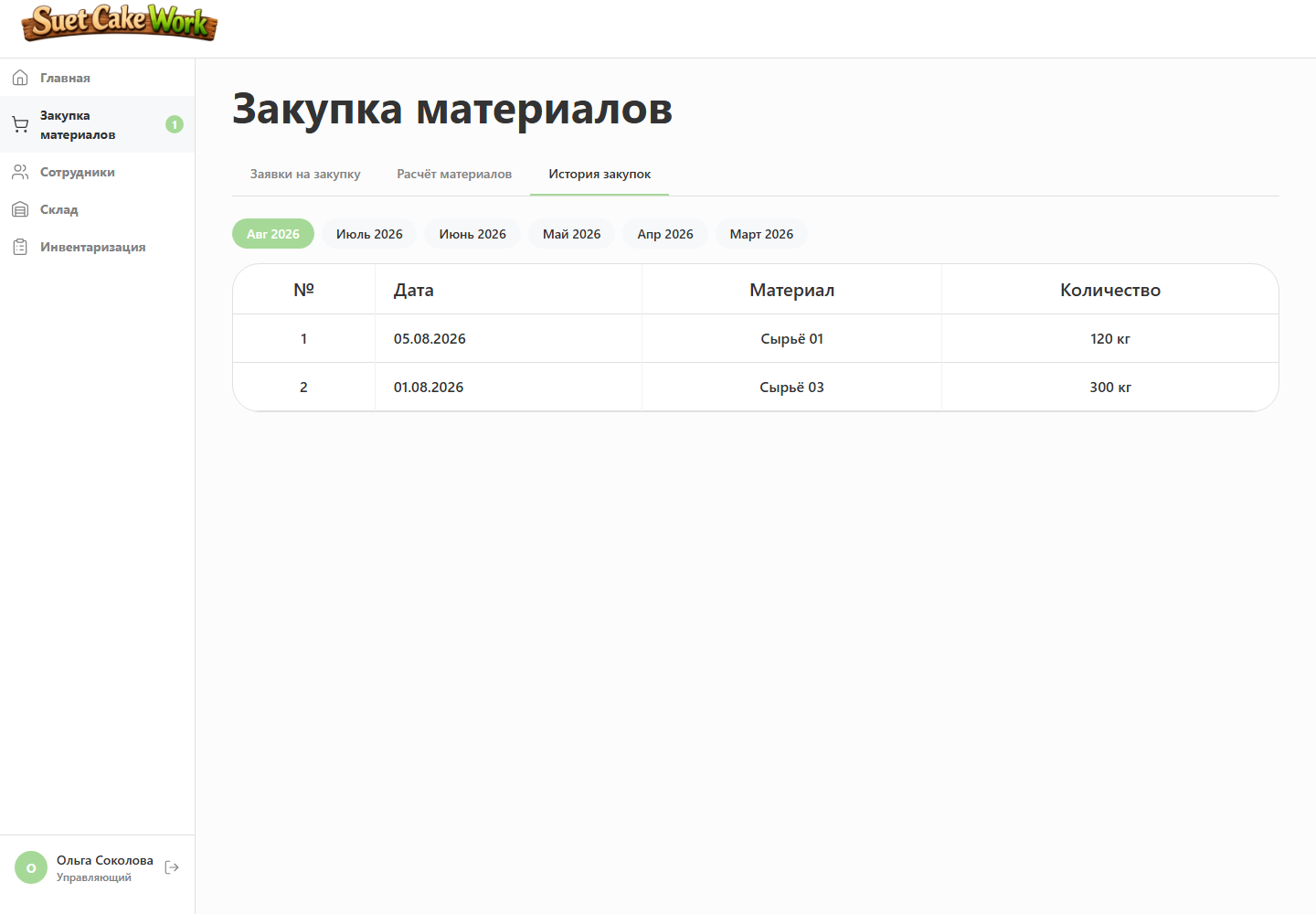
Material demand is tracked through physical receipt
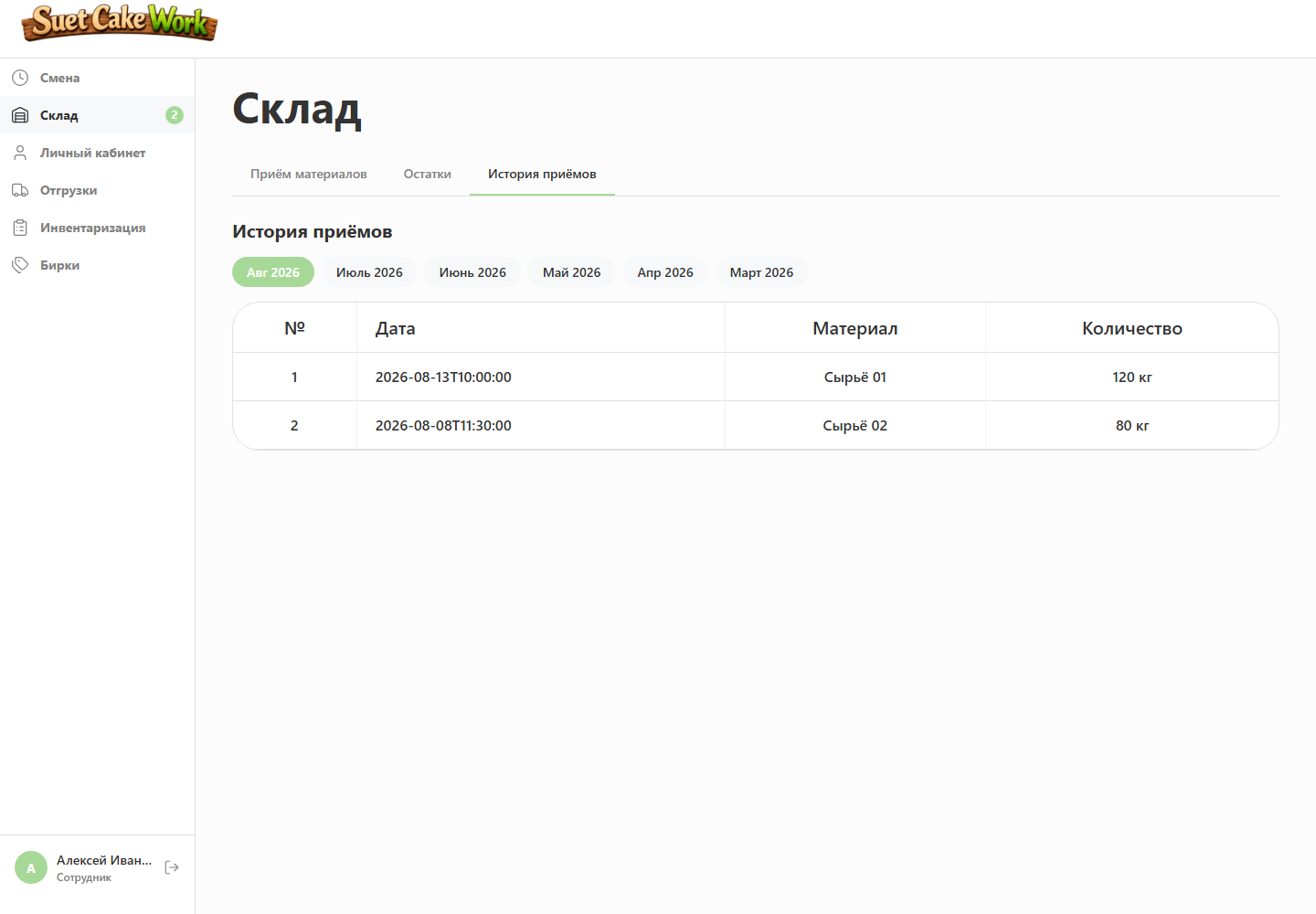
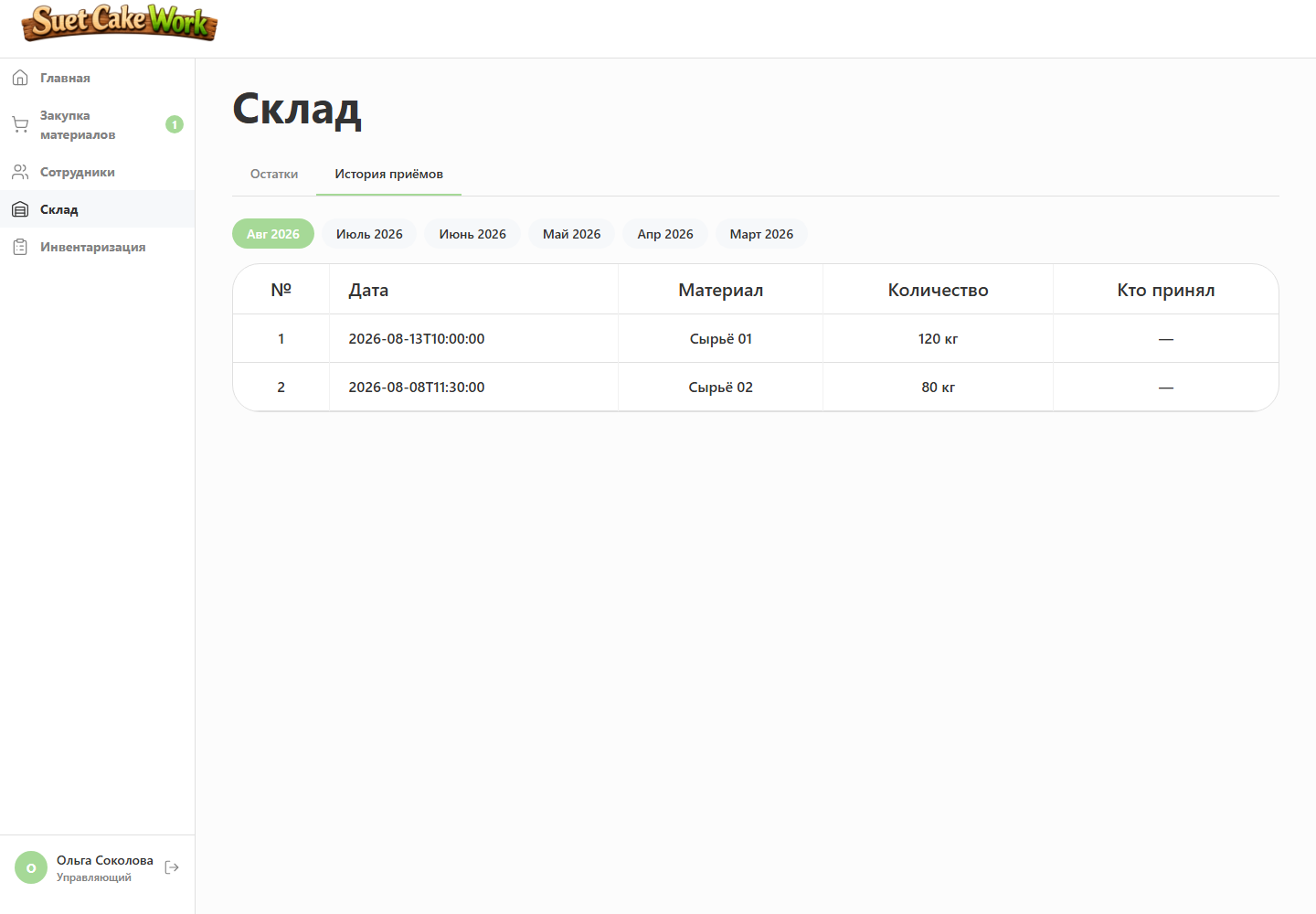
Procurement does not end when a request is closed. The system connects shortage discovery, a manager’s decision, cost and physical delivery to the workshop.
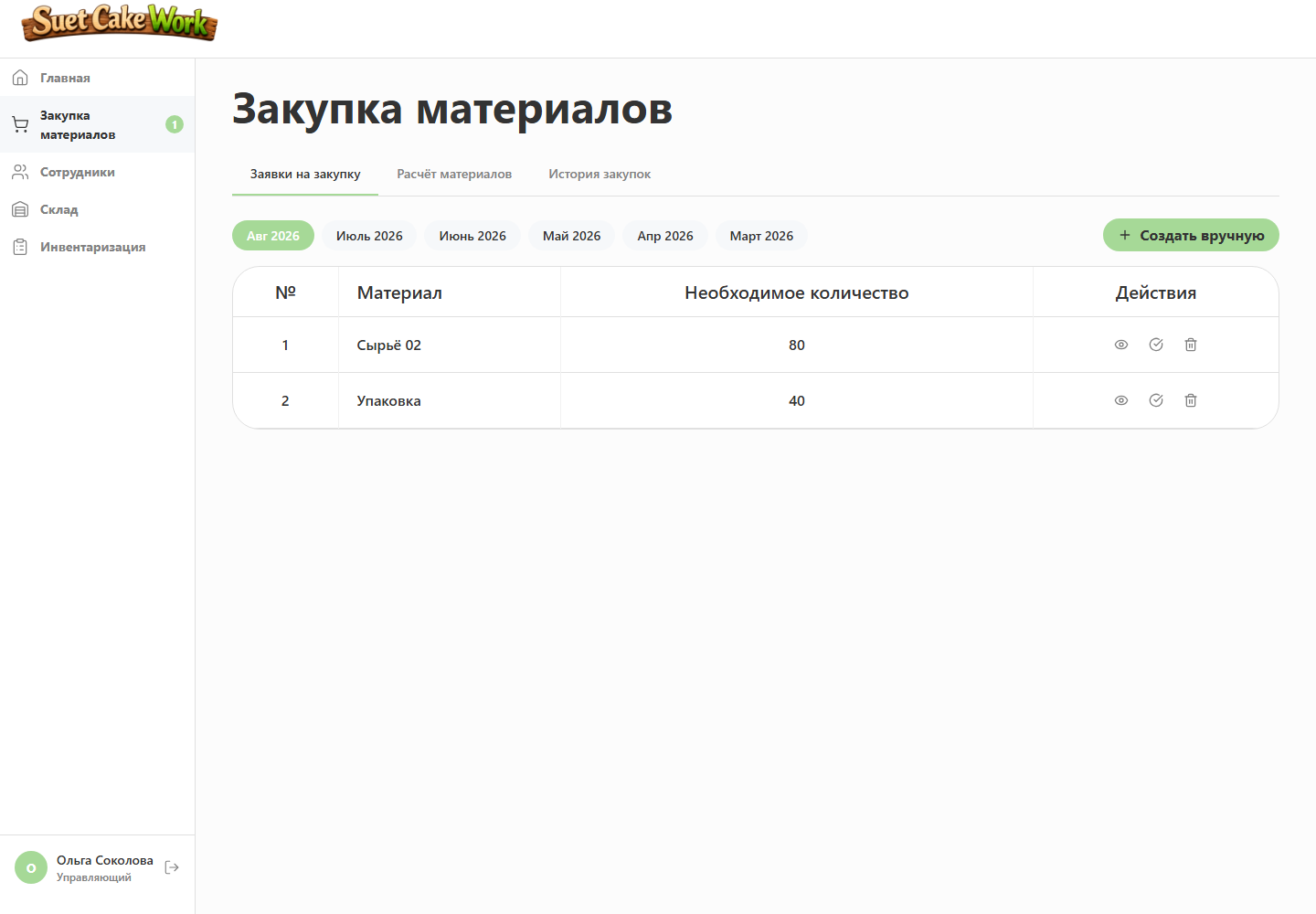
Requests can be prepared automatically
Shortages are calculated for a chosen number of shifts and suggested items can be saved without repeated entry.
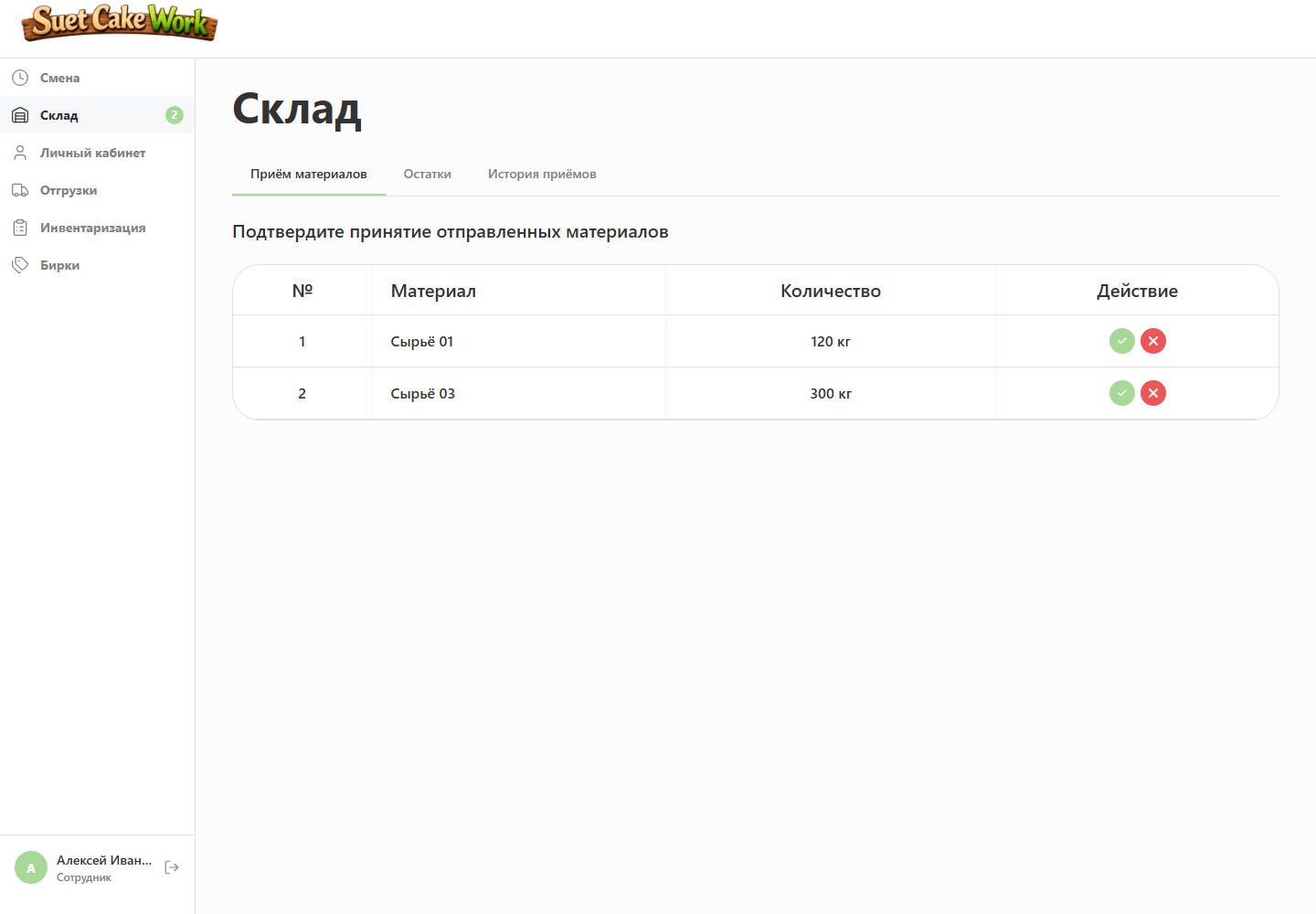
Inventory changes only after receipt
A purchased material does not increase stock until workshop staff confirm that it physically arrived.
How the process works
- An employee requests a missing material
- The manager records actual quantity and price
- A pending receipt is created
- The employee confirms physical delivery
- Inventory and financial records are updated
07. Finished goods
Shipments and stocktaking keep balances trustworthy
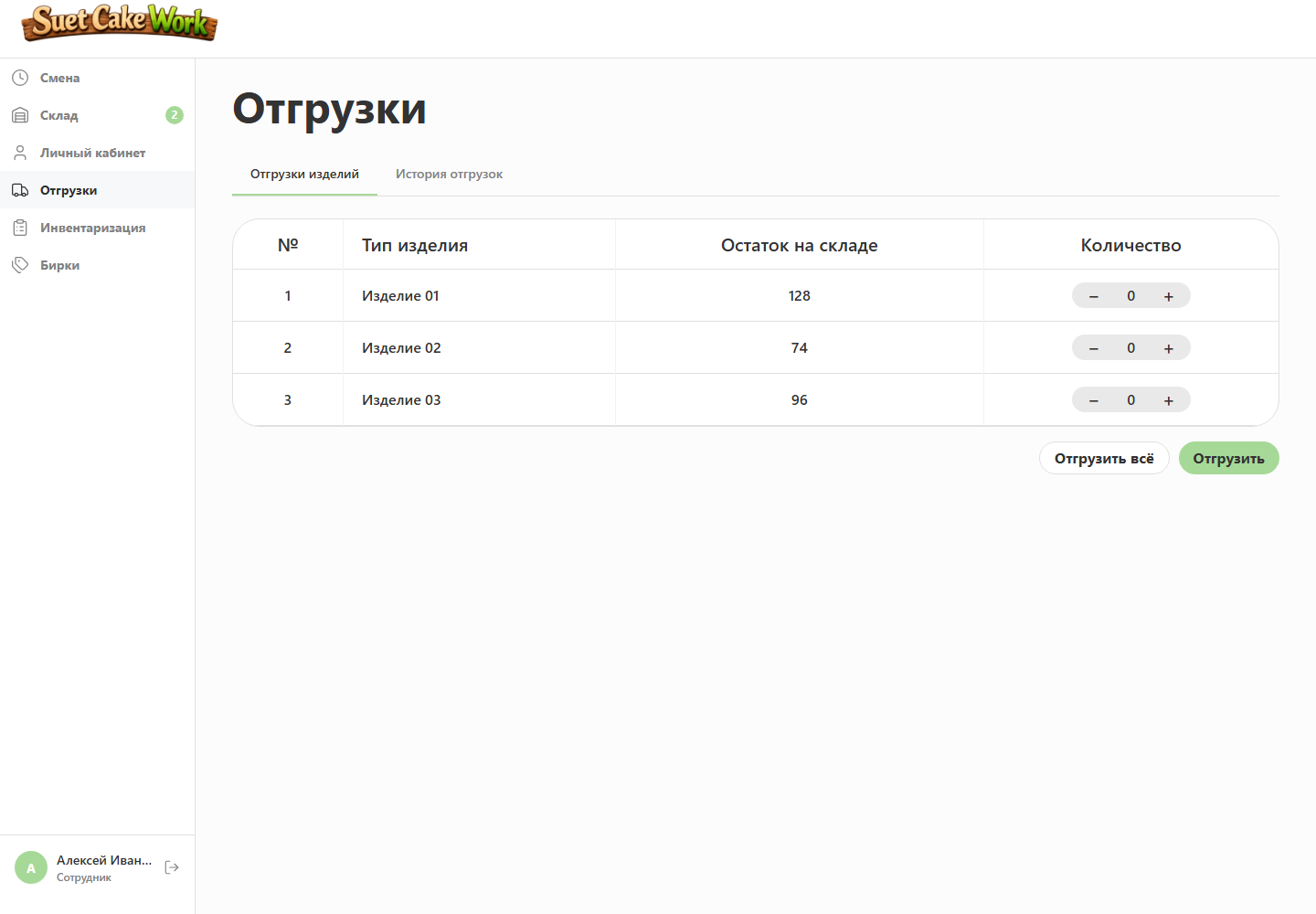
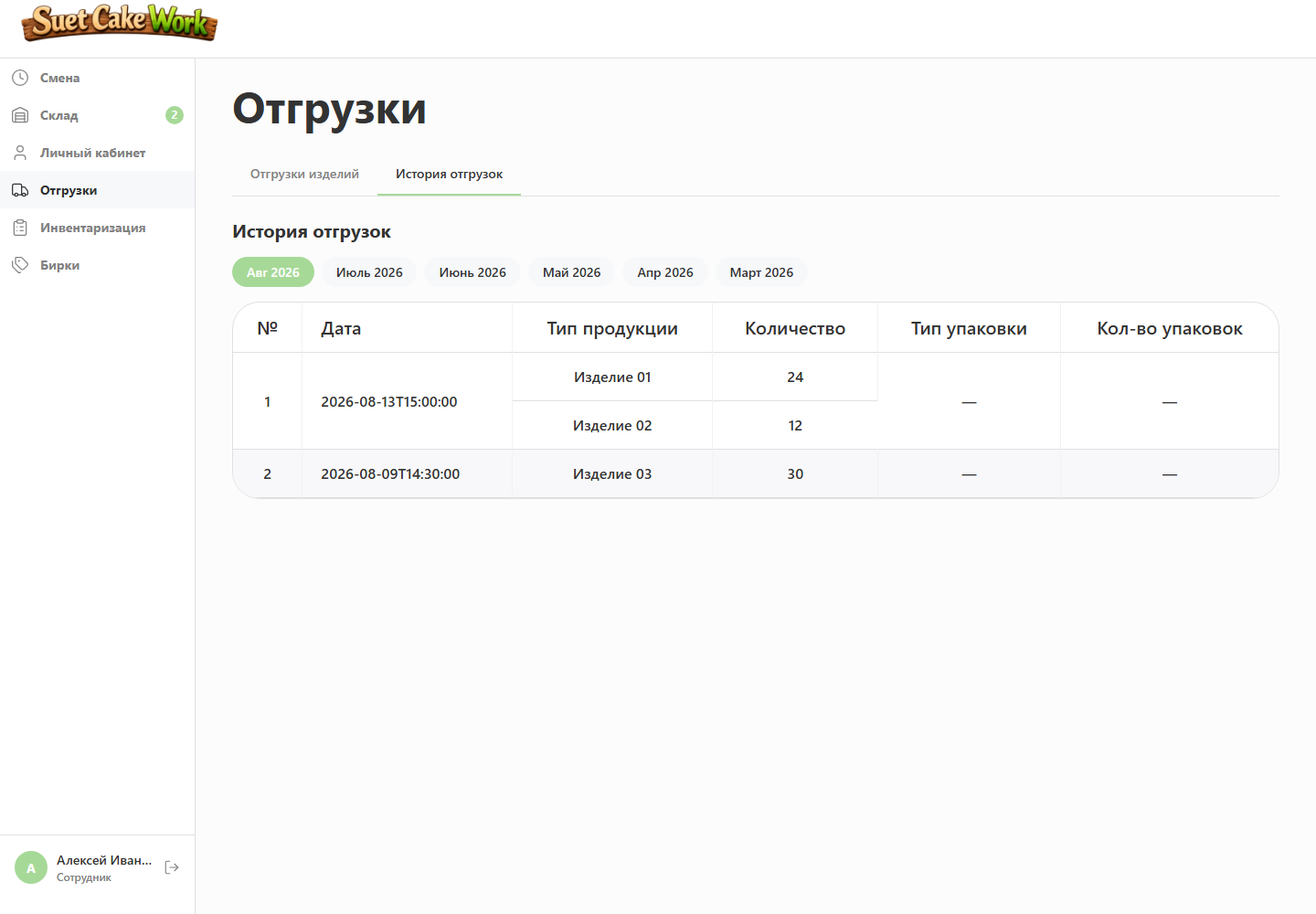
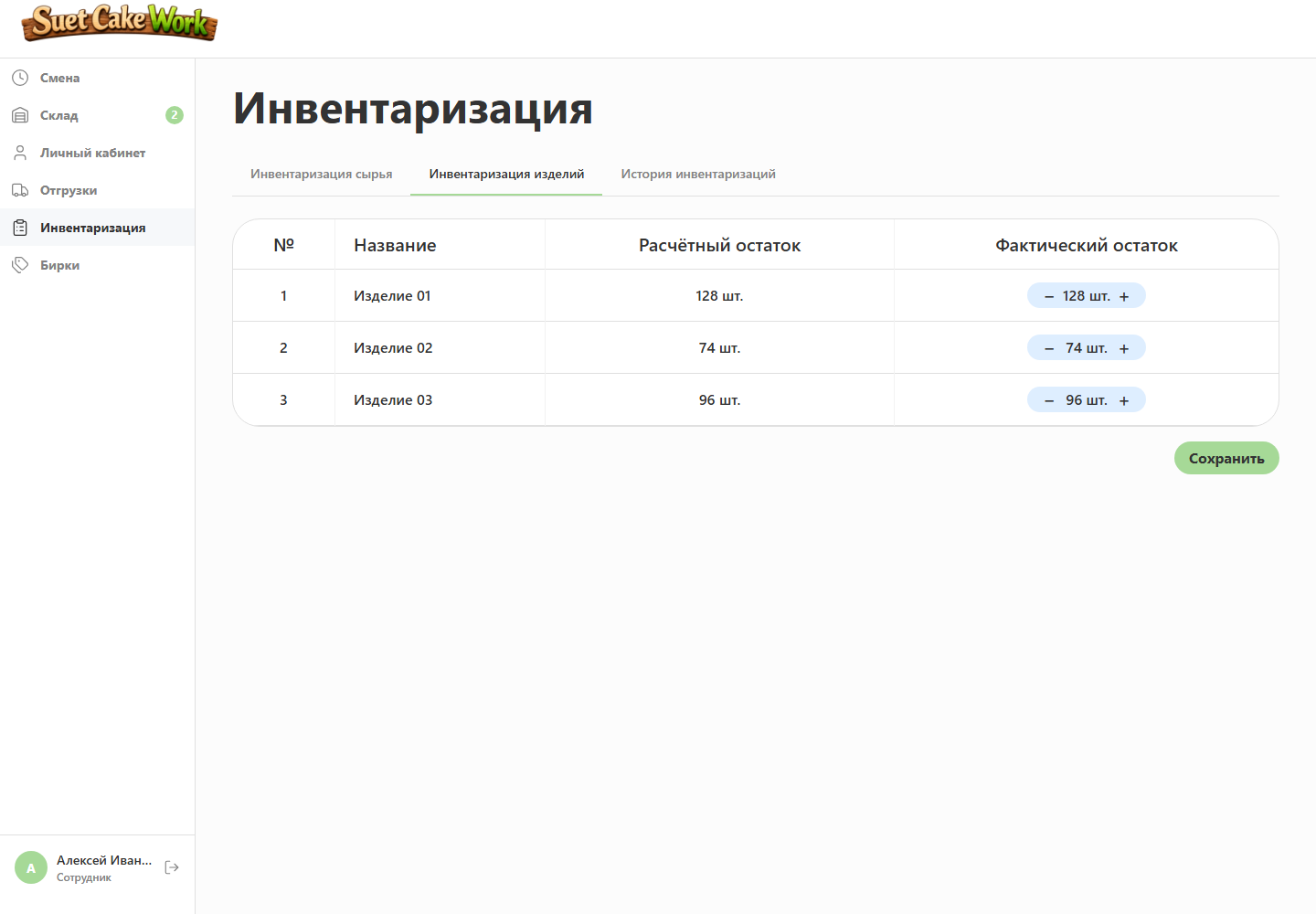
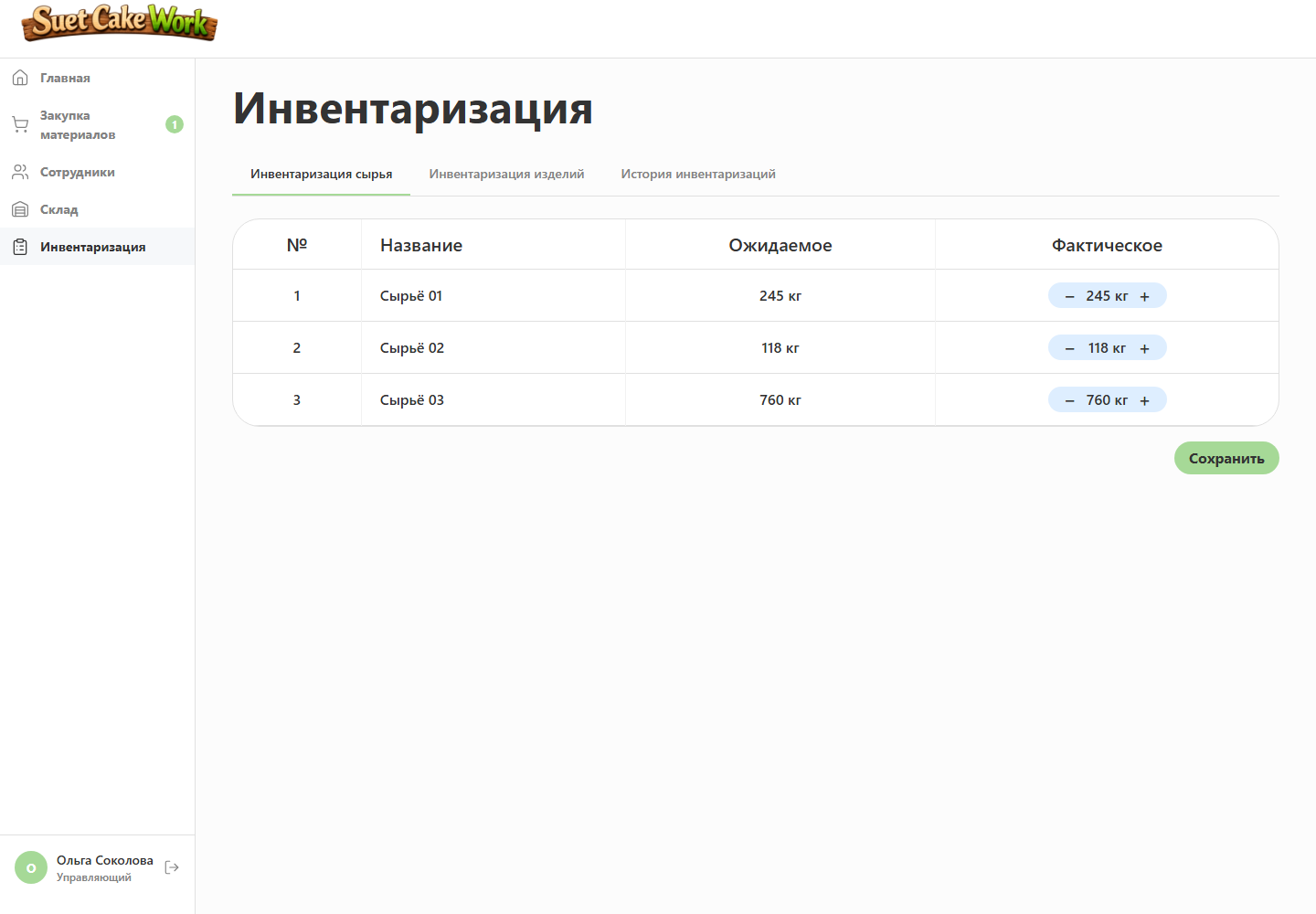
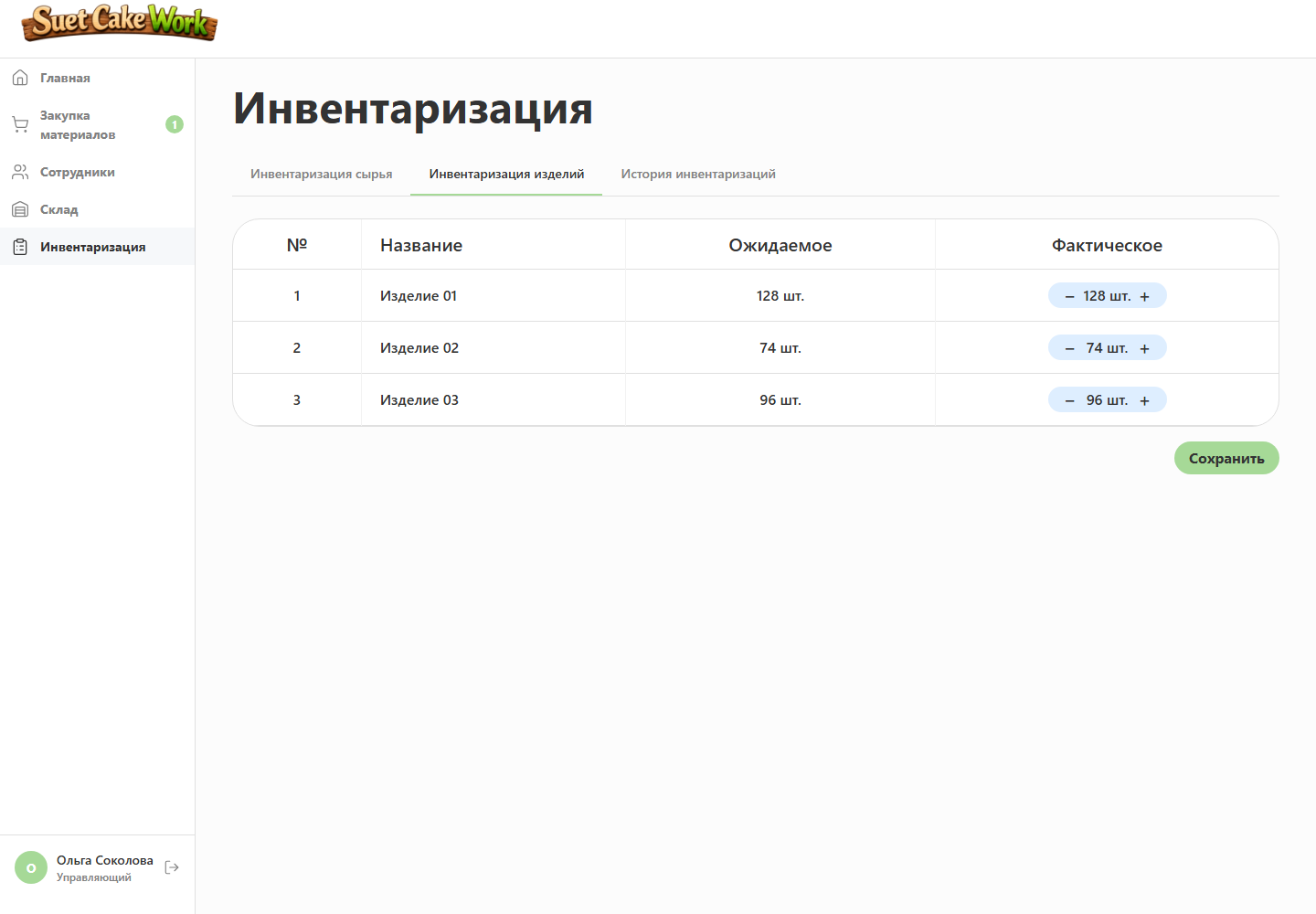
A closed shift increases finished stock, a shipment reduces it, and stocktaking compares expected quantities with physical inventory.
A shipment cannot exceed available stock
The system checks the balance again before confirmation. Even when two shipments are created almost simultaneously, the same products cannot be deducted twice.
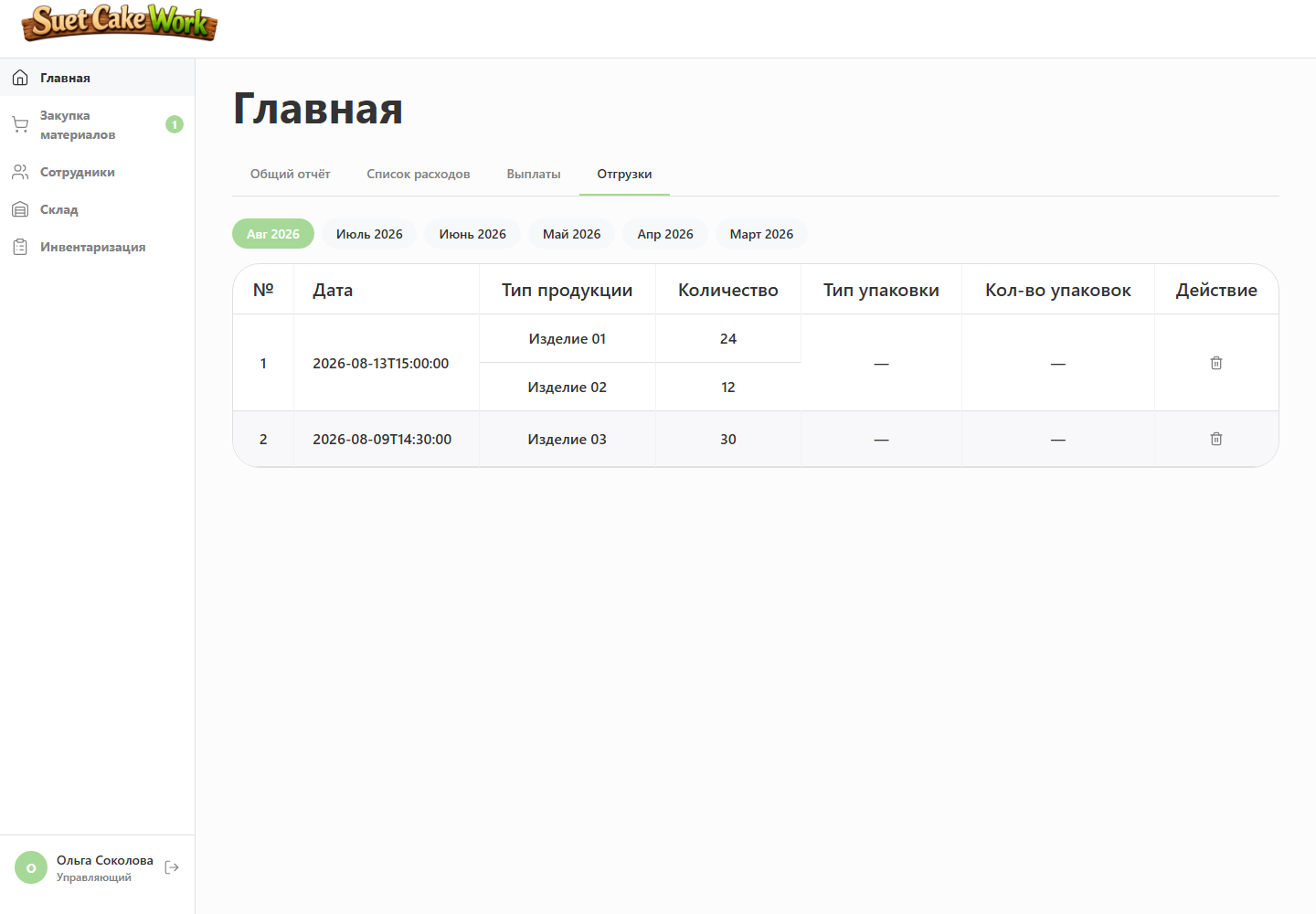
Incorrect shipments are reversible
Cancellation returns products to inventory and corrects aggregate shipped quantities.
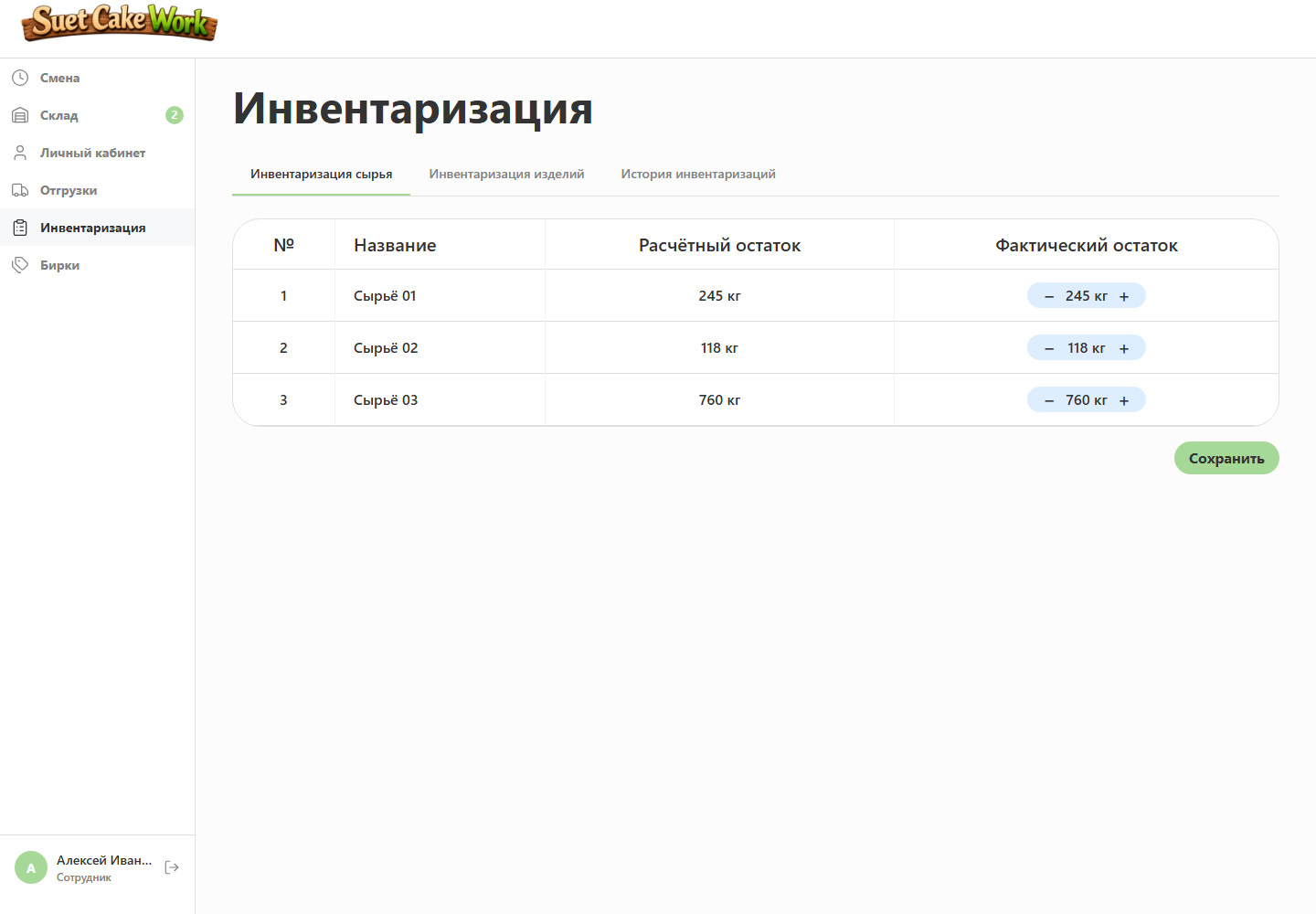
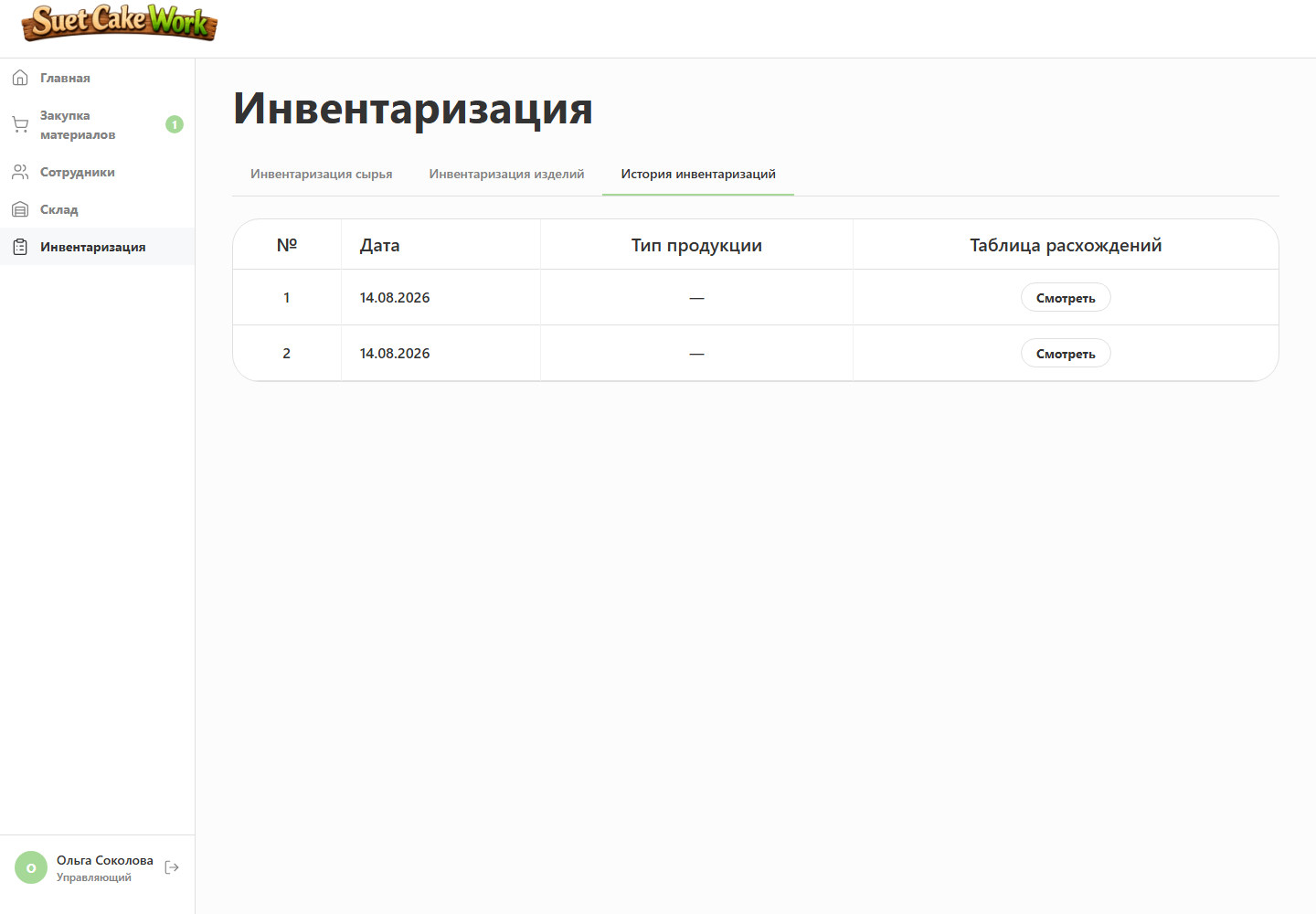
The physical count becomes the baseline
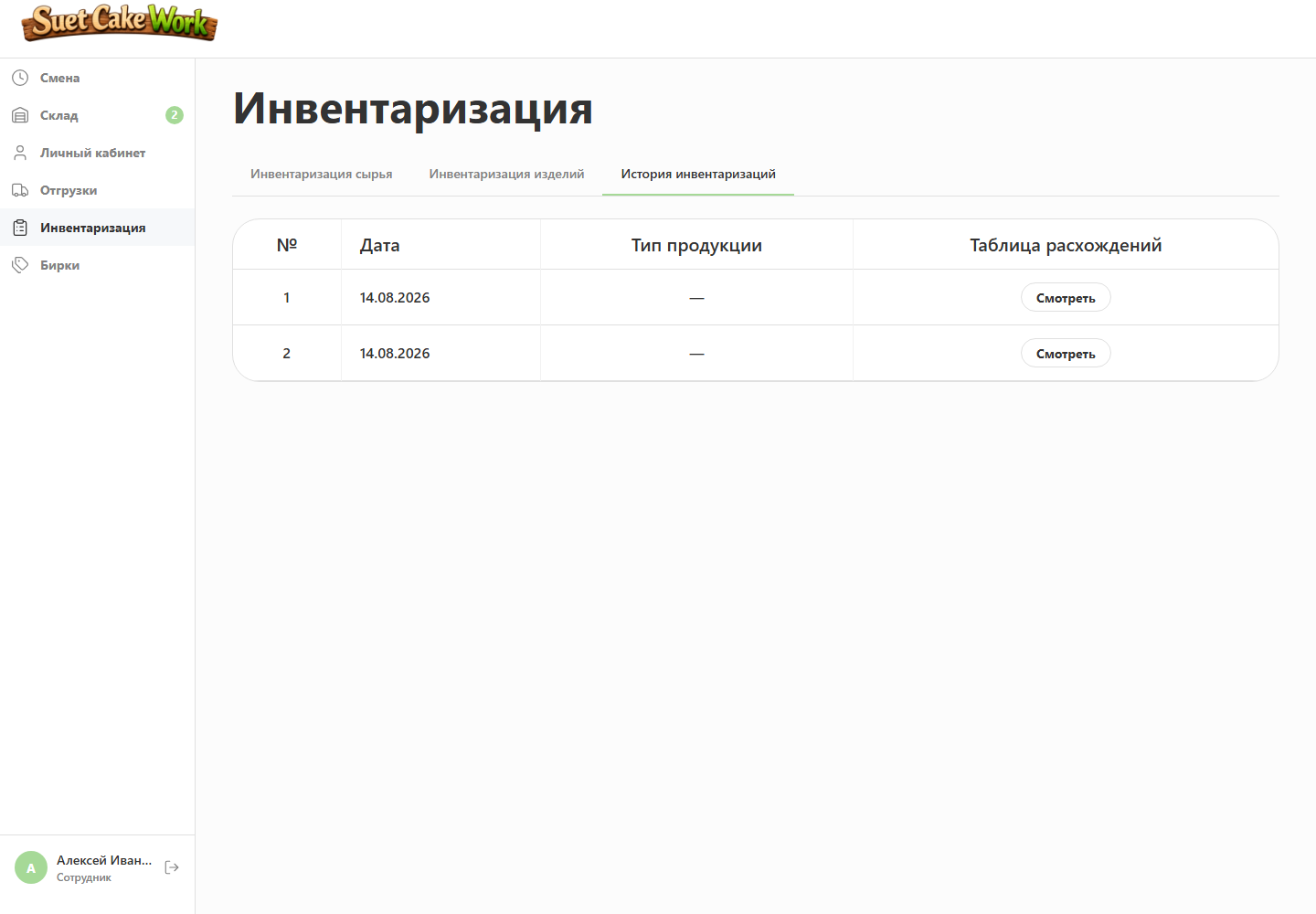
Stocktaking stores expected, actual and variance values, then applies the confirmed quantity as the current balance.
08. Manager interface
Production events become business economics
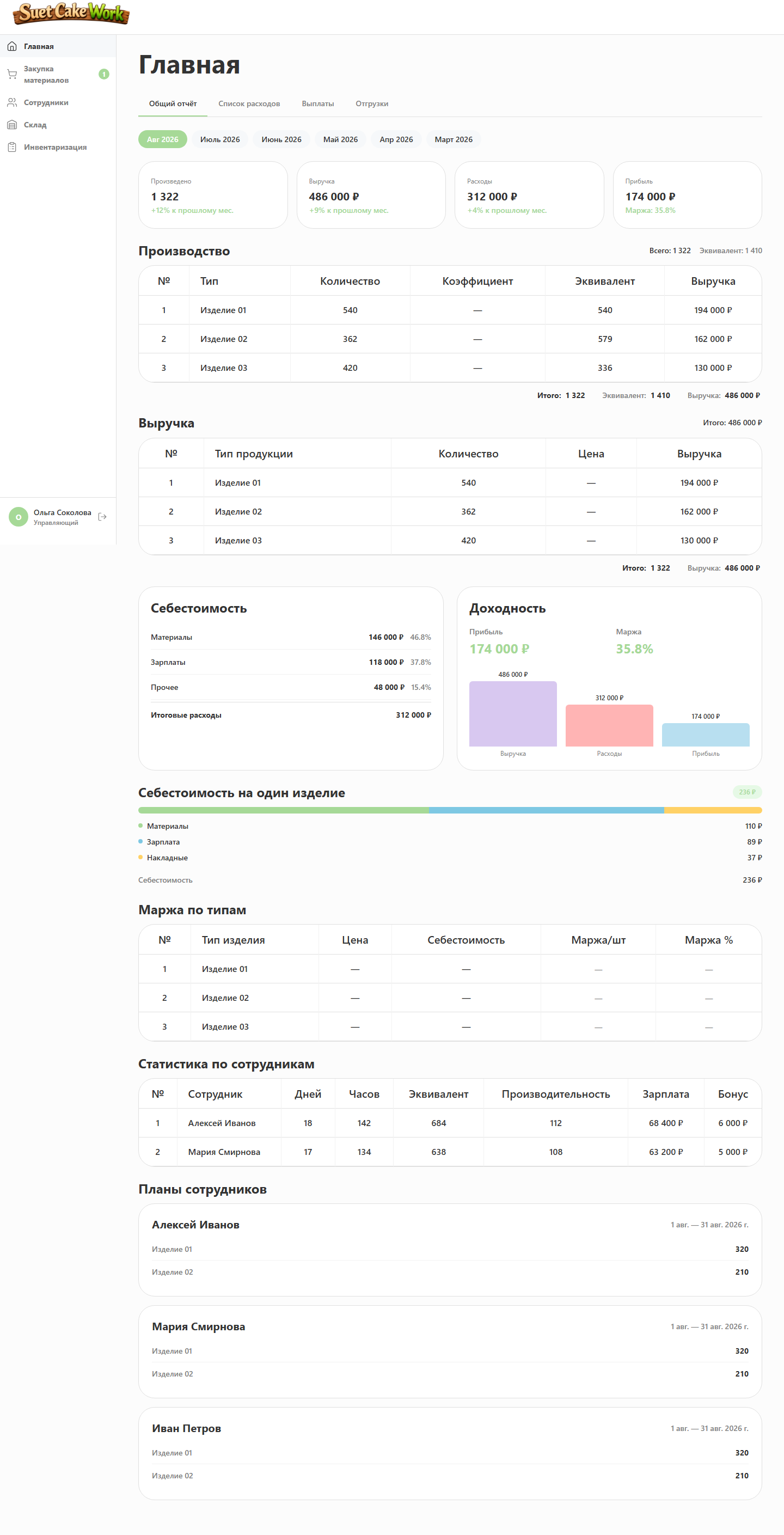
Managers see financial indicators connected to real shifts, recipes, procurement and shipments instead of a separate financial report.
Employees and plans
Output, hours, salary, shift history, schedules and every production plan’s progress remain available together.
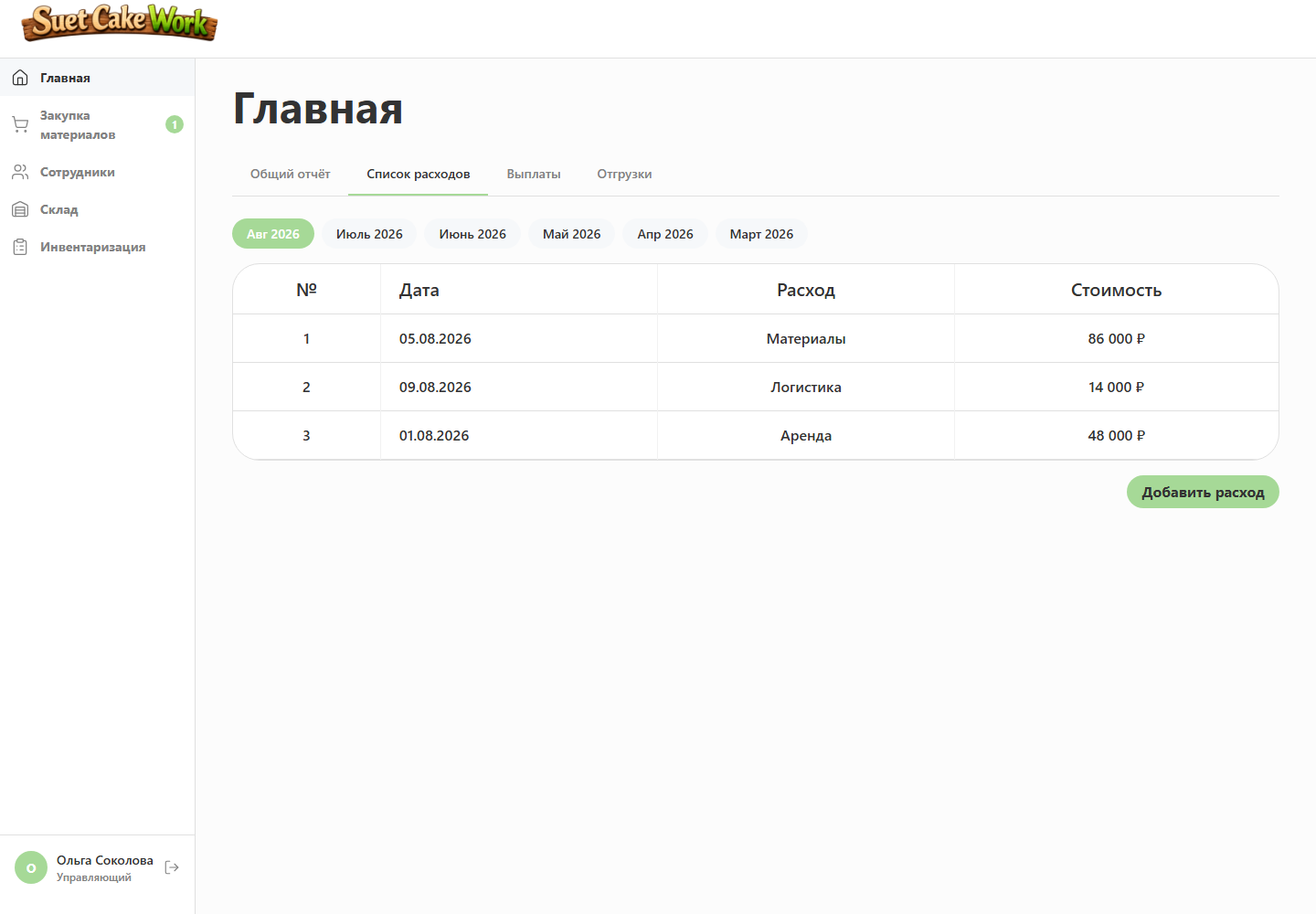
Cost based on actual operations
Recipes, purchase prices, payroll, manual expenses, rent and historical sales prices feed the calculation.
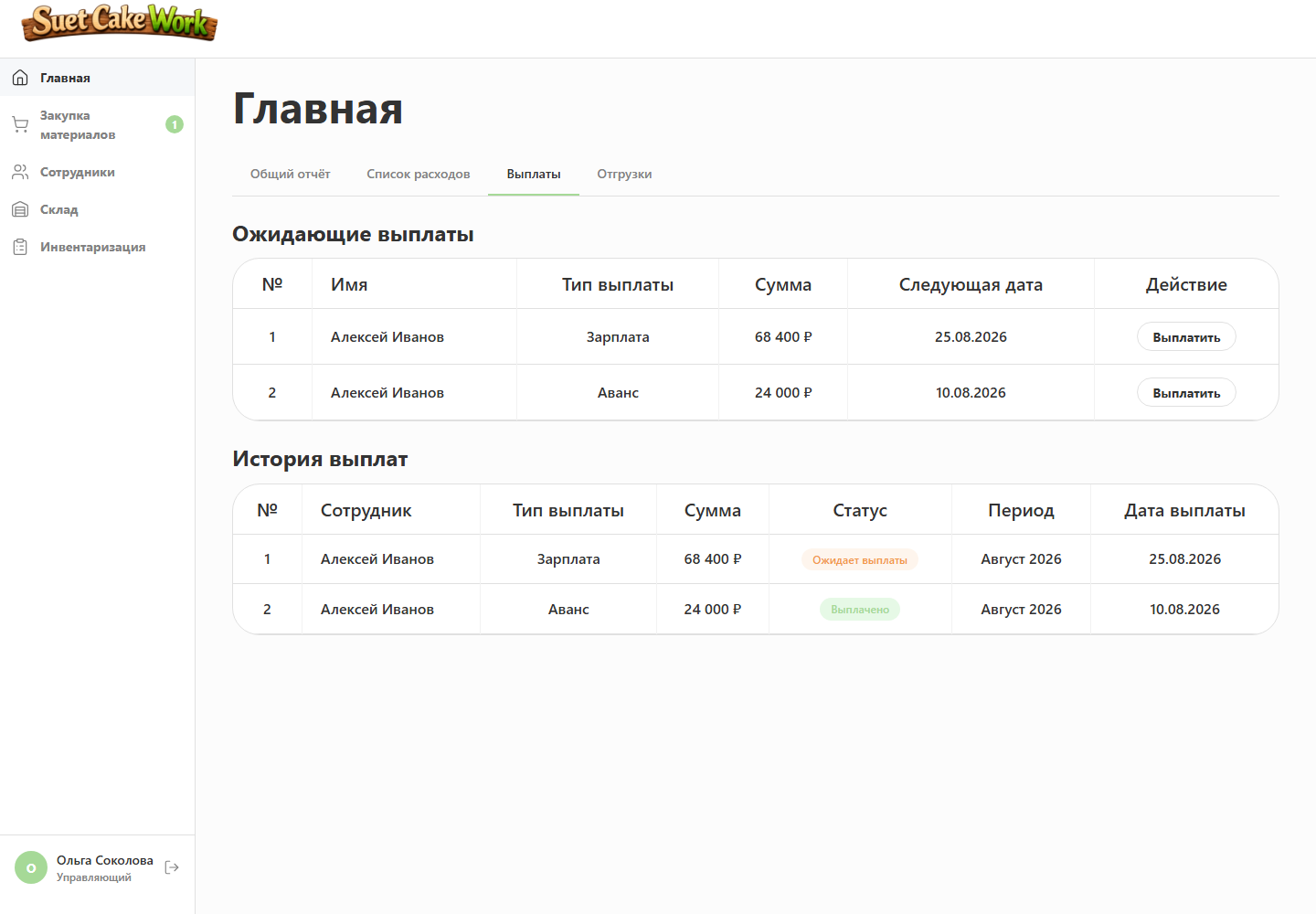
Payouts without duplicate accruals
Advances, salary and quarterly bonuses sync by period while completed payouts remain unchanged.
Technical implementation
The backend connects calculations, inventory and production records
The server side is built with FastAPI, asynchronous SQLAlchemy and PostgreSQL 15. Business rules live in the backend: the interface sends a user action, while the system performs calculations and persists every connected change.
API and access control
- FastAPI with asynchronous request handlers
- Endpoints grouped by production workflow
- JWT authentication and separate permissions for employees and managers
Calculations and transactions
- Closing a shift updates output, materials, finished stock, the plan and pay in one operation
- If any step fails, the entire operation is rolled back
- Row locks prevent duplicate stock deductions during concurrent shipments
Updates and operations
- SSE notifies open screens only after data is saved successfully
- The interface fetches current data again after reconnecting
- The application runs through Docker Compose and Nginx with regular database backups
Operating principles
- Calculations are centralised instead of duplicated across interfaces
- Connected changes are stored in one transaction
- The interface is notified only after data is saved successfully
- Cancelling an operation restores dependent figures
Outcome
Daily work became simpler and production became transparent
The result is one production system: employees can complete daily operations conveniently, while managers control output, inventory, payouts and economics using current data.
- The shift became the starting point for automated production accounting.
- Recipes connected actual output with material consumption and inventory.
- Plans, forecasts and bonus levels made employee motivation understandable.
- Procurement, receiving, shipments and stocktaking work as connected processes.
- Managers see cost, profit and margin based on actual operations.