
ART KORMUSHKA
- CLIENT
- Art KormushkaOnline store2026
- SERVICES
- UX/UI designFrontend developmentBackend developmentIntegrationsServer infrastructure
PROJECT GOAL
Create an online store where customers quickly find products, see the delivery price and date, pay securely, and track orders. For the business, automate sales, delivery, payments, and repeat purchases.
We delivered the entire digital product end to end: designed the UX and visual system, developed the frontend and backend, configured the server infrastructure, integrated delivery and payment modules, and built a custom bonus system.
VISUAL SYSTEM
COLORS
(01)The palette is based on natural tones associated with the products and their environment. The warm milk background keeps the catalogue light without competing with product photography, graphite ensures readability, while olive expresses the brand’s ecological character and provides accents. Light sage separates secondary surfaces and states without adding visual noise.
Warm Milk
- RGB
- 253, 250, 244
- HEX
- #FDFAF4
Graphite
- RGB
- 45, 45, 45
- HEX
- #2D2D2D
Olive
- RGB
- 92, 105, 61
- HEX
- #5C693D
Light Sage
- RGB
- 220, 230, 197
- HEX
- #DCE6C5
TYPOGRAPHY
(02)Raleway defines the store’s primary visual voice, from large headings to navigation and body copy. Its range of weights creates a clear hierarchy while preserving a consistent interface character.
Аа Бб Вв Гг 0123456789
- Display61 px
- Page title49 px
- Section title31 px
- Large body18 px
- Body16 px
- Labels13 px
CUSTOMER JOURNEY
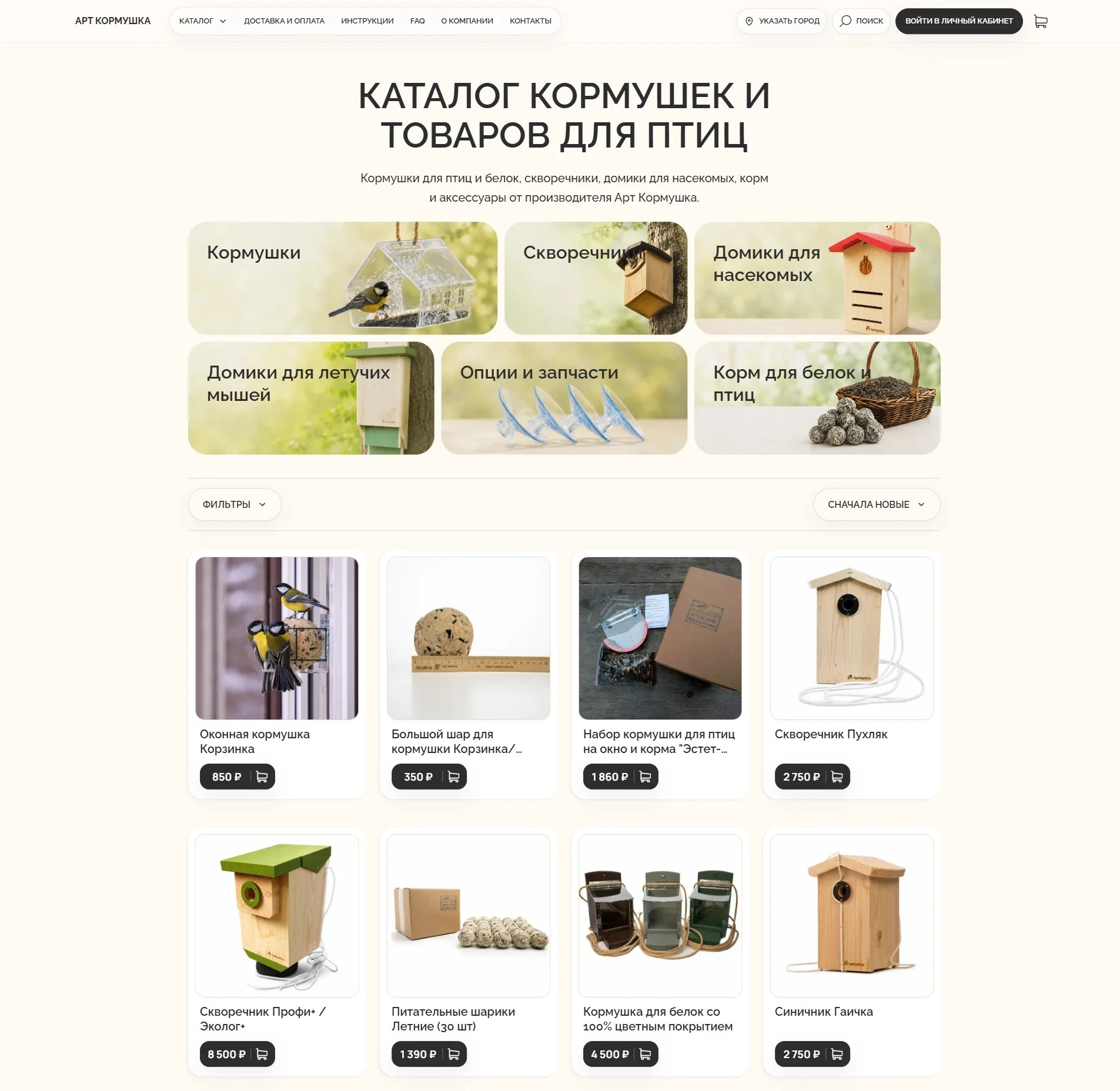
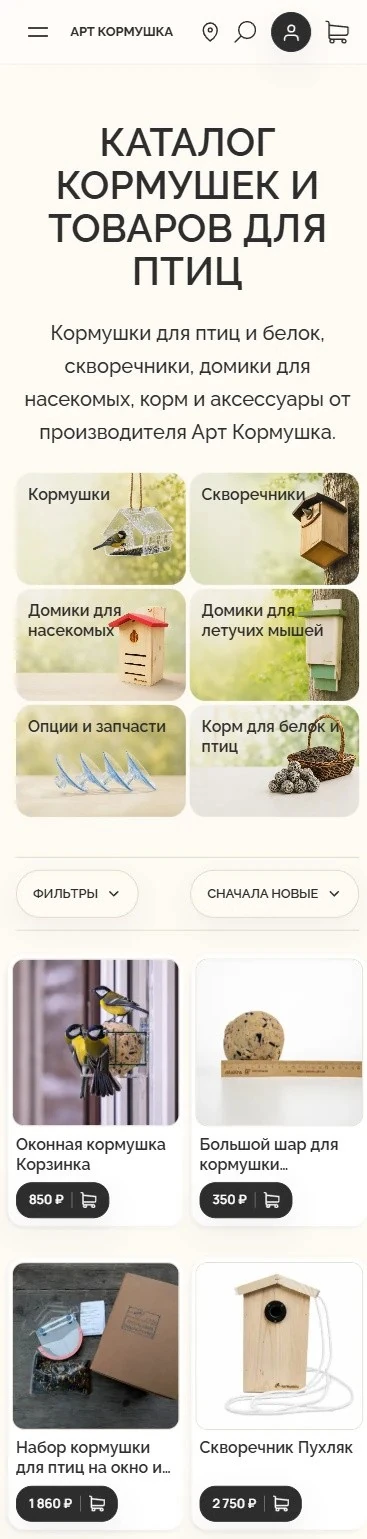
Catalogue and products
We helped customers move from a complex assortment to a suitable model through a clear selection structure.
WHAT NEEDED TO BE SOLVED
Feeder characteristics vary widely, so choosing from a photograph alone was not enough.
UX SOLUTION
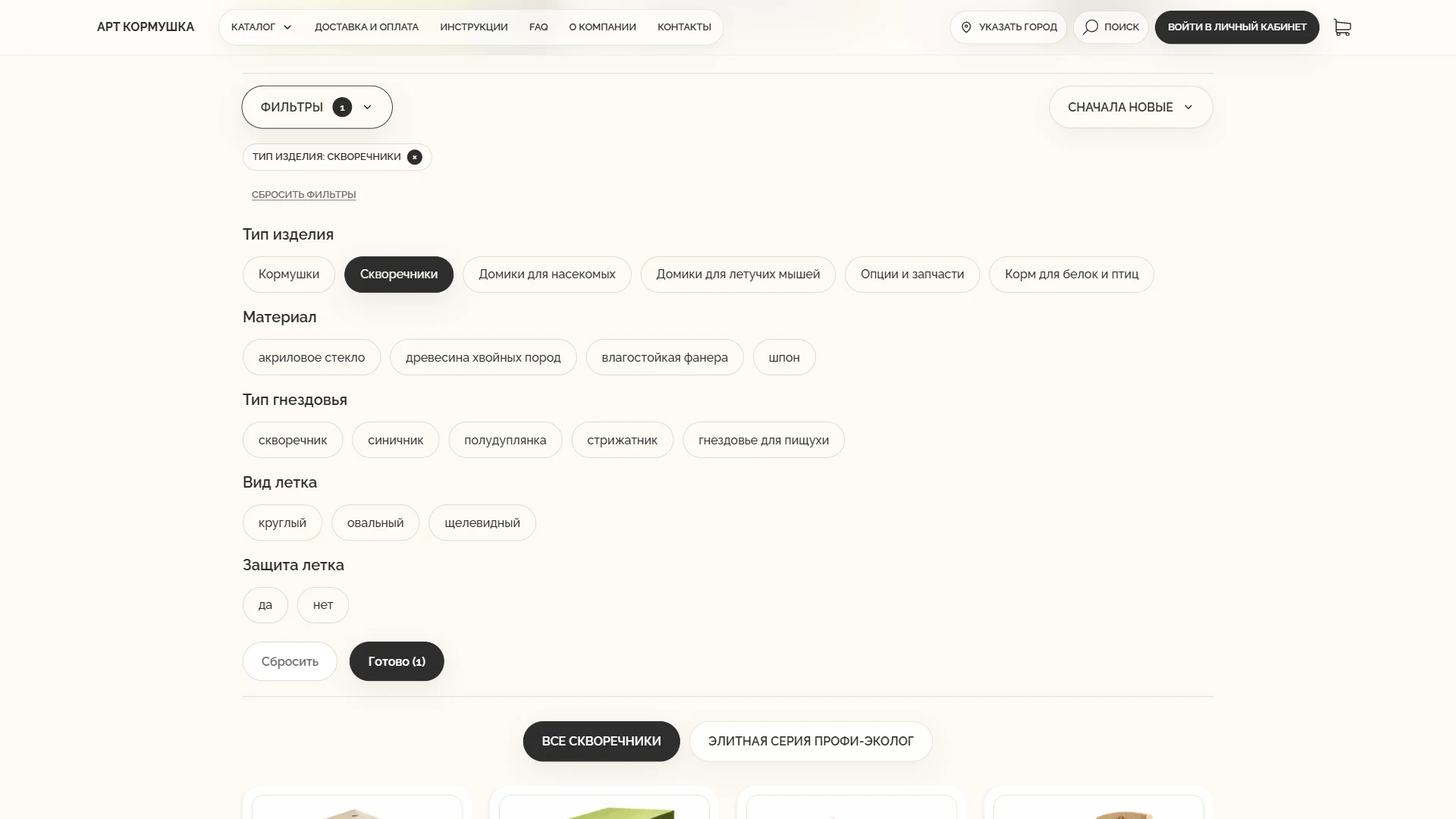
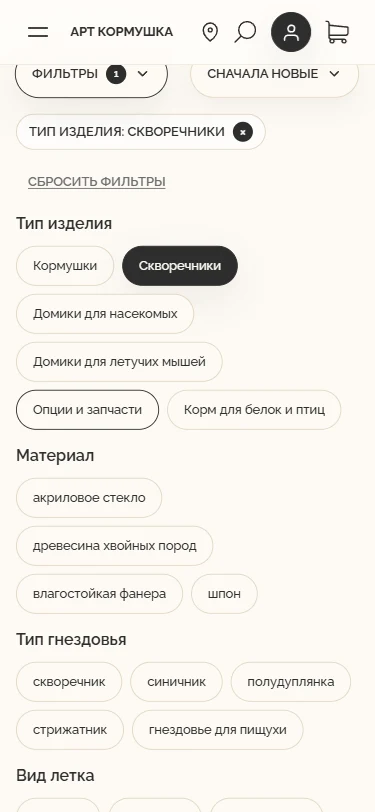
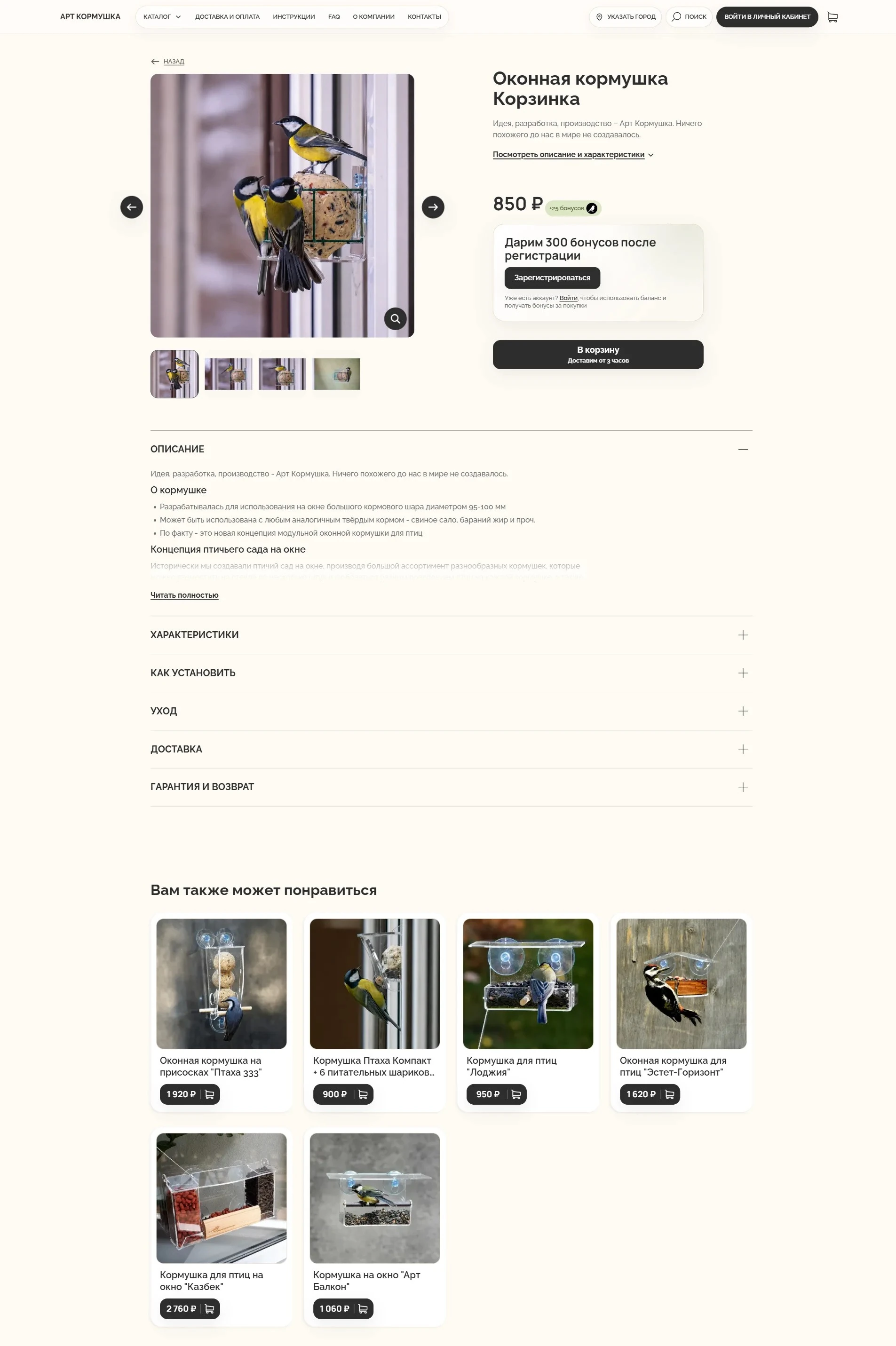
Categories, search, and filters progressively narrow the range, while the product page surfaces what matters for purchase.
RESULT
Customers compare models faster and move to purchase, while the team manages a consistent catalogue in the admin panel.
KEY DECISIONS
- (01)A custom attribute model instead of a fixed filter preset
- (02)Filtering by product type, mounting method, colour, and other meaningful parameters
- (03)Linked parameters in catalogue filters and product pages
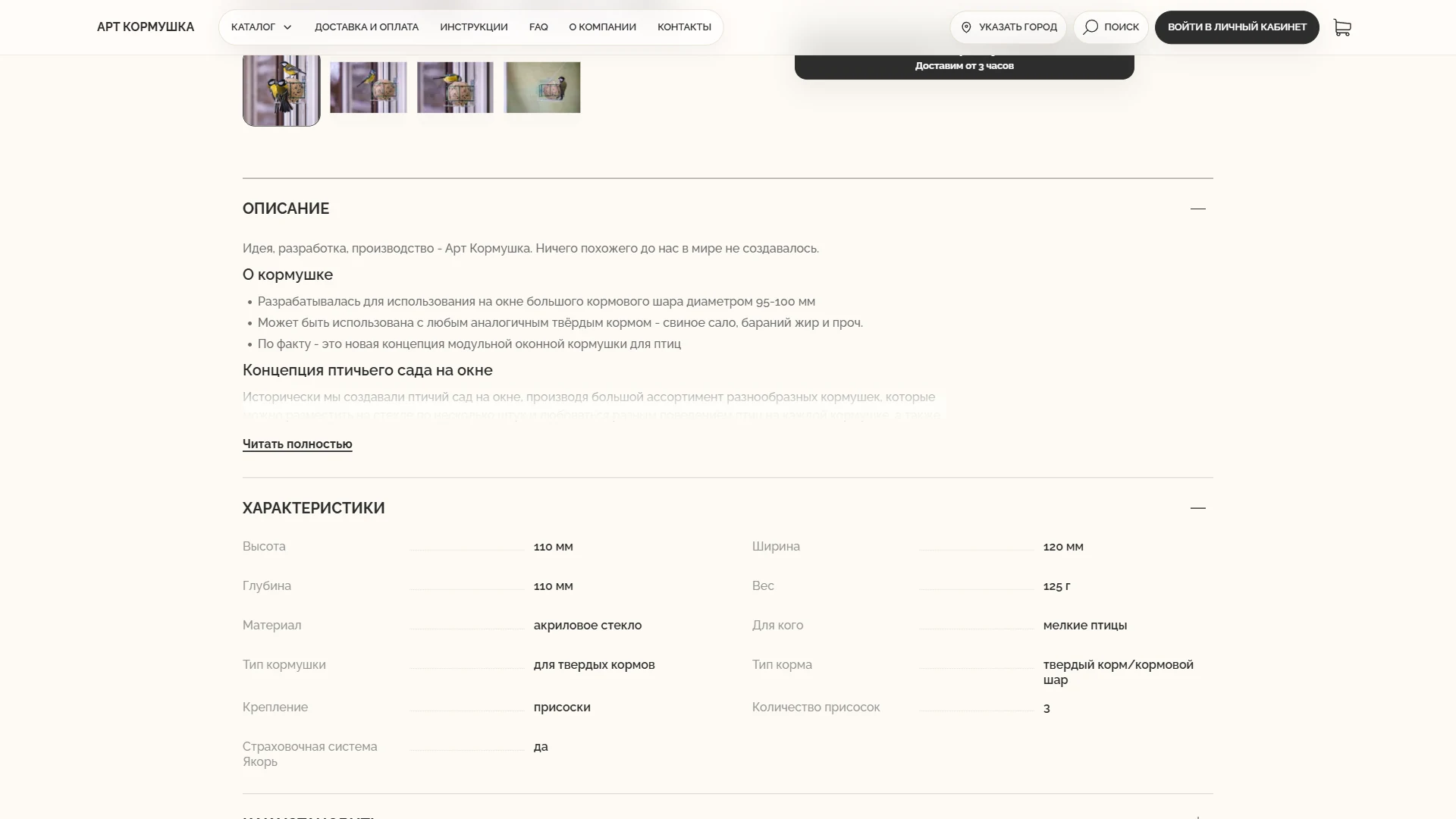
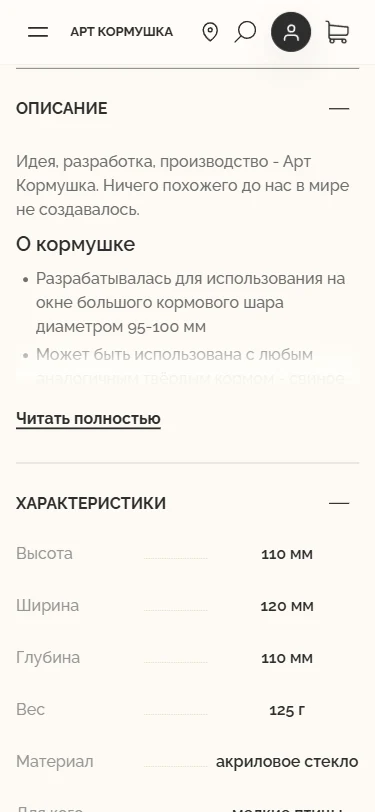
- (04)Detailed specifications for every model in a consistent format
- (05)Self-service product and category management without code changes
- (06)Price and add-to-cart action directly in the catalogue
Desktop & Mobile
Catalogue with categories
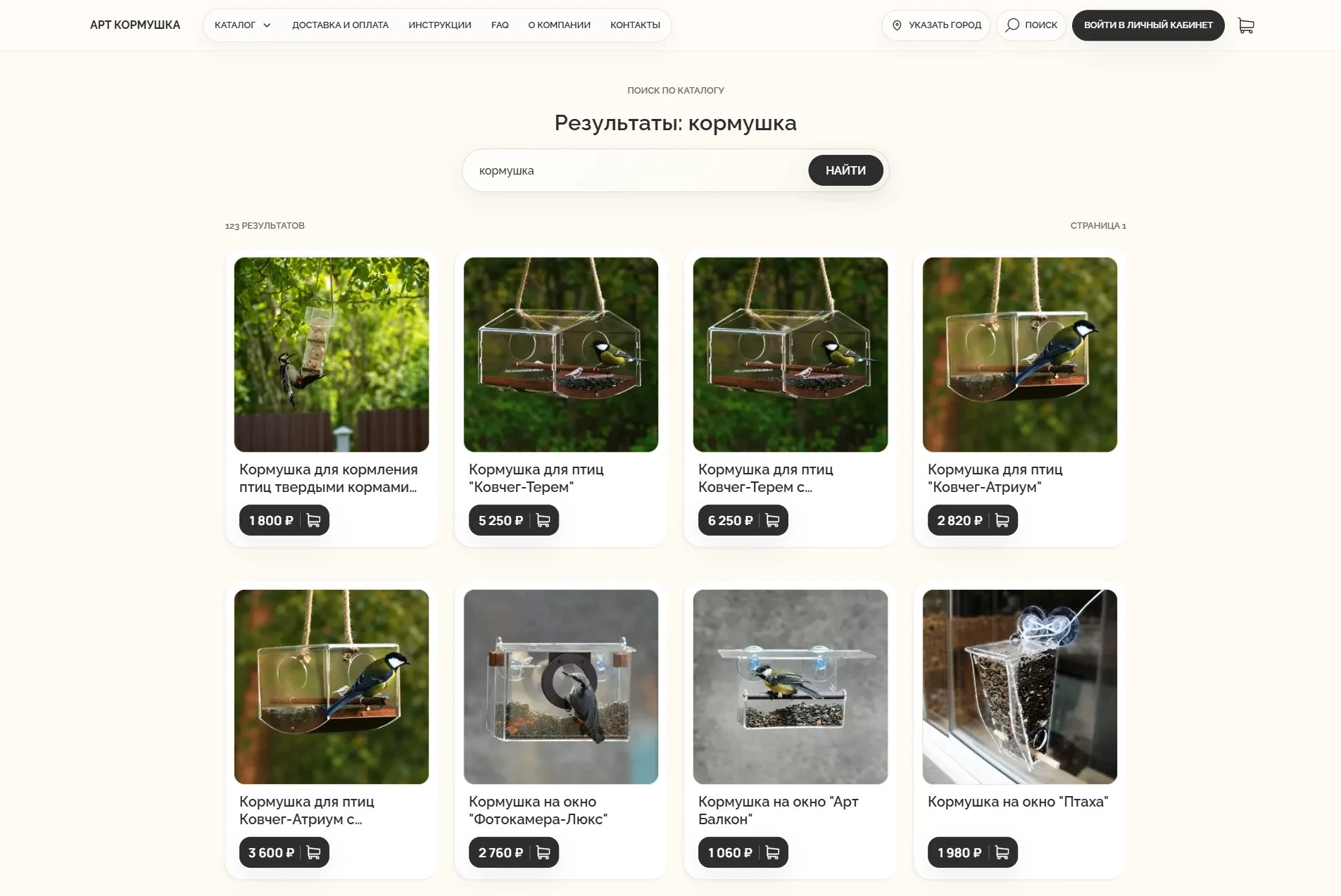
Catalogue search

Product filtering
Product page



Product specifications
Desktop
1920pxCatalogue with categories
Catalogue search
Product filtering
Product page
Product specifications
Mobile
375pxCatalogue with categories
Product filtering
Product specifications
Catalogue search
Product page
Catalogue search
Search became a second route through the assortment: customers can find a product by its name, article number, material, colour, mounting method, or another known characteristic.
WHAT NEEDED TO BE SOLVED
Search beyond exact names
Customers do not always know the product name used in the catalogue. A useful search therefore had to recognise words from descriptions and characteristics, tolerate incomplete queries, and remain fast as the assortment grew.
One source of product data
Search results, filters, prices, and availability had to stay consistent with the catalogue instead of becoming a separate manually maintained copy.
UX SOLUTION
A dedicated search index
Products and their searchable attributes are synchronised from the commerce backend to Meilisearch. The index includes names, descriptions, article numbers, categories, and the parameter values customers use to identify a model.
Results that remain part of the catalogue
Search opens a normal product listing with the same cards, availability, prices, and filtering rules as category pages. A customer can begin with a broad phrase and then narrow the result by meaningful parameters.
Controlled empty and partial states
The interface explains when no exact match is found and lets the customer adjust the query or return to the catalogue. Product links remain ordinary navigable links, so search supplements rather than replaces the catalogue structure.
RESULT
Customers can find a model using the information they already know and continue refining the result with catalogue filters. The business maintains product data once: updates to a product are reflected in both catalogue presentation and the search index.
KEY DECISIONS
- (01)A dedicated Meilisearch index
- (02)Search across names, categories, article numbers, and characteristics
- (03)Live result preview in the header
- (04)Tolerance for minor typing errors
- (05)Separate results for visually distinct variants
- (06)A complete results page with result count and pagination
- (07)Current prices and availability from the primary commerce system
- (08)Automatic index updates with draft-product protection
Checkout and payment
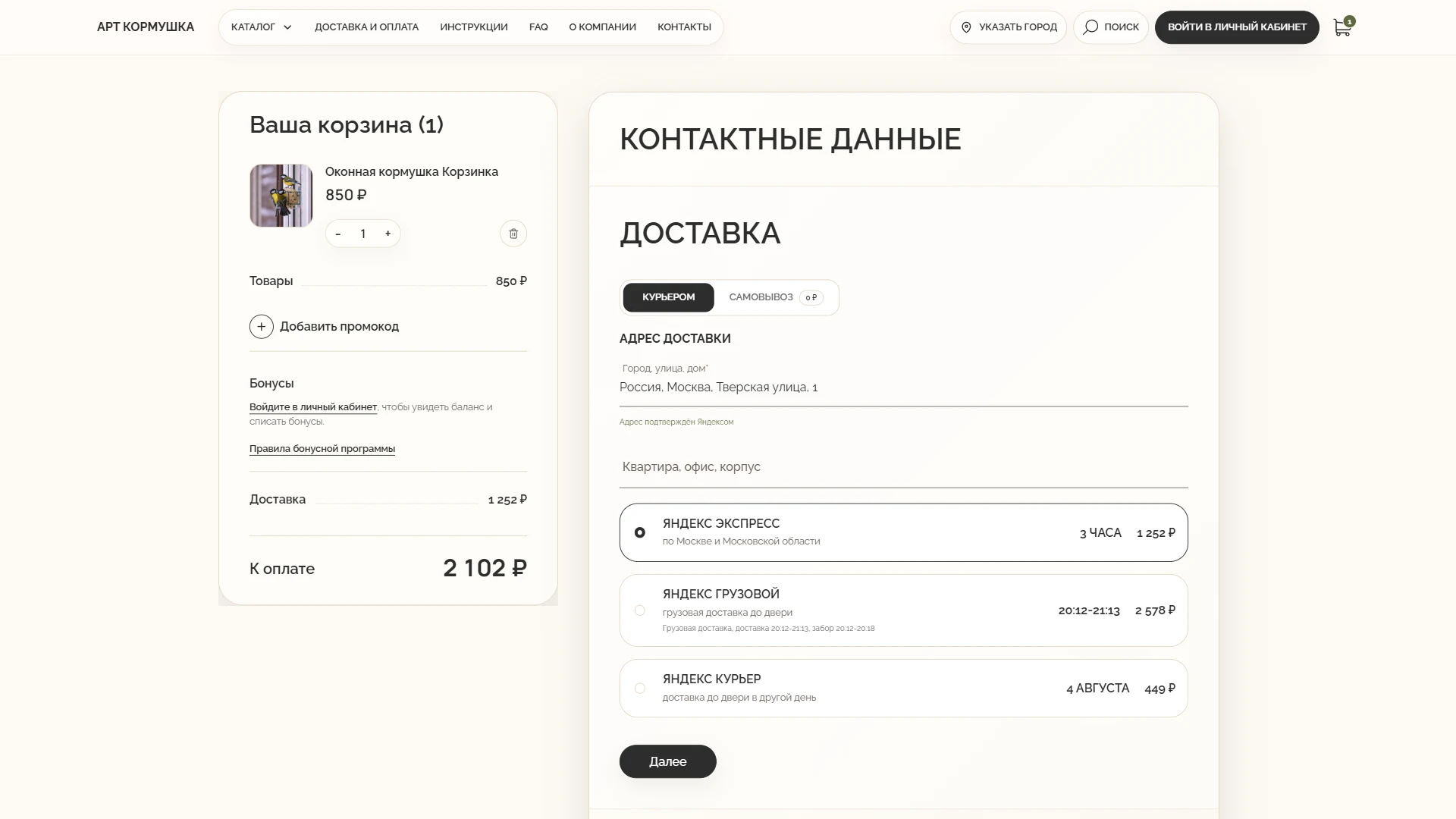
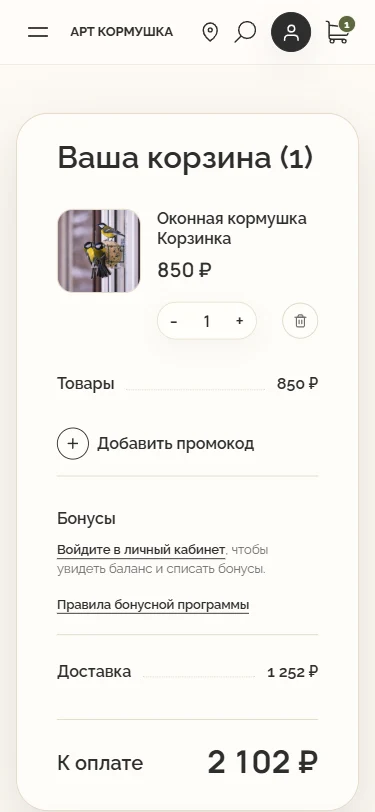
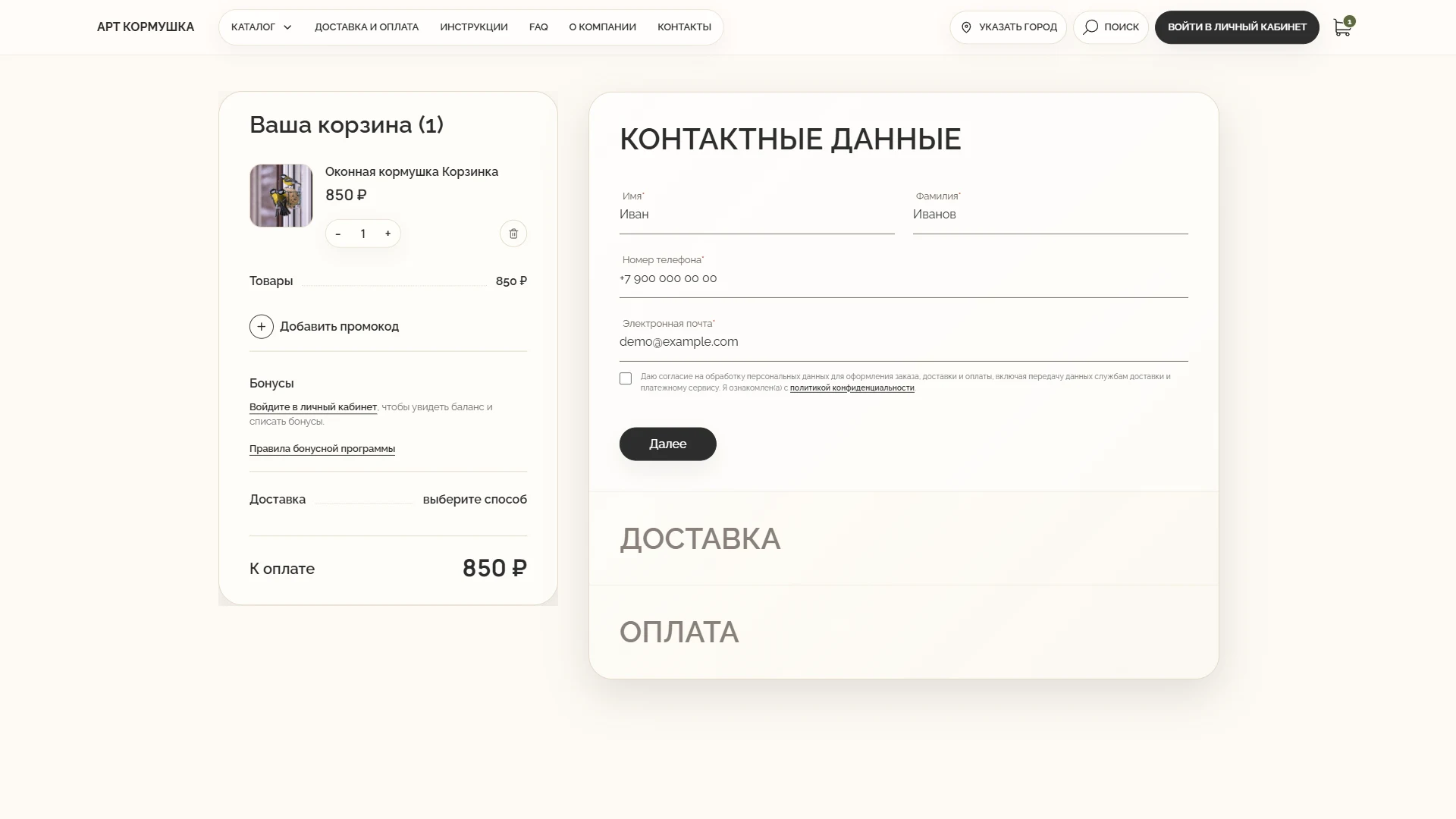
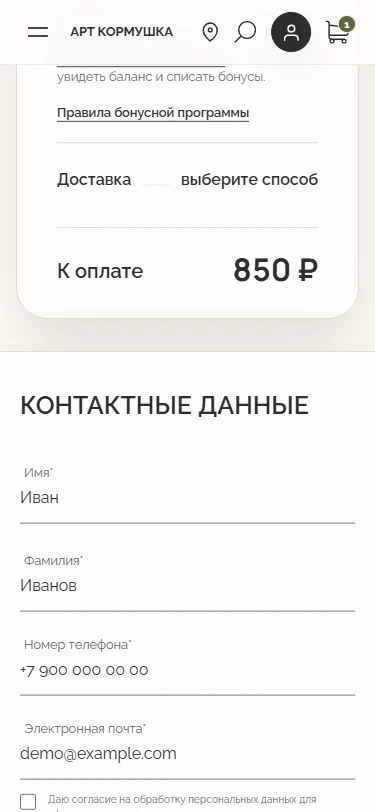
We combined the cart, contact details, and payment into one sequential checkout flow.
WHAT NEEDED TO BE SOLVED
Customers needed to place an order without repeated input or unexpected changes to the final total.
UX SOLUTION
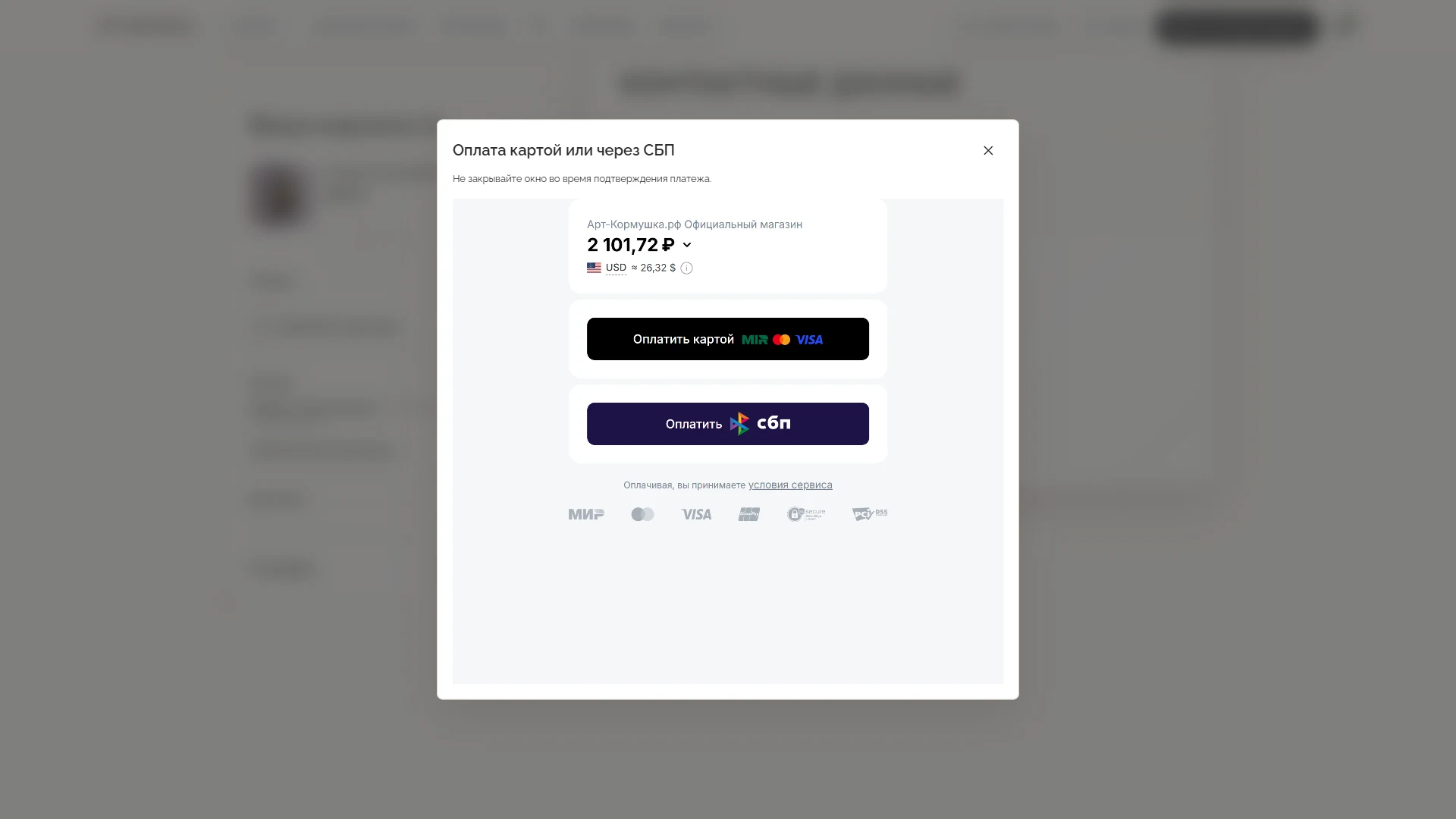
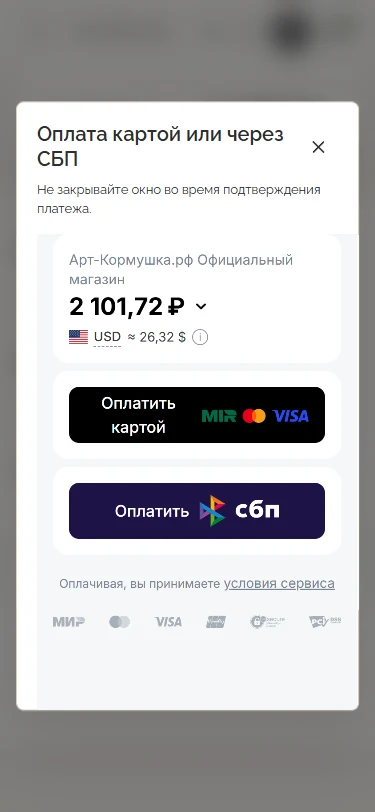
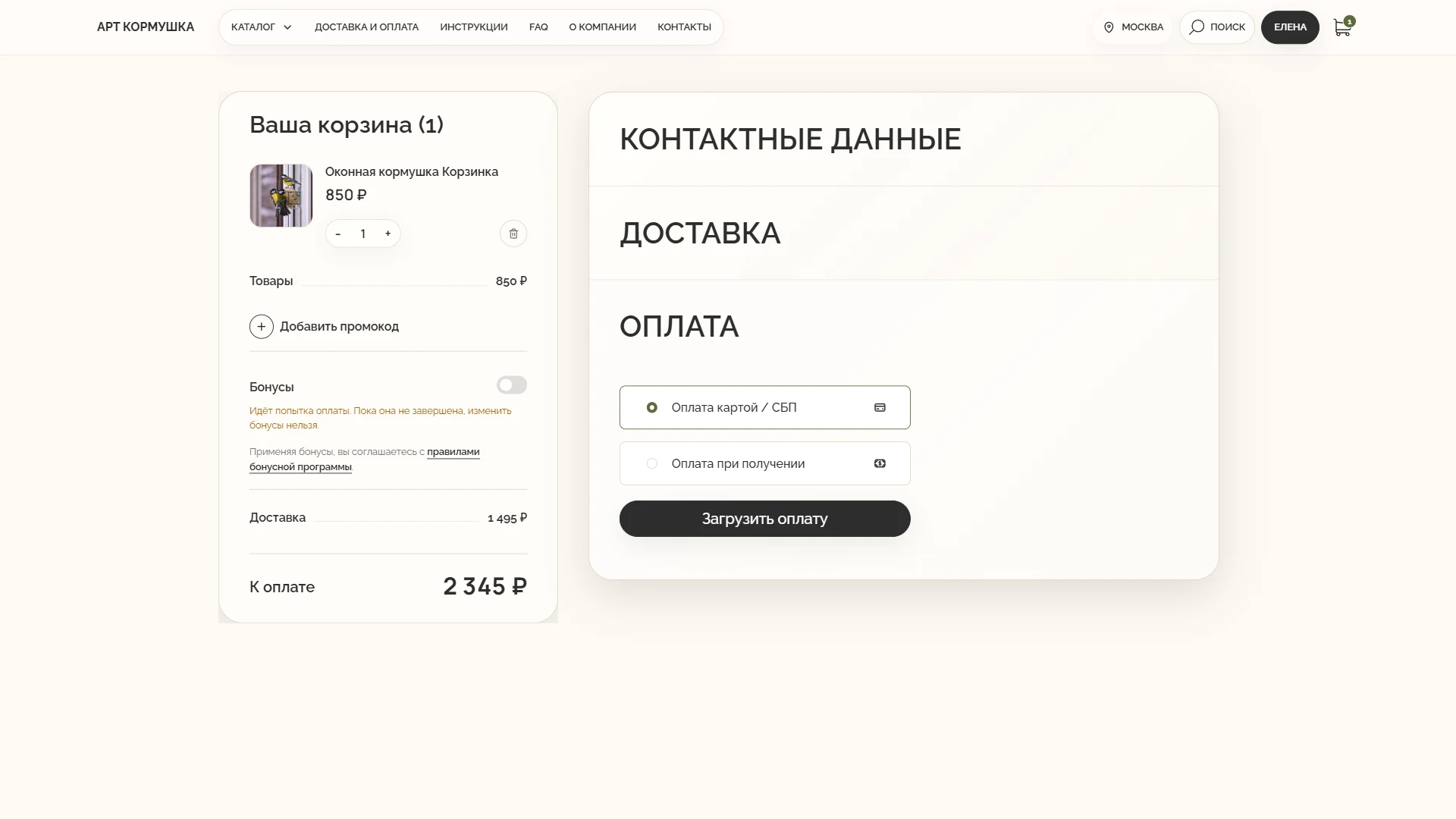
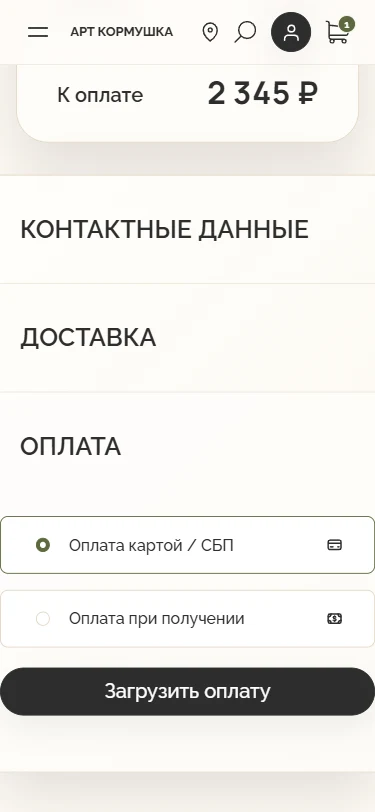
Checkout moves from the cart and contact details to secure payment through Robokassa.
RESULT
Customers stay in control of the order contents and total, while payment and status remain in one system.
KEY DECISIONS
- (01)Autofill for account contacts and saved addresses
- (02)A sequential path from contact details to delivery and payment
- (03)Server-side validation of the cart, delivery, discounts, and rewards
- (04)Bank-card and Faster Payments System payments through Robokassa
- (05)A safe retry after a payment error
- (06)Fiscal receipts, automatic cancellation, and refunds through the API
Desktop & Mobile
Cart and final total
Contact details and consent
Card or Faster Payments System payment
Desktop
1920pxCart and final total
Contact details and consent
Card or Faster Payments System payment
Mobile
375pxCart and final total
Card or Faster Payments System payment
Contact details and consent
Payment Flow
Payment method selection
Card or Faster Payments System payment
Delivery module
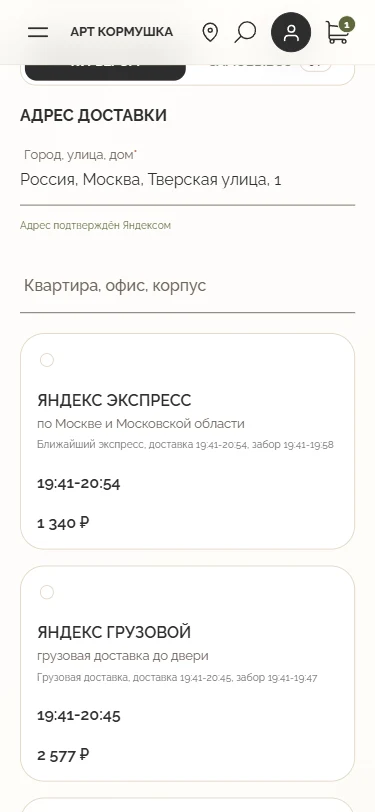
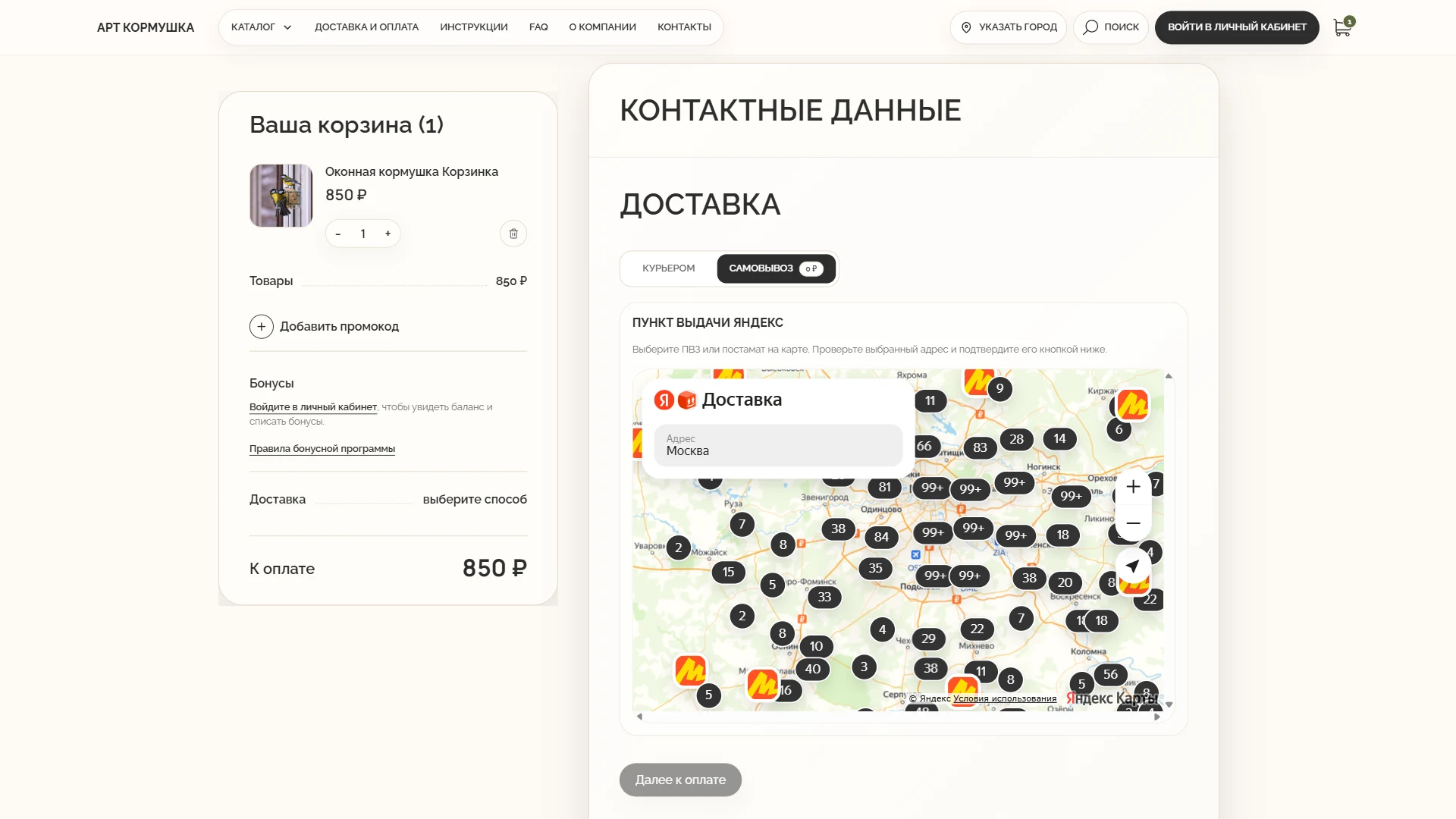
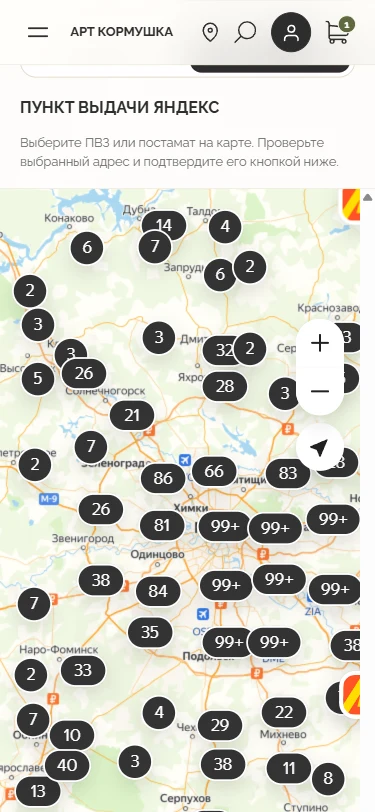
We developed and connected a Yandex Delivery module through its API, with precise address entry, pickup-point selection on a map, and automatic cost and ETA calculation. For express delivery, the interface shows Yandex's dynamic ETA with the store's preparation time added.
WHAT NEEDED TO BE SOLVED
Delivery had to work inside the store, prevent address errors, and show available methods, prices, and dates in advance.
UX SOLUTION
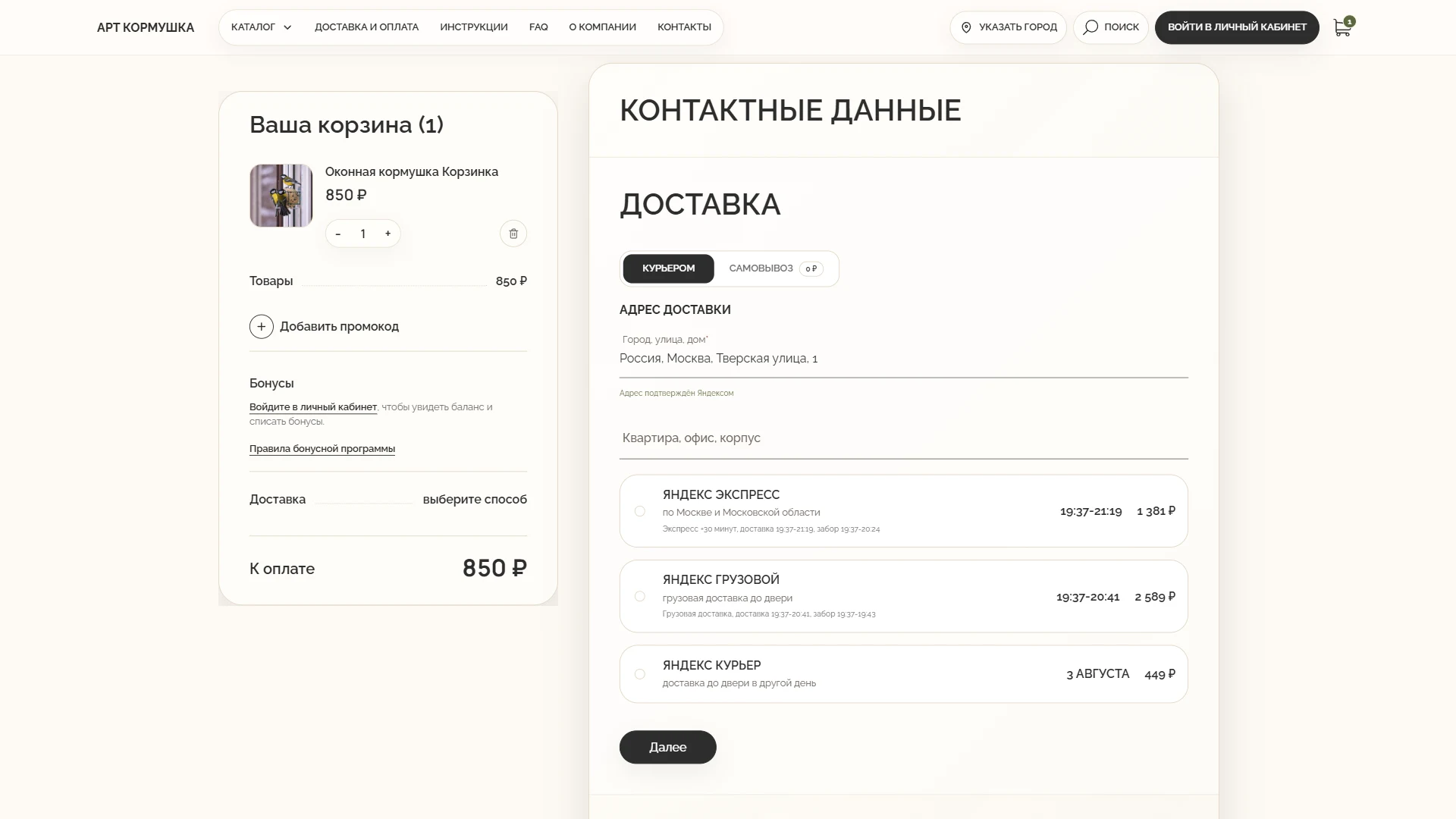
Delivery options before payment
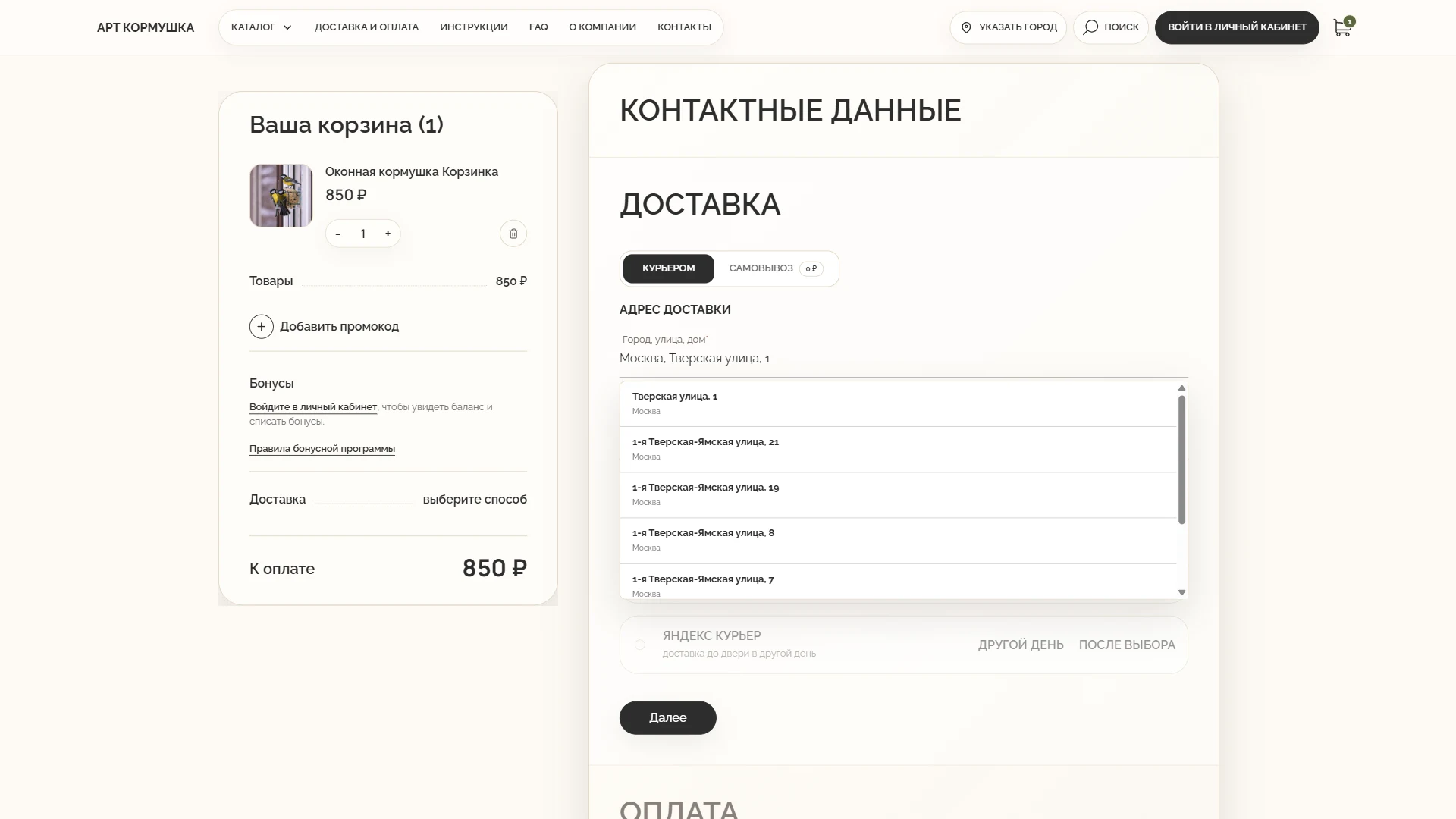
The geocoder validates courier addresses, Yandex Delivery calculates available tariffs, and pickup points are selected on an interactive map. The chosen method, address, cost, and estimated date are saved with the cart and shown before payment. A saved address also enables an estimate on the product page.
Fulfilment only after assembly confirmation
After successful payment, the server creates the Medusa order and places it in the assembly queue. It does not create a Yandex shipment at this stage. Once a manager confirms assembly and creates the standard Medusa fulfilment, the server sends the verified shipment data to Yandex, saves the external request number, and receives the official tracking link. This keeps warehouse confirmation as the required boundary before hand-off to the carrier.
RESULT
Customers know when the order will arrive and what delivery will cost. The chosen method and address are stored with the order automatically.
KEY DECISIONS
- (01)Pickup points, lockers, courier, express, and cargo delivery through one provider
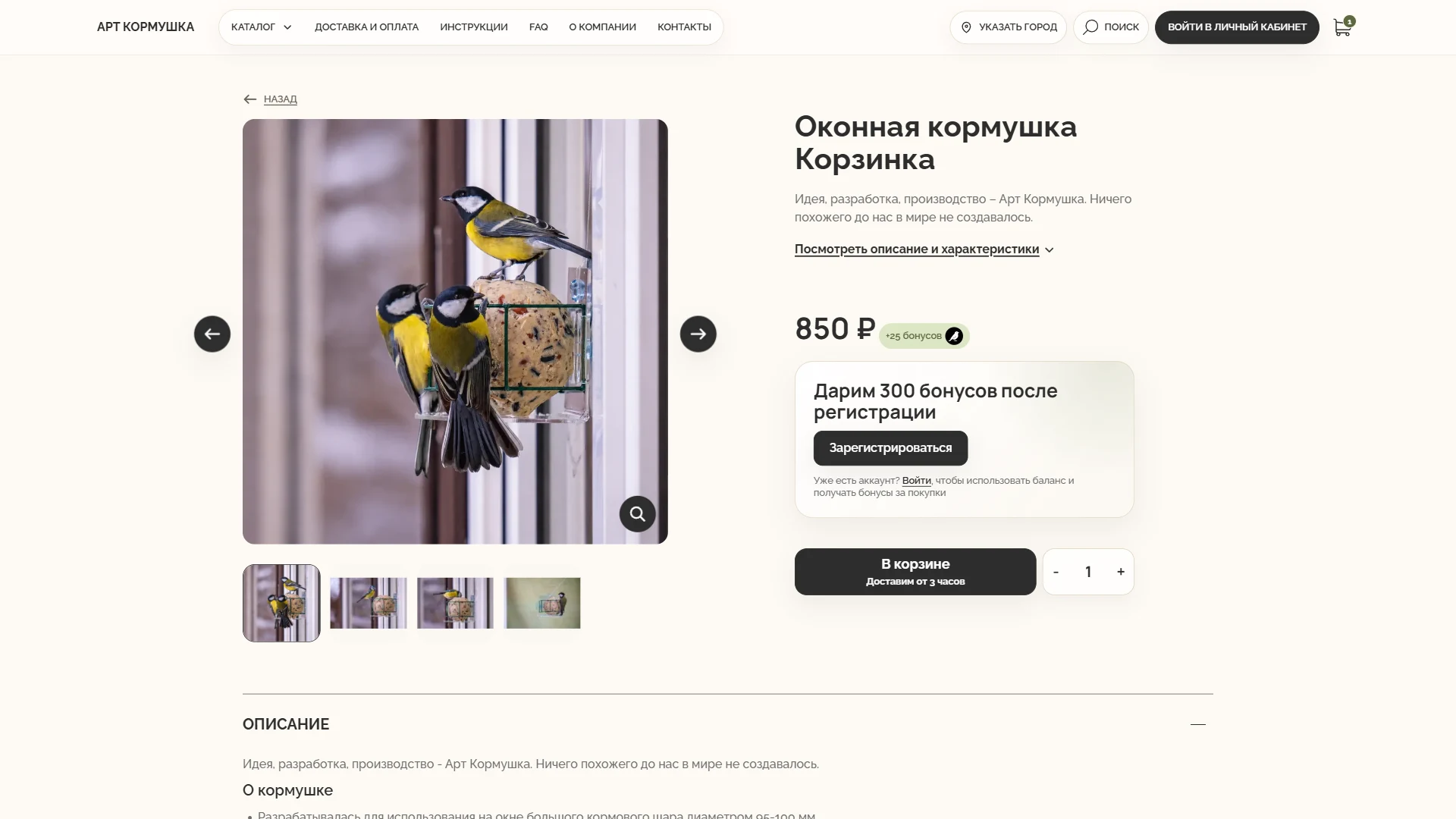
- (02)Preliminary delivery time and availability on the product page
- (03)City detection with a required confirmation or change option
- (04)Yandex Geosuggest for one-line address entry
- (05)Server-side verification of the exact building and coordinates through Yandex Geocoder
- (06)The official pickup-point widget with a fallback list if the map fails
- (07)Dynamic tariff calculation instead of static prices
- (08)Shipment creation only after assembly confirmation
- (09)Status and tracking-link synchronisation without manual re-entry
Desktop & Mobile
Delivery date on the product page

Address entry with geocoder suggestions
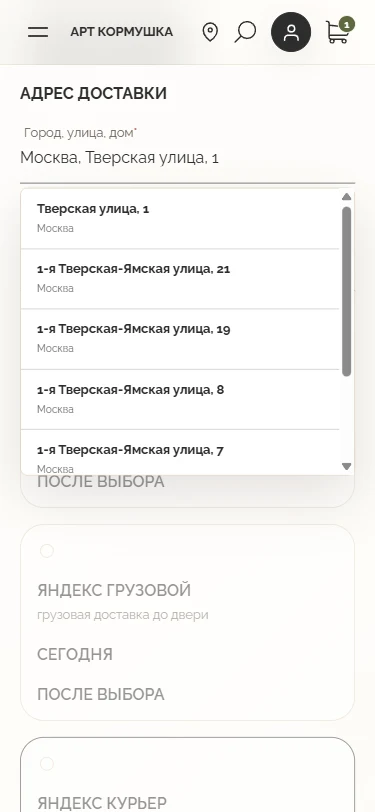
Available delivery methods
Selecting a pickup point on the map
Desktop
1920pxDelivery date on the product page
Address entry with geocoder suggestions
Available delivery methods
Selecting a pickup point on the map
Mobile
375pxDelivery date on the product page
Available delivery methods
Address entry with geocoder suggestions
Selecting a pickup point on the map
Orders and customer account
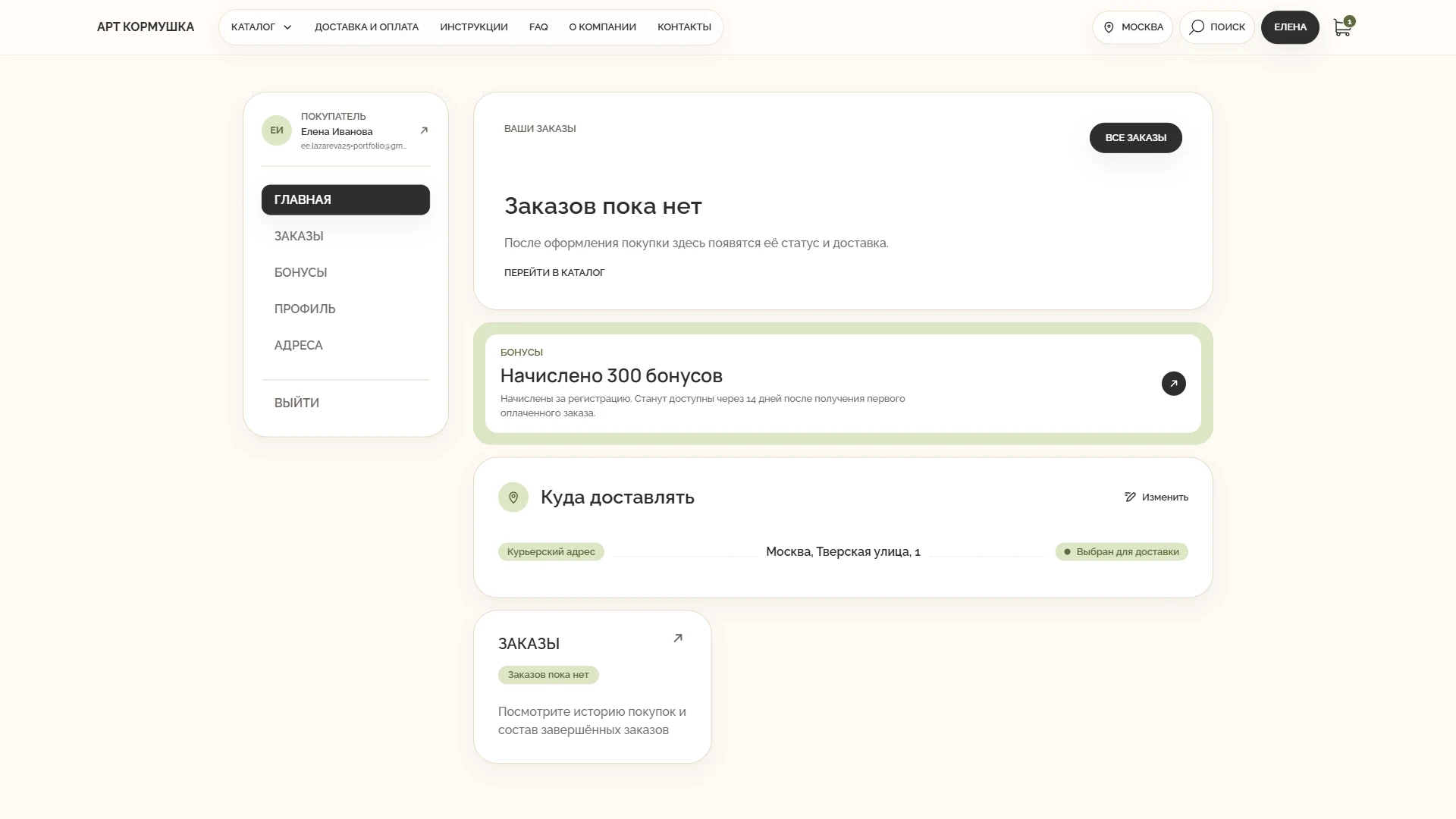
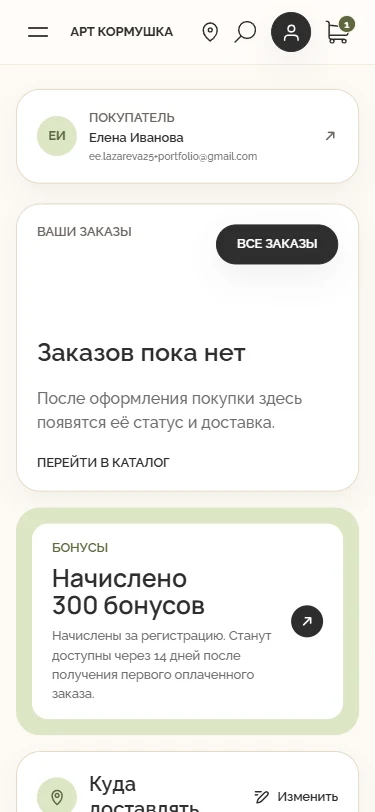
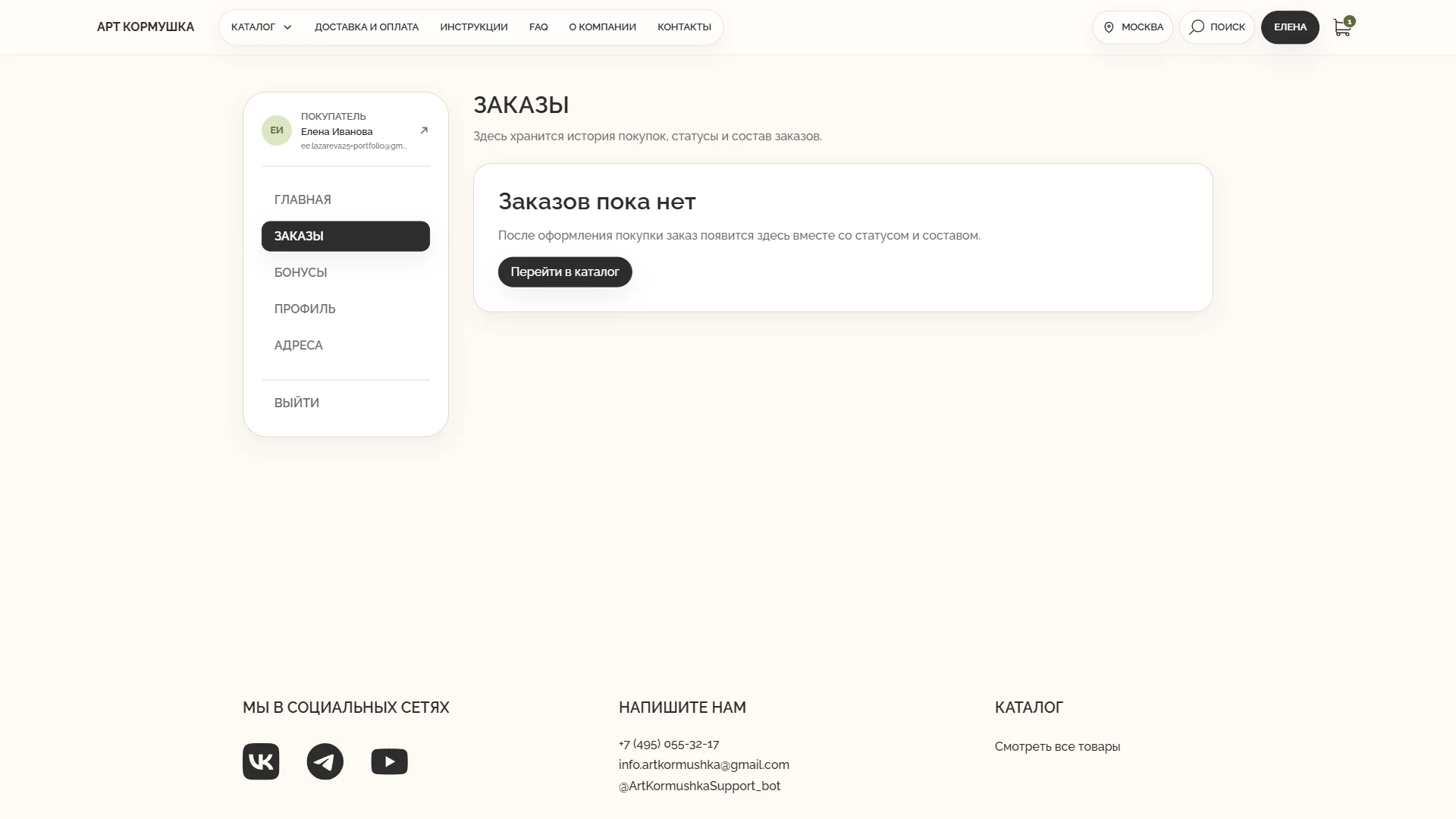
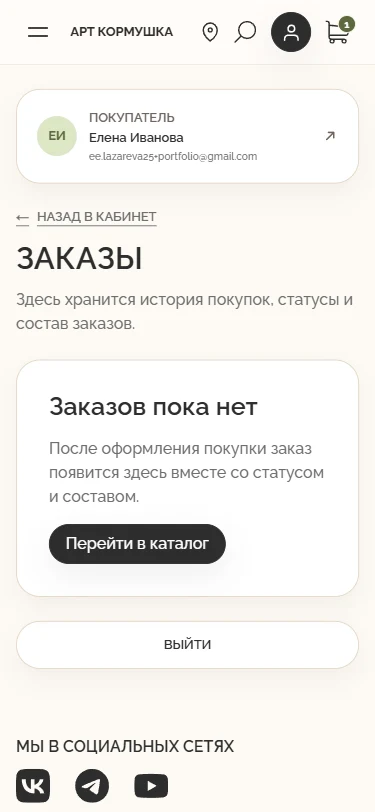
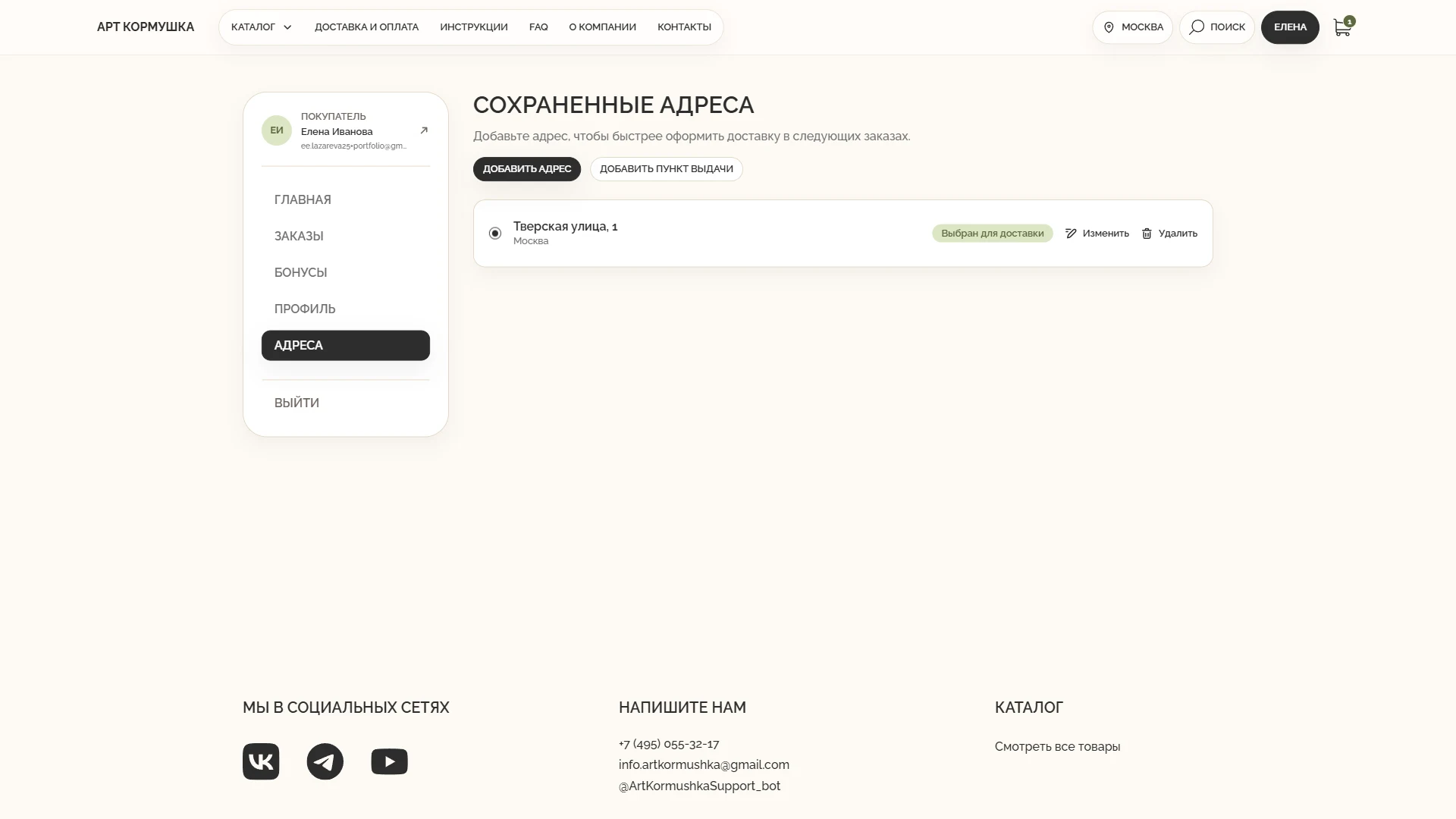
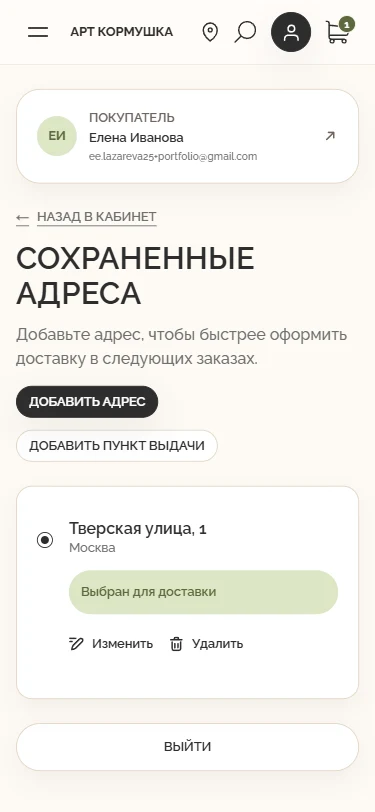
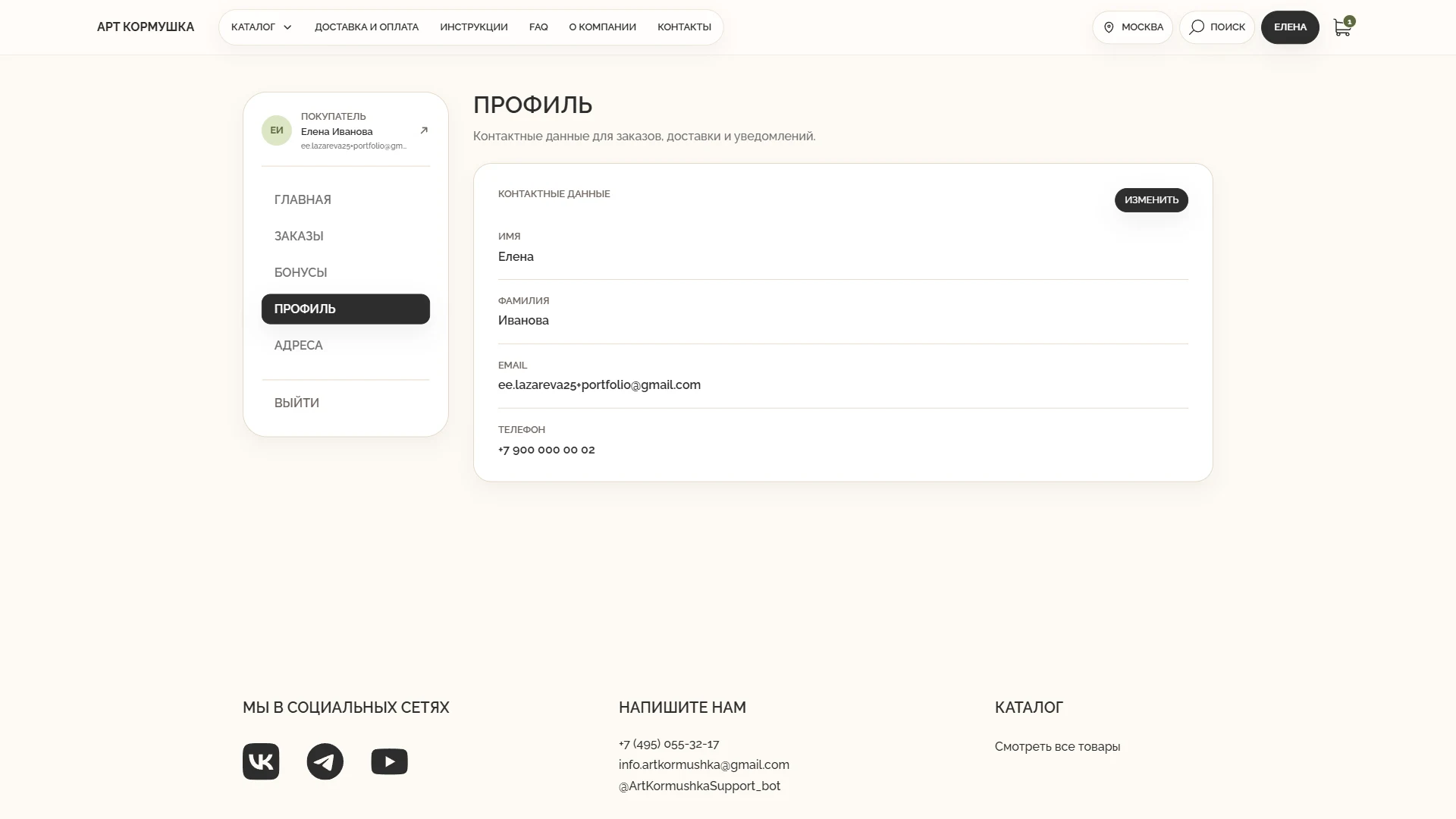
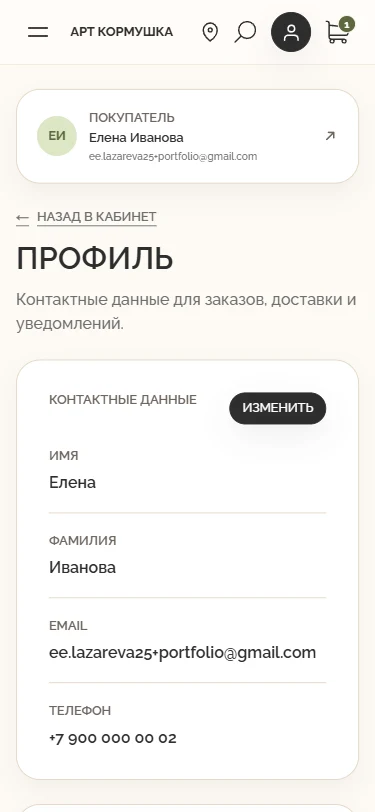
We placed everything customers need after purchase in one place: status, delivery, order history, and saved details.
WHAT NEEDED TO BE SOLVED
After payment, customers needed to understand order status independently and avoid entering the same details on the next purchase.
UX SOLUTION
Order status and repeat purchases
The account shows contents, payment, assembly, and delivery stages, while the profile and address book accelerate repeat checkout. Tracking uses the official carrier link stored with the fulfilment.
Cancellation and return branches
If no external shipment exists, the standard Medusa cancellation workflow is used. If an active but unshipped Yandex fulfilment already exists, the server first obtains an admissible cancellation response from the provider, then cancels the order, releases reservations, and starts a full refund of captured payment.
For an already shipped Other-Day or pickup-point order, ordinary cancellation becomes a recall and Return: the payment refund starts after Yandex accepts the stop request and a Return is created in Medusa, while inventory is restored only after the goods physically return. An express order cannot be cancelled automatically after courier hand-off and requires Yandex support.
RESULT
Customers control their order independently and reuse saved details during the next checkout.
KEY DECISIONS
- (01)Sign-in by email or Yandex ID
- (02)An overview of active orders and profile status
- (03)Purchase history with detailed payment and delivery states
- (04)A unified state model across Medusa, Robokassa, and Yandex Delivery
- (05)Saved courier addresses and pickup points
- (06)Repeat ordering with current prices and availability
- (07)Two-step cancellation and a coordinated logistics return
- (08)Automatic updates for active orders
Desktop & Mobile
Customer account overview
Order history
Saved addresses
Profile and contact details
Desktop
1920pxCustomer account overview
Order history
Saved addresses
Profile and contact details
Mobile
375pxCustomer account overview
Saved addresses
Order history
Profile and contact details
Bonus system
We made a custom rewards programme a clear continuation of the customer journey.
WHAT NEEDED TO BE SOLVED
Rewards had to encourage repeat purchases and remain correct across payment, cancellation, and return scenarios.
UX SOLUTION
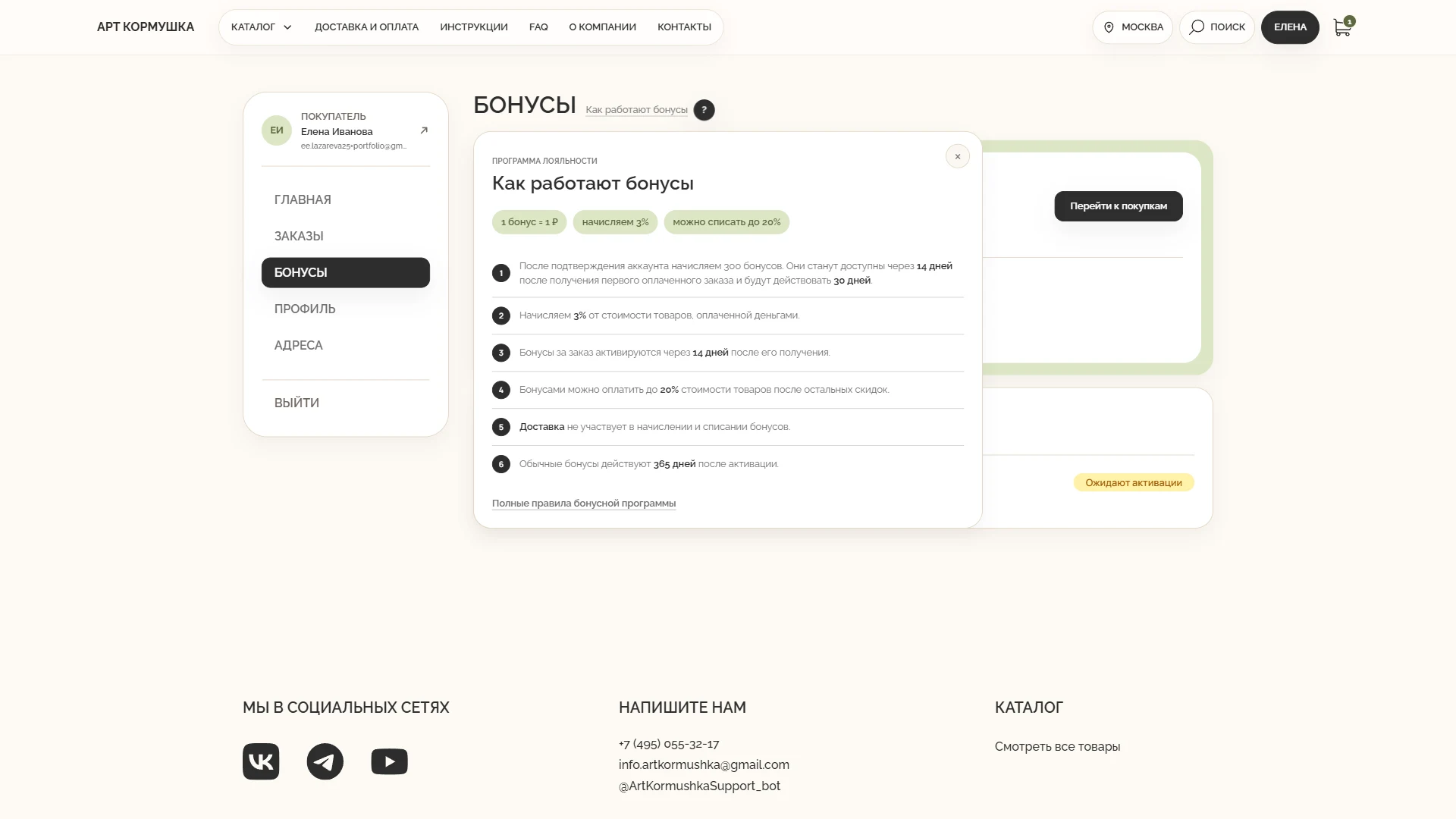
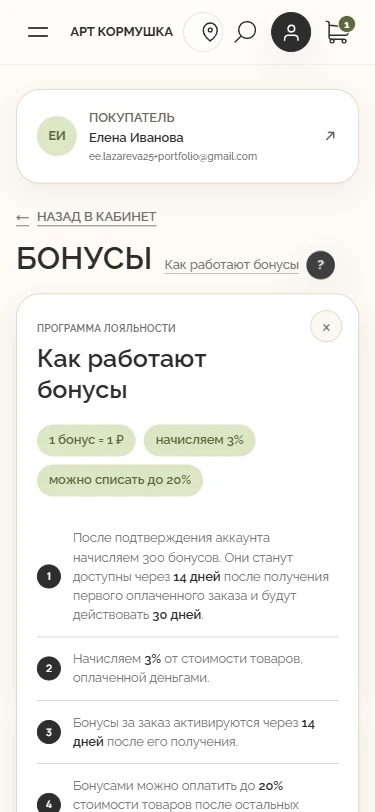
PROGRAMME RULES
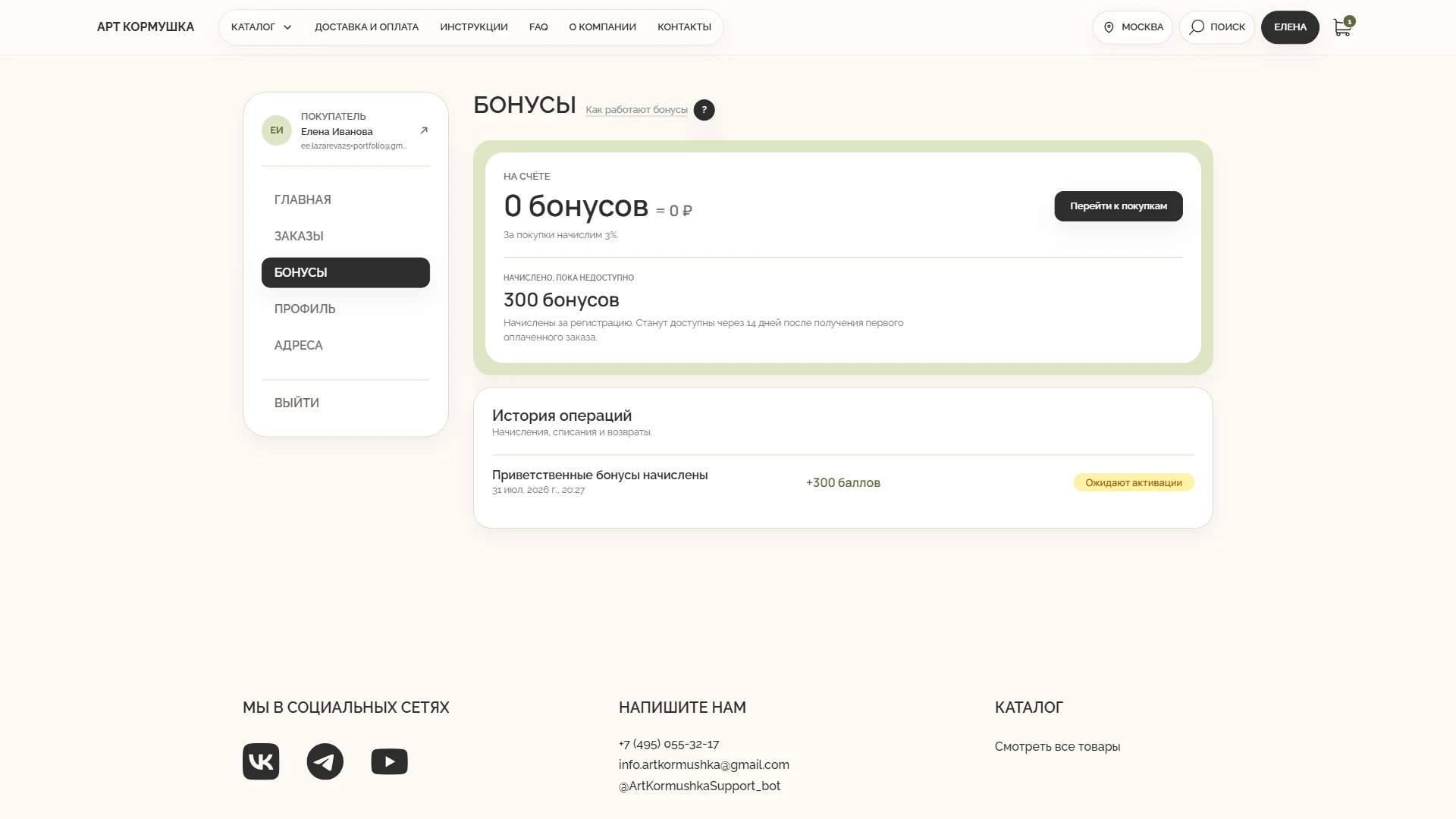
Welcome rewards
300 rewards are added after registration.
Earning
3% of the paid product value is credited after the order reaches the eligible state.
Spending
Rewards can cover up to 20% of product value, subject to the programme rules.
Pending balance
Newly earned rewards remain pending until the order fulfils the programme conditions.
Cancellation
Reserved rewards are released and the corresponding earning operation is reversed.
Return
The balance is recalculated against the products actually retained after the return.
Transaction history
Every credit, reservation, spend, release, and reversal remains visible in the account.
Server-side control
The backend validates limits and protects financial operations from duplicate execution.
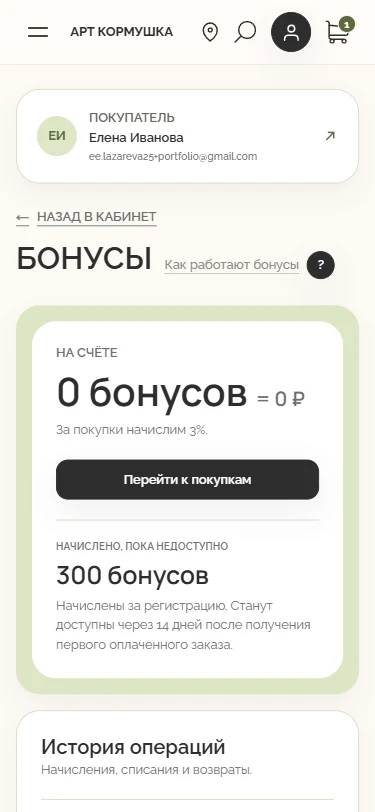
The account separates available and pending balances, shows transaction history, and explains earning and spending rules.
RESULT
Customers understand when and how to use rewards, while the business manages the programme without manual balance reconciliation.
Bonus System
Balance and transaction history
Rewards programme conditions
Desktop
1920pxBalance and transaction history
Rewards programme conditions
Mobile
375pxBalance and transaction history
Rewards programme conditions
Administration and warehouse assembly
We adapted the Medusa administration area to the store’s operating process: catalogue management, paid-order assembly, documents, fulfilment, returns, and rewards are connected in one workflow.
WHAT NEEDED TO BE SOLVED
Turn an order into warehouse actions
A generic order screen was not enough for day-to-day assembly. Employees needed a queue of paid orders, product-level picking information, batch actions, documents, and a controlled transition to delivery.
Keep critical operations consistent
Before documents, assembly, or fulfilment are created, the server must verify the current payment, cancellation, and fulfilment state so that stale admin data cannot trigger an invalid action.
UX SOLUTION
A dedicated assembly queue
Paid orders enter a warehouse view where employees can select a batch, inspect photographs, article numbers and quantities, and produce the documents needed for picking, packing, and cargo units. The exports are generated from current order data rather than copied into spreadsheets.
A controlled boundary before delivery
Payment does not automatically create a Yandex shipment. The employee picks the products, confirms assembly, and creates the Medusa fulfilment; only then does the backend send verified data to Yandex and store the tracking details.
Catalogue management without a developer
Administrators manage categories, content, characteristics, variants, images, prices, stock, installation instructions, and the Ozon link. Category-specific fields keep catalogue, logistics, and SEO data aligned. Warehouse, rewards, and broader administrative permissions are separated by role.
RESULT
Employees work through one sequence instead of reconciling an admin panel, spreadsheets, and the carrier account. Product and shipment documents use current order data, while server-side checks and separated permissions protect critical operations. The business can update the assortment and operating rules without routine code changes.
KEY DECISIONS
- (01)Dedicated warehouse and assembly queue
- (02)Separate payment, assembly, and delivery stages
- (03)Batch order selection and keyboard shortcuts
- (04)PDF exports for products, orders, and cargo units
- (05)Official labels and a combined ZIP package
- (06)Server-side order revalidation before actions
- (07)Category-specific product and variant characteristics
- (08)Separate warehouse and administrator permissions
SEO and search accessibility
SEO was built into the store architecture so that products can be found for specific queries, legacy links continue to work after migration, and new catalogue items enter search and product feeds automatically.
WHAT NEEDED TO BE SOLVED
A crawlable catalogue
Categories, products, and information pages had to expose complete content and ordinary links to search crawlers.
Migration and duplicate control
Legacy product and category URLs needed permanent destinations, while filters, sorting, and pagination required explicit indexing rules to prevent duplicate pages.
UX SOLUTION
Search engines receive complete pages
Categories and product pages are rendered on the server, exposing names, prices, descriptions, and links without requiring a crawler to run the interactive interface. Dedicated category landing pages cover meaningful assortment directions.
Stable URLs and controlled indexation
Legacy URLs redirect permanently to corresponding current content. Filtered and sorted combinations are excluded from indexing and point to the canonical category, while paginated pages remain crawlable so deeper products can be discovered.
Current structured product data
Product pages generate titles, descriptions, canonical URLs, breadcrumbs, and Product JSON-LD from current store data. Sitemap, robots.txt, Google Merchant, and Yandex YML feeds are generated from the catalogue; service pages are excluded. Confirmed purchases, rather than unverified checkout visits, are sent to Yandex Metrica.
RESULT
Search engines receive complete pages, stable addresses, and current product data. New products and categories enter metadata, structured data, sitemap, and feeds without manual file editing. Actual traffic, ranking, and order growth remain outcomes to measure separately in webmaster and analytics tools.
KEY DECISIONS
- (01)Server rendering for indexable page content
- (02)Dedicated catalogue search directions
- (03)Consistent canonical and hierarchical URLs
- (04)Permanent redirects from legacy URLs
- (05)Filter indexation control and crawlable pagination
- (06)Product JSON-LD and breadcrumbs
- (07)Generated sitemap, robots.txt, and product feeds
- (08)Analytics tied to confirmed purchases
Store and payment security
Security was built into account access, order operations, pricing, payments, rewards, cancellations, and returns. Customers receive predictable protected actions, while the business relies on amounts and outcomes verified by the server.
WHAT NEEDED TO BE SOLVED
Protect personal and order data
Contacts, addresses, and purchase history must be accessible only to their owner.
Prevent amount tampering and duplicate operations
The browser can display prices and discounts but cannot be trusted as the final authority. Delayed callbacks, retries, and double clicks must not create a second order, reward operation, or refund.
UX SOLUTION
Protected sessions and ownership checks
The site uses HTTPS and an HttpOnly session cookie with protective attributes. Yandex ID login validates the one-time state and allowed return address. The backend checks ownership whenever an account opens, repeats, cancels, or returns an order, and applies the same boundary to carts, rewards, addresses, and tracking.
Server-controlled totals and payment confirmation
Before payment, the server recalculates the cart and stores a fixed checkout state. Card details remain on the official Robokassa form. A browser redirect does not establish payment: the backend verifies the signed server notification, invoice, exact amount, and payment-session relationship.
Idempotent financial workflows
Payments, rewards, cancellations, and refunds use idempotency and server-side locking. Conflicting financial data stops automatic processing for reconciliation. Public APIs expose only the customer-facing order fields, while sensitive endpoints have dedicated rate limits.
RESULT
Personal data and purchase history remain restricted to the account owner, card details do not pass through the store, and repeated input does not trigger duplicate financial operations. The business calculates totals and confirms payments on the server, reducing the risk of unauthorised access, amount substitution, unpaid fulfilment, or duplicate refunds.
KEY DECISIONS
- (01)HTTPS and a protected HttpOnly session
- (02)Server-side ownership checks for orders and carts
- (03)Server-side total recalculation before payment
- (04)Robokassa signature, invoice, and amount verification
- (05)Idempotency for payments, rewards, and refunds
- (06)Automatic stop on conflicting financial data
- (07)Restricted public order representation
- (08)Rate limits for sensitive APIs
TECHNOLOGY
The store stack, from interface to production infrastructure
The project combines a separate storefront, commerce backend, administration panel, search, background processing, and external services. These are the technologies used in the store code and infrastructure.
- Storefront and interface
Server-rendered store pages, a responsive interface, accessible components, and animation.
Next.js 15React 19TypeScriptTailwind CSSPostCSSAutoprefixerGSAPScrollTriggerHeadless UIRadix UIMedusa JS SDKlibphonenumber-js - Commerce and data
Catalogue, customers, orders, inventory, rewards, and administrative workflows share one commerce layer.
Medusa 2Medusa AdminMedusa UIMedusa Workflow EnginePostgreSQL 16Redis 7TanStack QueryReact Routerreact-i18nextZod - Search and content processing
The search index, images, warehouse documents, and product feeds are generated automatically.
MeilisearchSharpPDFKitJSZipFast XML ParserGoogle Merchant FeedYandex YMLSchema.org JSON-LD - Delivery and geodata
Addresses are validated, tariffs calculated, pickup points selected on a map, and delivery statuses synchronised with orders.
Yandex Delivery APIYandex pickup-point widgetYandex GeoSuggestYandex GeocoderIPWho.is - Payments and communications
Payment, authentication, transactional email, and ecommerce analytics are connected to order state.
RobokassaFaster Payments SystemYandex ID OAuthUniSender GoYandex Metrica Ecommerce - Infrastructure and quality
Applications are built, tested, and run as separate managed services with a reproducible release process.
Node.js 20npm WorkspacesTurborepoDocker ComposeNginxsystemdLet’s EncryptGitHub ActionsViteSWCJestESLintDependabotGit LFS
PROJECT OUTCOME
Launched a full-cycle online store
We created a unified e-commerce platform, from the catalogue and parameter-based product selection to delivery, payments, customer accounts, rewards, and administrative management.
Open the Art Kormushka website