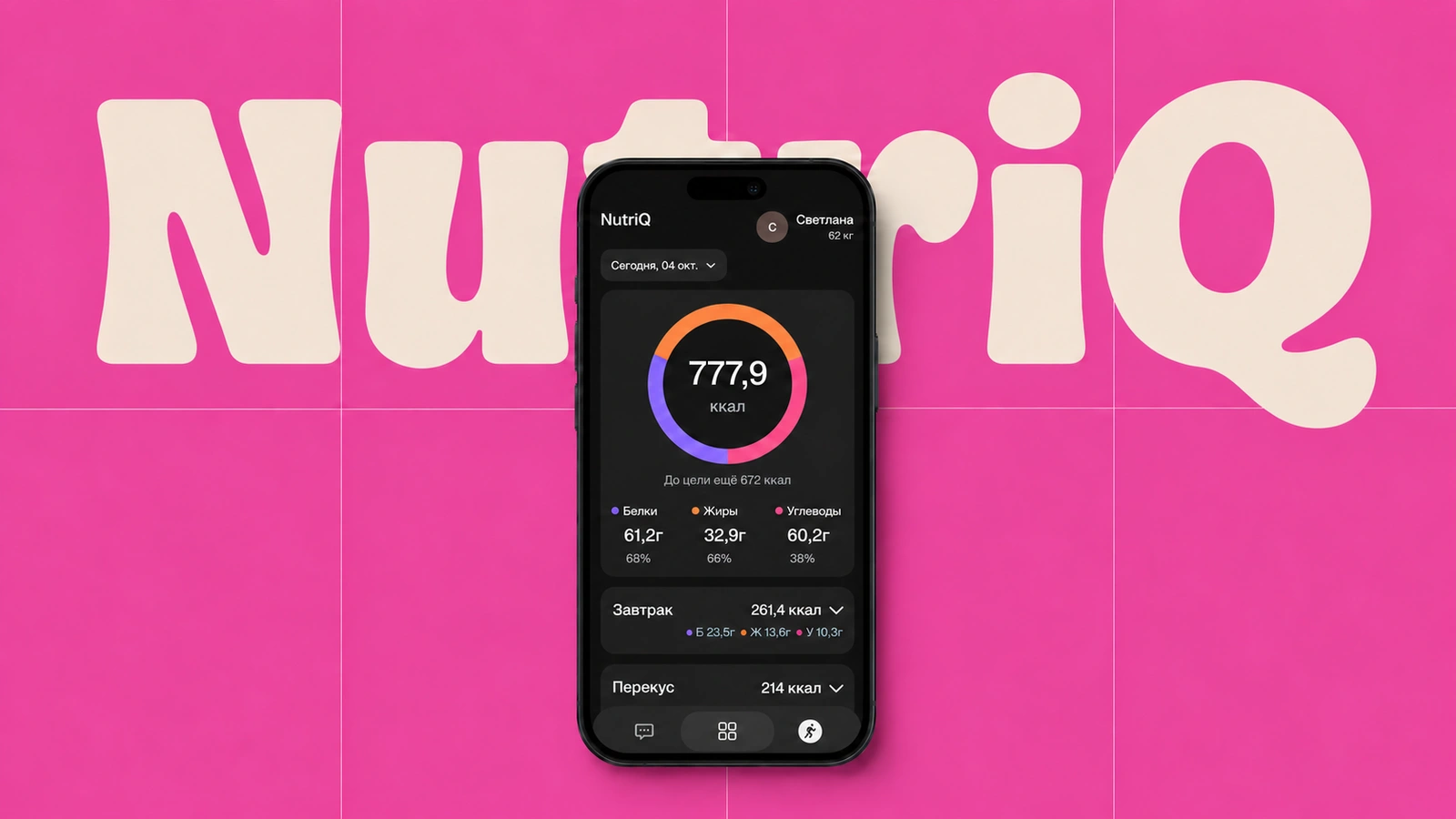
NutriQ
GistiQ App · Case study
NutriQ is a personal nutrition tracking system. It keeps a food diary, tracks calories and macros, assesses diet quality separately using a science-based method, and builds statistics across weeks and months.
The user describes what they ate by voice or text. NutriQ recognises foods and portions, performs the calculations, validates the data, and updates a personal dashboard. Daily progress, nutrient balance, diet quality, and long-term trends are visible in one place.
Without searching food databases, filling in forms, or maintaining spreadsheets, nutrition tracking becomes part of a natural conversation.
Minimal effort for everyday tracking
In a conventional app, every meal has to be assembled manually: search the database, choose the right entries, enter portions, and verify the macros. It is easy to pick inaccurate data from similar listings, and repeating the process several times a day quickly becomes a chore. Eventually, the diary is abandoned, making nutrition even harder to track.
NutriQ reduces the process to one simple action: weigh the food, then tell or show the app what is on the plate. The user can type a message, send a voice note, or upload a photo. NutriQ finds the relevant foods, records the portions, calculates calories and macros, and updates the diary. If information is missing, the system asks a follow-up question instead of replacing uncertainty with a guess.
Input data and calculations based on scientific and medical sources
Using NutriQ can begin with a specific goal. The user explains whether they want to lose weight, gain mass, maintain their current weight, or simply keep track of meals. In the latter case, the task is not limited to counting calories: NutriQ helps monitor whether the diet is balanced and whether it provides the nutrients the body needs.
To personalise the calculation, the user can provide parameters such as age, height, weight, activity level, and other relevant information. NutriQ uses these details to estimate individual calorie and macro needs, help create a nutrition plan, and compare that plan with what the person actually eats. This makes it possible to see both the current numbers and the progress toward the goal.
How NutriQ works for the user
NutriQ is not a calculator embedded in a page. It connects an AI agent, a strict nutrition journal, a calculation service, and a published interface. Each layer does a specific job.
The user writes in the chat
They describe what they ate and how much. NutriQ remains available throughout the day, so food can be logged immediately after each meal.
AI analyses and fills in the data
NutriQ recognises the foods and their amounts, organises them into meals, and fills in the diary. It then calculates calories and macros from this data. If there is not enough information for an accurate calculation, it asks a follow-up question first.
The user receives feedback
NutriQ shows the calculation directly in the chat: calories and macros added, the current daily total, and what remains within the personal target. When useful, it suggests how the next meals could be adjusted.
The data appears in the app
The personal dashboard updates automatically. It shows meals, daily balance, diet quality, and changes over time, while every previous entry remains available in the history.
The day is readable in seconds
The first screen answers the main question: where am I today relative to my goals? Calories, remaining allowance, progress, and macro balance share one hierarchy.

Daily index
How closely calories, protein, fat, and carbohydrates match personal targets.
Meals
Breakfast, lunch, dinner, and snacks show macro totals first, with food composition inside.
Daily context
Calendar, streak, and active calories remain nearby without competing with the primary task.
Honest progress
Percentages may exceed 100%, while unknown values stay empty rather than becoming fake zeros.
Macros are about balance. FQI is about diet quality
The same calorie total can come from chicken and vegetables or sweets and fast food. Food Quality Index therefore assesses the completed daily food pattern separately from calories and macros.

Adequacy groups
- Vegetables and greens
- Whole fruit and berries
- Whole grains
- Legumes, nuts, and plant protein
- Fish and Omega-3 sources
- Fermented and lower-fat dairy
Moderation factors
- Added/free sugar and sweet drinks
- NOVA-4 ultra-processed foods
- Sodium and salt
- Saturated fat, red and processed meat
The criteria were not chosen arbitrarily. They combine components that recur across established diet-quality approaches such as HEI, AHEI, DASH, Mediterranean, and MIND, while following the WHO principles of adequacy, balance, moderation, and diversity. This is why vegetables, fruit, whole grains, legumes, nuts, fish, and dairy are assessed separately from components to limit, including added sugar, sodium, saturated fat, red and processed meat, and ultra-processed foods. Each of the 10 factors receives 0–3 points in 0.5 increments, for a maximum of 30. Dividing the total by 30 converts it to a comparable 0–100 scale. This is a transparent practical adaptation of evidence-based approaches for an everyday food diary, not a separately clinically validated scale.
Scientific basis and boundaries
The method synthesizes HEI, AHEI, DASH, Mediterranean indices, MIND, and NOVA principles. It is an evidence-informed custom index, not medical diagnosis or a clinically validated scale. Behavioral anchors suit ordinary diaries without laboratory-level sodium, EPA/DHA, or added-sugar data.
Completed days only
FQI appears after explicit confirmation that all meals are logged.
Unknown is not harmful
Missing composition is a data gap, not negative evidence.
Evidence over guessing
Sugar is not inferred from total carbs, and packaging alone does not mean NOVA-4.
Weekly context
Fish, Omega-3, red and processed meat use recurring patterns when available.
Sources used by the method
Nutrition history and clear statistics
NutriQ does more than retain completed days: it analyses nutrition across each week and month. The system compares calories and macros, diet quality, weight changes, and recurring eating patterns. The user can discuss the results with NutriQ directly in the chat, asking what changed, which deviations keep recurring, and how the current trend relates to the goal. NutriQ grounds these conclusions in scientific publications and medical reference data, so the analysis reflects both the user’s actual history and evidence-based guidance rather than generic advice.
Week and month
The summary calculates total and average calories and macros using only days with actual nutrition entries.
Weight trend
The chart shows weight changes across the selected period, the current result, and the remaining distance to the goal.
Every day stays available
The table retains the date, calories, macros, and weight. Any saved day can be opened and reviewed separately.
Analysis through dialogue
The user can discuss the period with NutriQ, receive an explanation of the trend, and understand what should be maintained or adjusted.
NutriQ clarifies instead of guessing
The user can describe food in everyday language, but sometimes that is not enough for an accurate calculation. If the weight, recipe, or specific product is unclear, NutriQ asks a follow-up question. This prevents a guess from becoming incorrect calories and macros that distort later statistics.
NutriQ also assesses diet quality using only information that is genuinely available: the user’s message, a photo, ingredients, or label data. When reliable information is missing, the app does not invent it or make categorical claims about the food.
Any entry can be corrected through the conversation, whether it is a portion weight, recipe, or meal. The correction updates the relevant day while every other entry and the accumulated history remain intact. The current diary stays available through one personal link on mobile and desktop.
Complex tracking feels simple
NutriQ combines daily voice input, validation, two independent diet assessments, and long-term statistics. The user describes food, receives a practical AI comment, and opens an already updated picture of progress.